
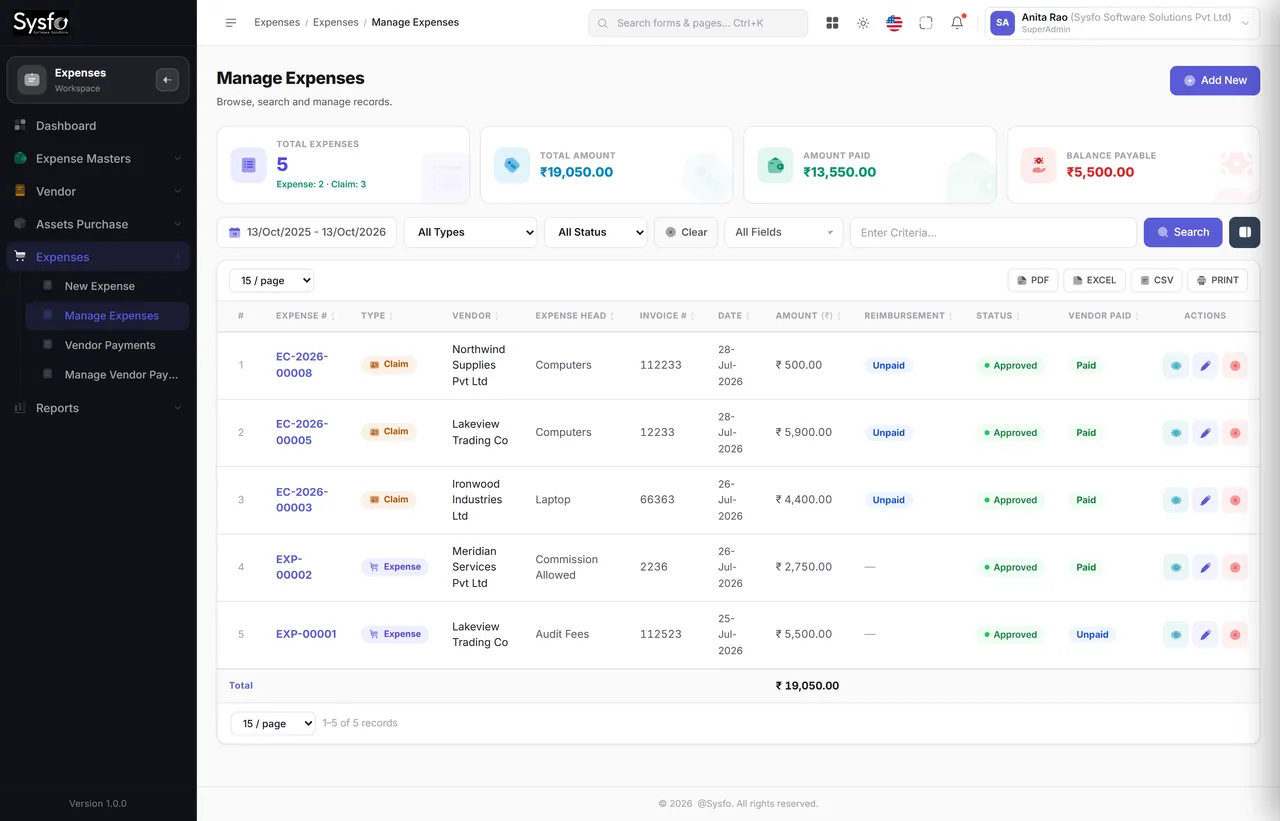
Three kinds, one register
A vendor bill, an employee claim and an asset purchase are entered differently and reported together — because they are all money leaving.
Vendor bills, employee claims and asset purchases in one place — approved before they are paid, posted against a head and a project, and reported thirty ways.
Why Sysfo Expenses
Spend scatters: a vendor bill here, a reimbursement there, an asset bought on someone’s card. Put all three behind one expenditure structure and approval chain, and the monthly figure stops being a reconstruction.
A vendor bill, an employee claim and an asset purchase are entered differently and reported together — because they are all money leaving.
Claims wait in a queue until an approver clears them. Rejections and cancellations stay on record with their reason.
Input tax credit separated from blocked credit, reverse-charge liability listed, TDS deducted on payment, HSN summary for the period.
The structure underneath
The broad bucket — Operations, Admin, IT.
The account it posts to.
The specific thing bought.
Optional, so job costing works.
It arrives in different shapes. A vendor invoice goes to accounts, a reimbursement goes to HR, an asset goes to IT, and a card payment goes to whoever holds the card. Each is recorded properly somewhere, and nowhere together.
All three are entered against the same group, head and item, so the monthly figure is a filter rather than a reconciliation — and the same entries produce the tax position without a second pass.
Bills & expense claims
An employee files a claim with the bill attached from their own login. It waits in Pending Expense Claims until an approver clears it, and is tracked until it is actually paid.
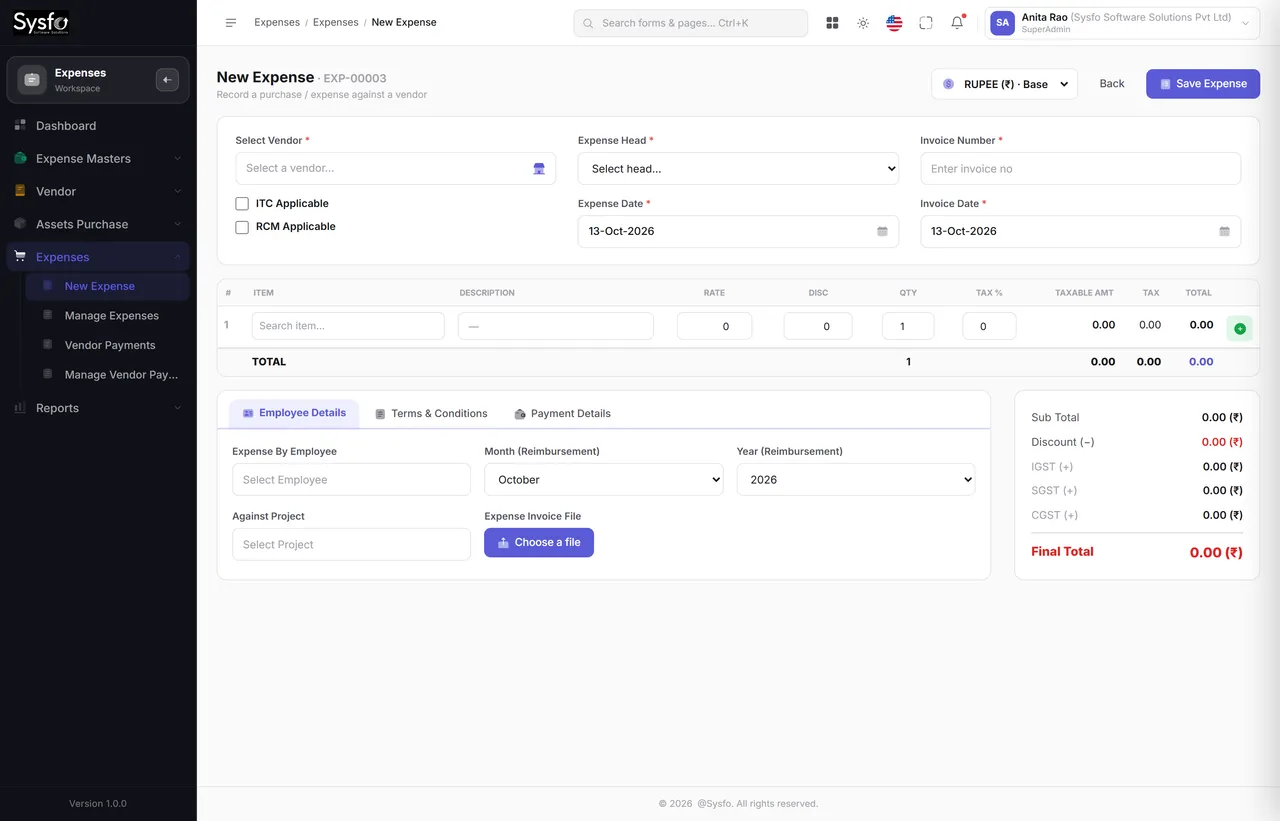 Enlarge
Filed from a phone
Expense claims sit in the My Account self-service module, built mobile-first — so the bill is photographed and filed at the counter, not carried in a wallet until month-end and then half-remembered.
Every claim carries its receipt, so approval is a decision made with evidence rather than a trust exercise at month-end.
Expenses and claims can carry a project, which is what makes job costing and client profitability possible later.
A claim sent back for a better bill keeps its history — the employee resubmits rather than starting again.
Vendors & payables
Each unpaid bill ages into a bucket, each vendor has a ledger, and payment can be made against several bills at once — so the payment run is a screen rather than a spreadsheet.
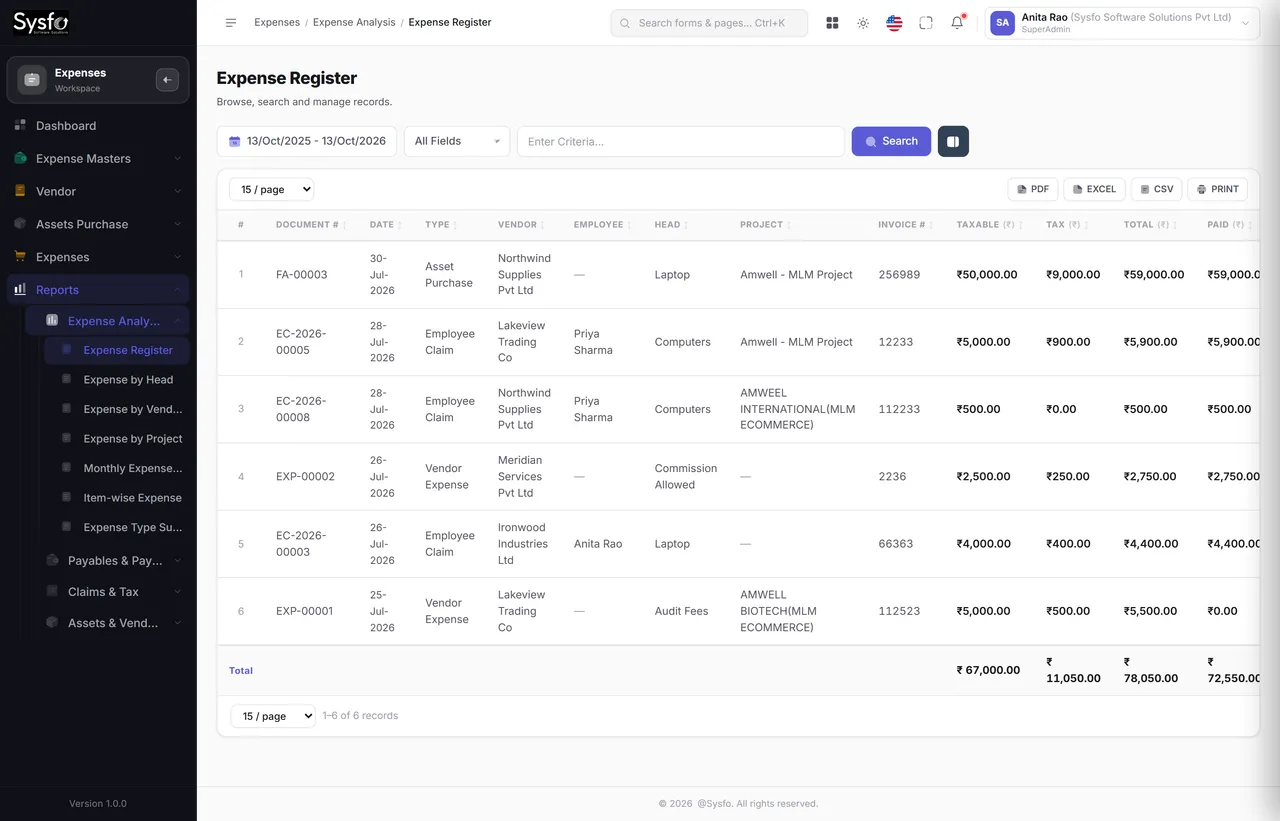 Enlarge
Tax
Input Tax Credit (ITC), RCM Liability, Tax-wise Expense Summary and HSN-wise Purchase Summary each report the period from the same entries — so what you claim and what you booked came from one source.
Vendor payment covers several bills at once, in any mode, with TDS deducted where it applies — and the payables ageing updates as you go, so the next run starts from the truth.
Cancelled and rejected expenses stay on record with their reason. A bill that was raised and dropped is a question somebody will ask eventually, and the answer is on the screen.
Expense reporting
Spend is only useful cut several ways at once: by head, by vendor, by project, by month, and by what it does to your tax position.
Every screen in the module
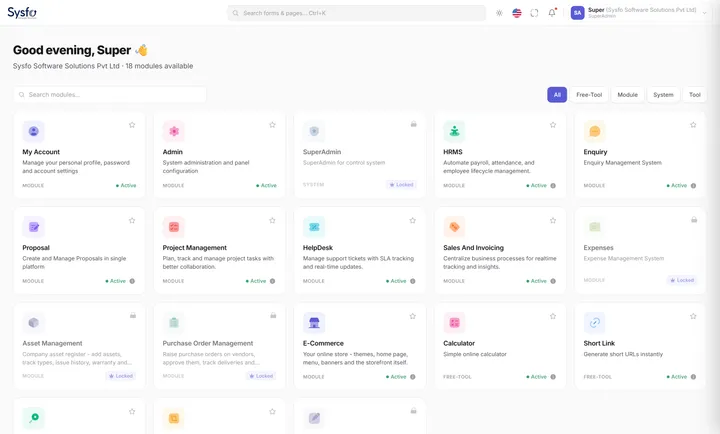
All forty-one screens. Asset purchases write the Asset Management register, expense claims come from staff self-service, and project-costed spend appears in project reporting — one entry, counted once.
Part of Sysfo ERP
Expense Management Software runs on its own, or alongside the other Sysfo ERP modules on one login and one set of records.
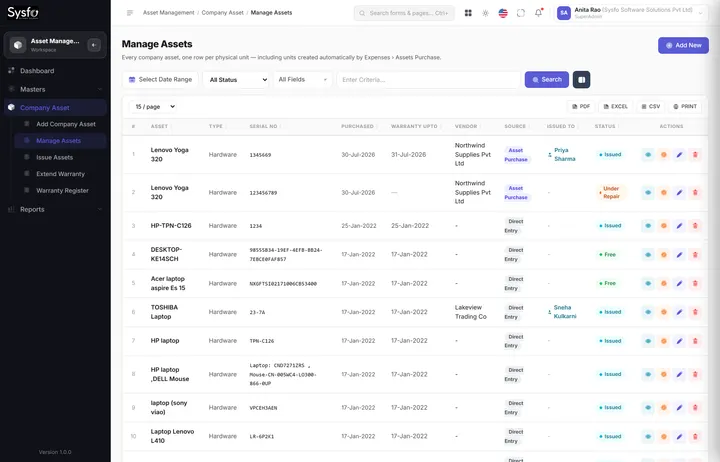
FAQ
It records every kind of business spend — vendor bills, employee expense claims and asset purchases — against an expenditure group, head, item and optional project, routes it for approval before payment, and reports it 30 ways. The module has 41 screens.
Employees file a claim with the bill attached from their own login, usually on a phone. The claim waits in Pending Expense Claims until an approver clears it, can be returned for a better bill, and stays in Pending Reimbursements until it is actually paid.
Yes. ITC and RCM are flagged per vendor and per bill, and the Input Tax Credit, RCM Liability, Tax-wise Expense Summary and HSN-wise Purchase Summary reports are produced from the same entries.
Yes. A vendor payment can cover several bills, in part or in full and in any mode, with TDS deducted where it applies. Payables ageing and the vendor ledger update as you pay.
Yes. Expenses and claims can carry a project, which is what makes job costing and client profitability reporting possible.
An asset purchase is a separate entry type that also creates one asset record per unit in Asset Management, so a bill for ten laptops becomes ten tracked assets.
Get started
We set up your expenditure groups, heads and items, bring your vendors and open bills across, and train the people who spend, approve and pay.
A bill, a claim and an asset purchase, through approval to payment.
Expenditure structure, vendors, opening payables and approval rules.
Staff claims, approvers and accounts, with the tax reports explained.