ScrapAppScrap Collection & Resale Platform

Scrap Collection App & Resale Software Scrap, sorted. Run your whole scrap business from one platform.

Doorstep pickups, rider app, live tracking, wallets and payouts, inventory, sales, invoices and an online shop — connected, mobile-friendly and live from day one.

  • Customer App
  • Agent App
  • Admin Console
  • Live Tracking
  • Wallet & Payouts
  • Inventory
  • Sell Orders & Invoices
  • Online Shop
ScrapApp scrap collection app — Admin console screen Enlarge
ScrapApp — Customer app screen
Customer appCustomer app home.
ScrapApp — Agent app screen
Agent appAgent app dashboard.

Why ScrapApp

Less chasing. More recycling.

ScrapApp connects every part of a scrap business — households who sell, riders who collect, the office that manages, and buyers who purchase — in one real-time system. Everyone sees only what they need.

5 Connected apps: Website, Customer, Agent, Admin and Shop
85 + Ready screens across the platform
260 + Secure API endpoints behind them
Live Updates: new pickups, rider location, status changes

A day with ScrapApp

One system, from the first booking to the final invoice.

  1. Customer books a pickup in about 30 seconds.

  2. Admin assigns a rider; the rider is alerted live.

  3. Rider weighs on arrival and records actual quantities.

  4. Payment is credited to the customer's wallet.

  5. Collected stock is listed on the Shop with live availability.

  6. A buyer's order is confirmed, dispatched and invoiced.

The platform at a glance

Five apps. One source of truth.

Each audience gets an app built for them. All of them share the same customers, rates, orders, stock and money — so nothing is typed twice.

One secure core

ScrapApp API · SQL Server database · real-time hub

260+ endpoints, 190+ stored procedures and a live notification hub keep every app in step.

Secure by design

  • Token-based sign-in for every user type
  • Roles and per-screen permissions
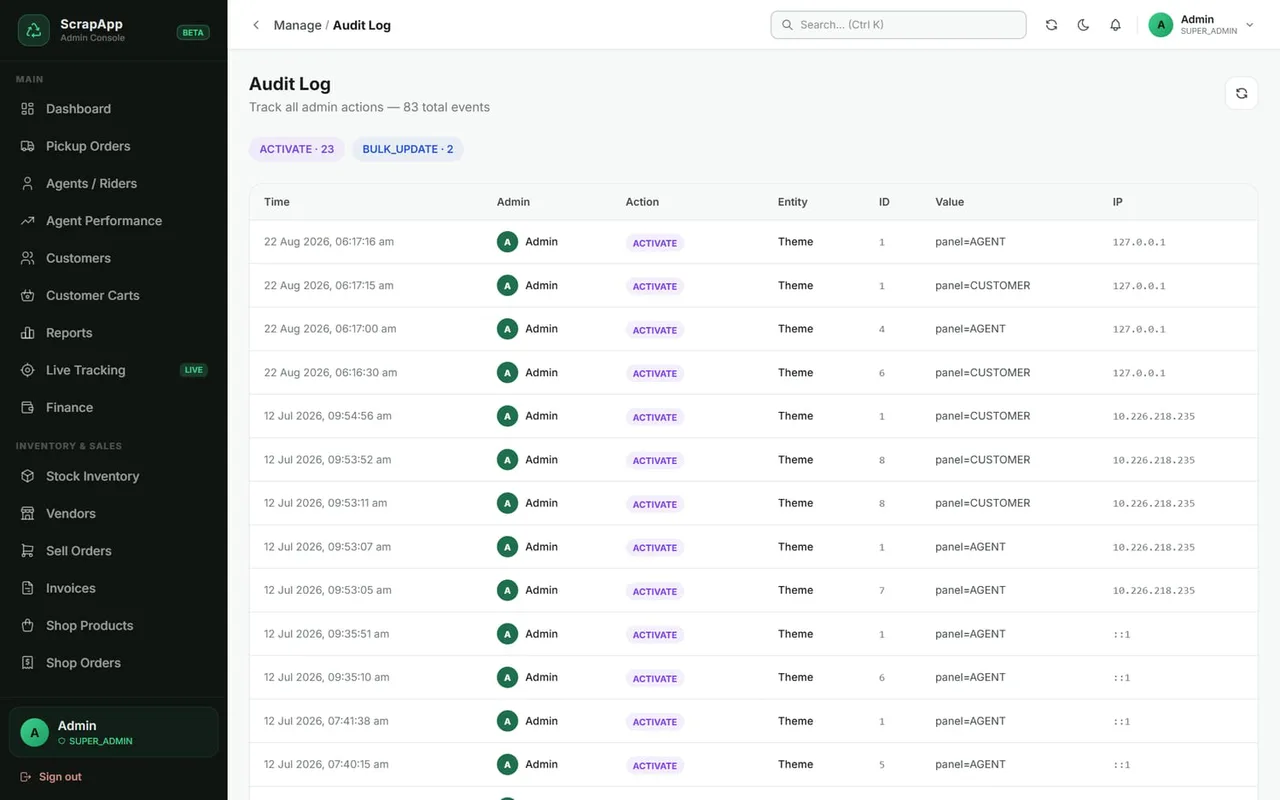
  • Audit log of admin changes

Real-time

  • New booking pops up for the office
  • Rider assigned? Rider is alerted
  • Rider moves, customer sees it

Integrations

  • Razorpay payouts for withdrawals
  • Email with editable templates
  • Interactive maps for tracking

Install like a native app — the Customer and Agent apps install to the phone's home screen from the browser, with no app-store wait. The Admin console, Shop and Website work on any laptop, tablet or phone.

Customer app

From doorstep to wallet in a few taps.

Households and small businesses book a pickup, follow the rider and get paid — all from their phone.
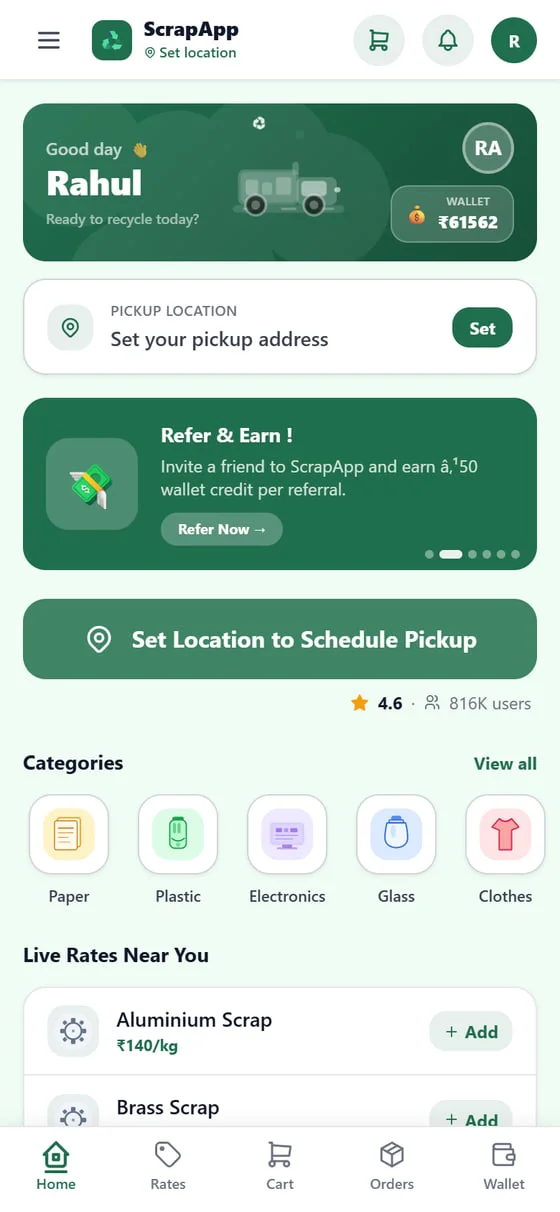
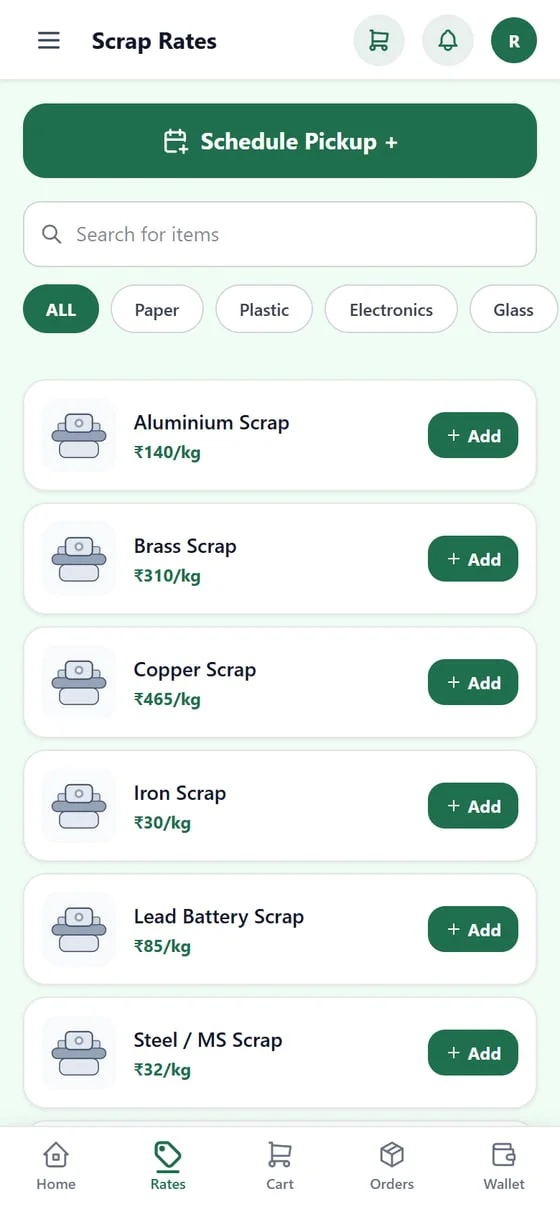
ScrapApp — Home screen
HomeCategories, live rates, offers
ScrapApp — Rate card screen
Rate cardSearch and add items
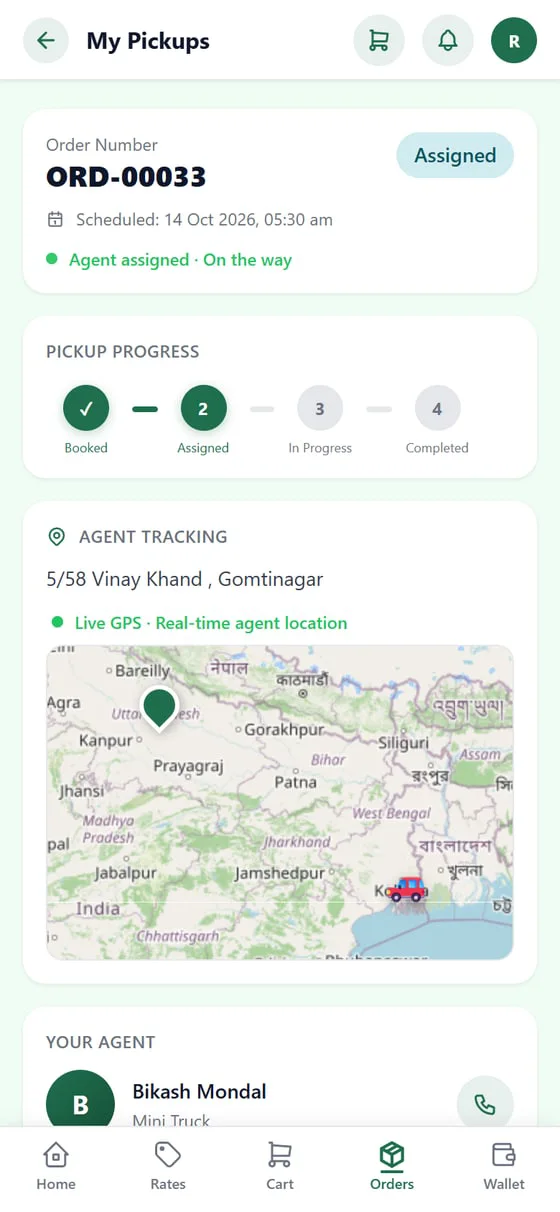
ScrapApp — Live tracking screen
Live trackingRider on the map
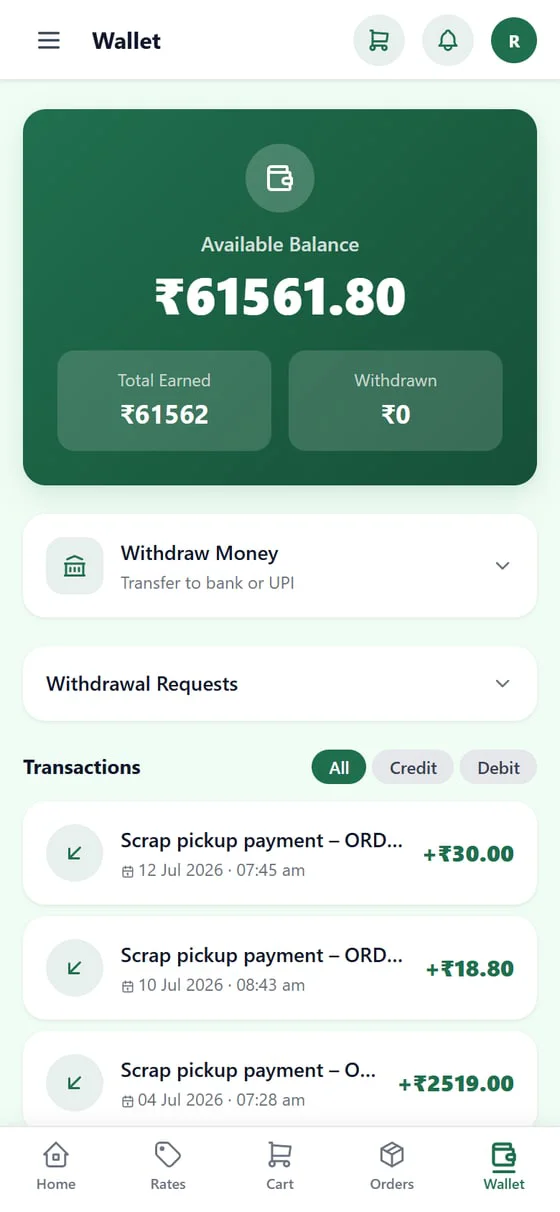
ScrapApp — Wallet screen
WalletEarnings and withdrawals

Book

  • Pick items from the live rate card or cart
  • Address and slot with a map pin
  • Saved addresses for repeat pickups

Track

  • Progress: booked, assigned, in progress, done
  • Live rider location on the map
  • Cancel or rate a pickup

Get paid

  • Instant wallet credit after weighing
  • Withdraw to bank or UPI
  • Refer-and-earn code, PDF invoices

Stays in touch

Notifications, support and dark mode.

Real-time alerts for every status change, a help centre with support tickets, and a light or dark theme to suit the user.

  • Real-time alerts
  • Support tickets
  • Dark mode
  • Add to Home Screen

Agent app

Everything a rider needs on the road.

Riders see their queue, navigate to the customer, weigh on arrival and watch their earnings grow — with no paperwork.
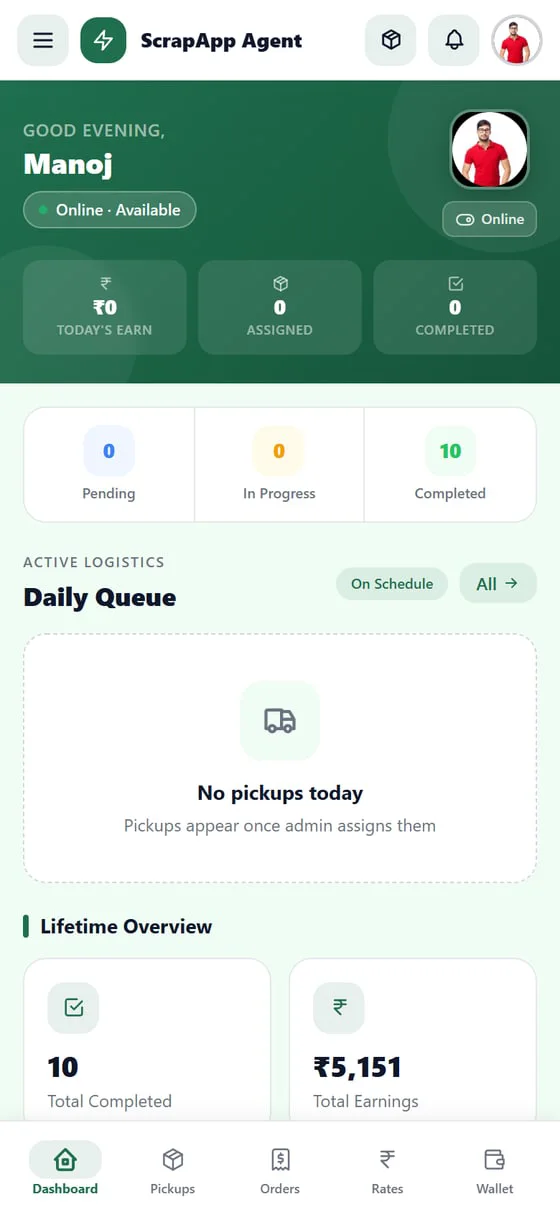
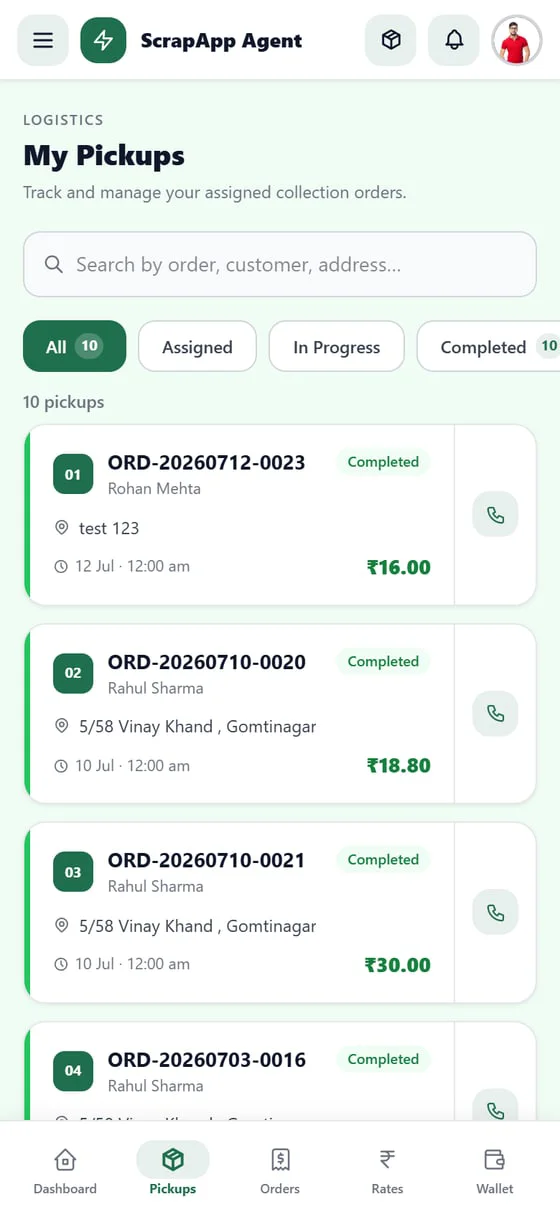
ScrapApp — Dashboard screen
DashboardToday's queue and totals
ScrapApp — My pickups screen
My pickupsFilter by status
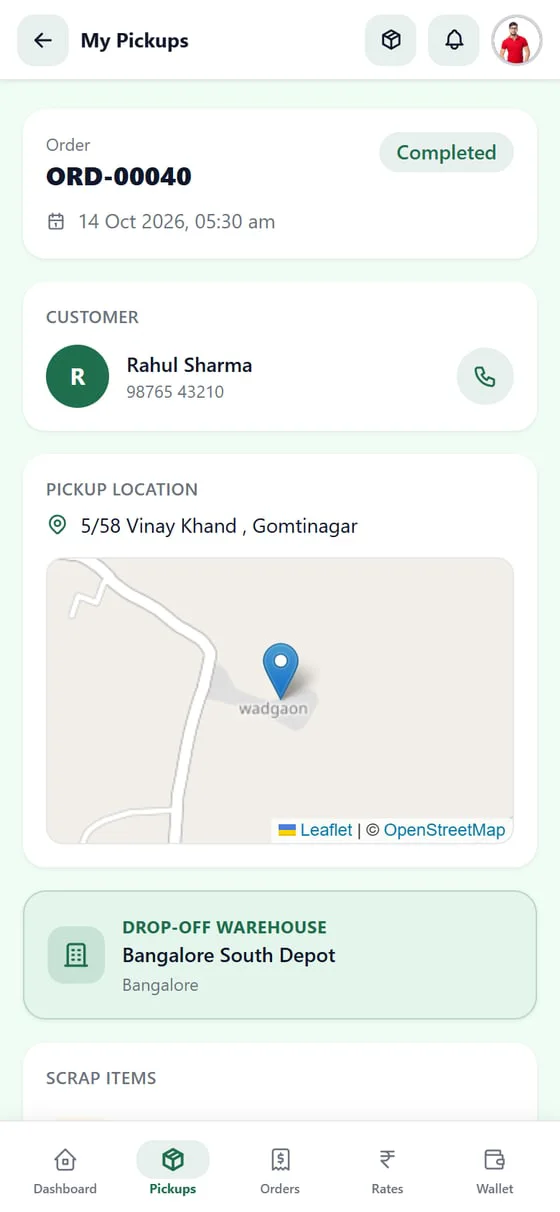
ScrapApp — Pickup detail screen
Pickup detailMap, items, drop-off
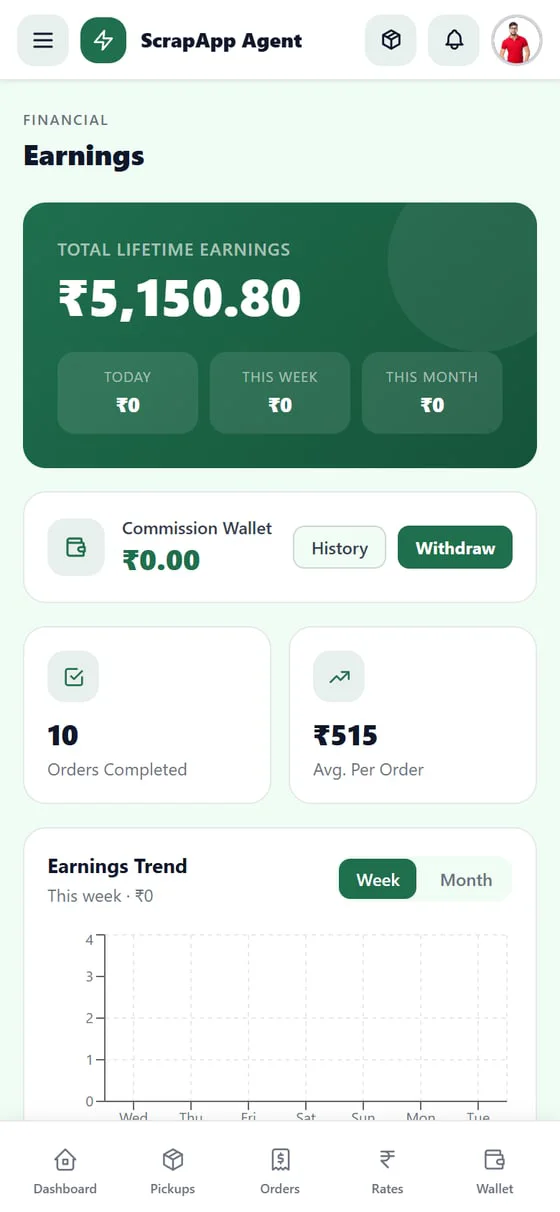
ScrapApp — Earnings screen
EarningsDay, week and month

Work the queue

  • Assigned pickups appear instantly
  • Accept nearby pickups
  • Call the customer in one tap
  • Online / offline toggle

Weigh and complete

  • Start, then complete the pickup
  • Actual quantities recorded per item
  • Drop-off warehouse shown
  • Invoice preview for the customer

Get paid

  • Freelance: commission wallet
  • Employee: monthly salary wallet
  • Withdraw to bank or UPI
  • Live GPS shared with the office

Two kinds of riders, one app

Freelance riders earn commission on every completed pickup. Employee riders get a fixed monthly salary set by the admin — and still see every pickup and the weight they collected. The admin panel tracks performance for both.

Admin console · Operations

Run the whole operation from one screen.

A live dashboard, pickup assignment, rider management and a fleet map for the office team.
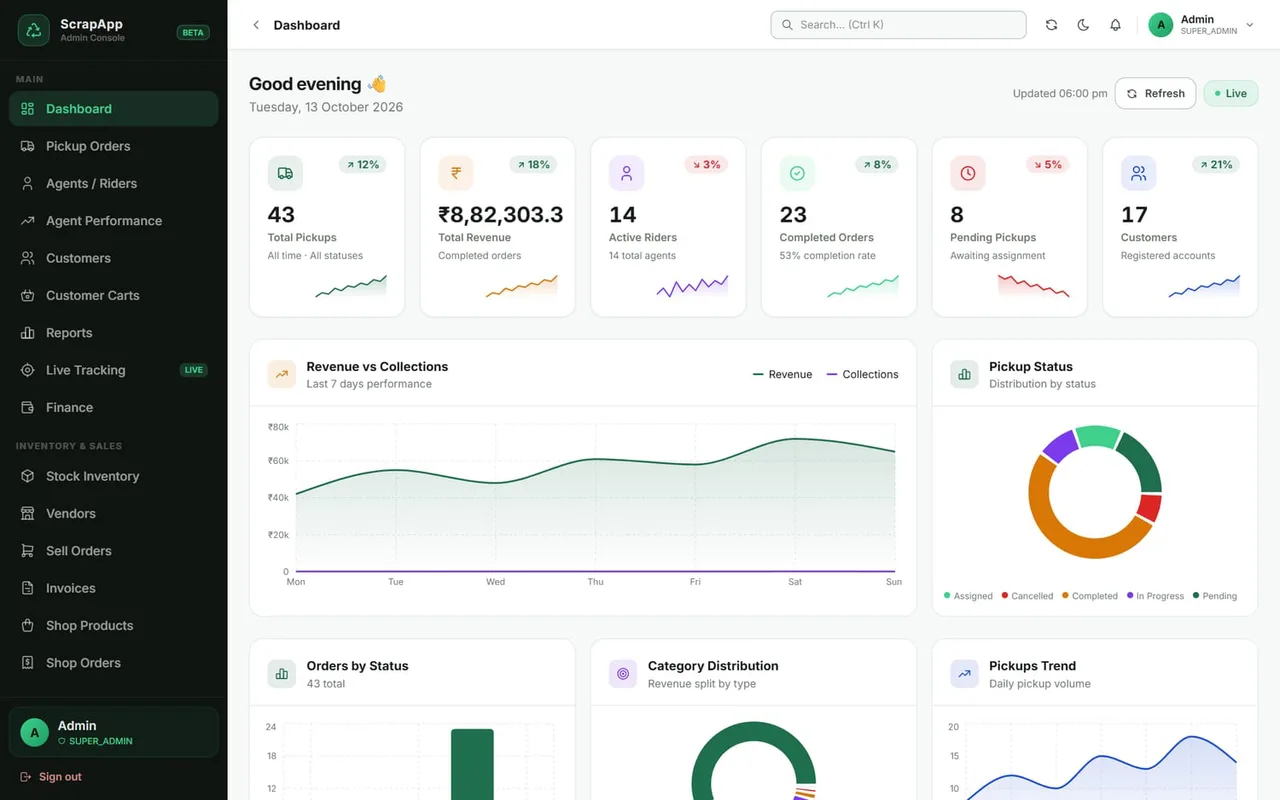
ScrapApp scrap collection app — Dashboard screen Enlarge
Dashboard — pickups, revenue, active riders, order status and category mix at a glance.
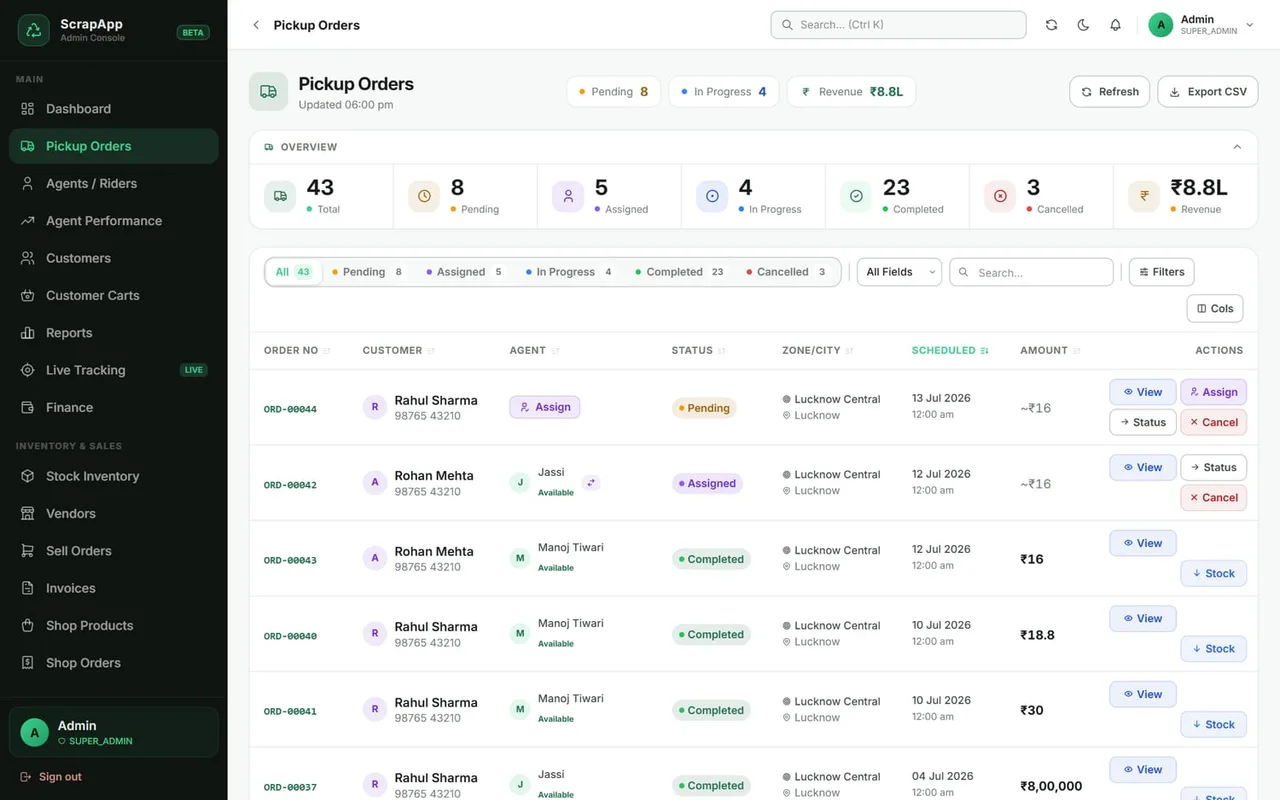
ScrapApp scrap collection app — Pickup orders screen Enlarge
Assign, track and cancel pickups.
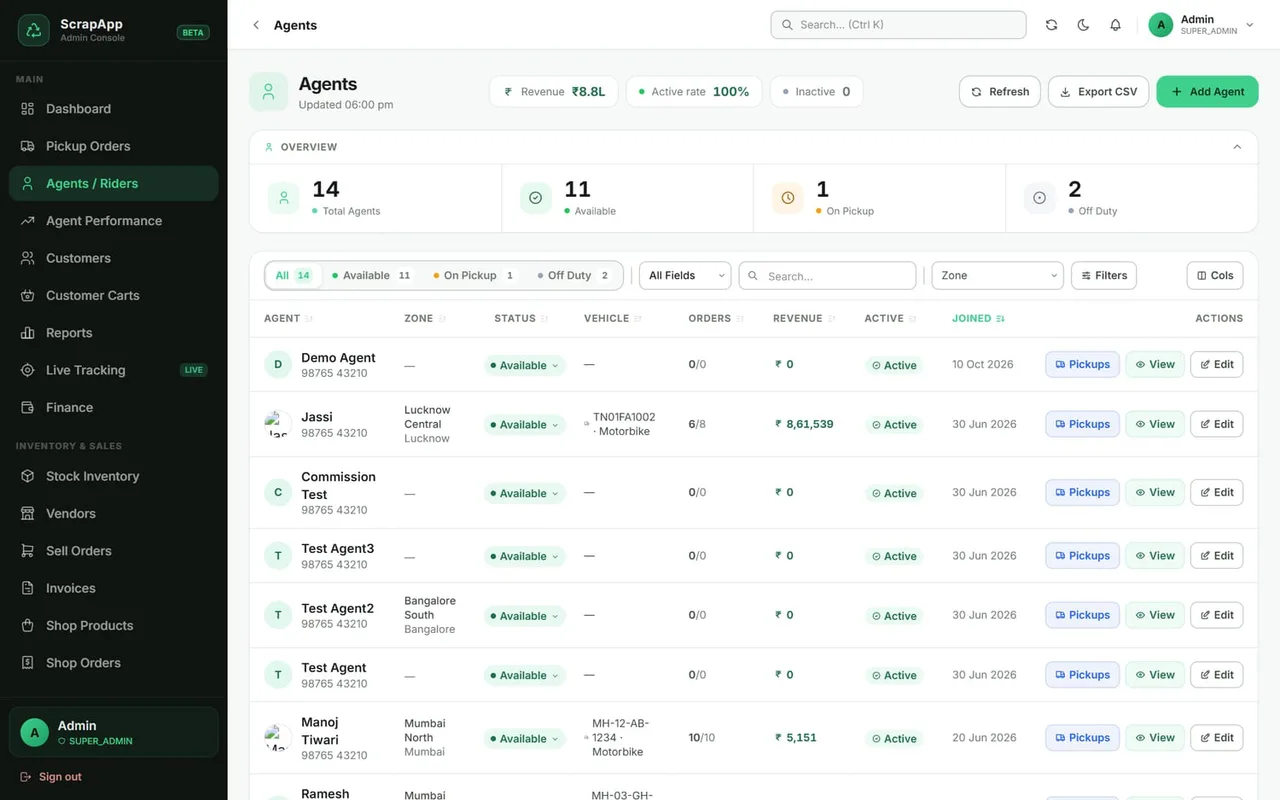
ScrapApp scrap collection app — Agents / riders screen Enlarge
Onboard riders, set type and salary.
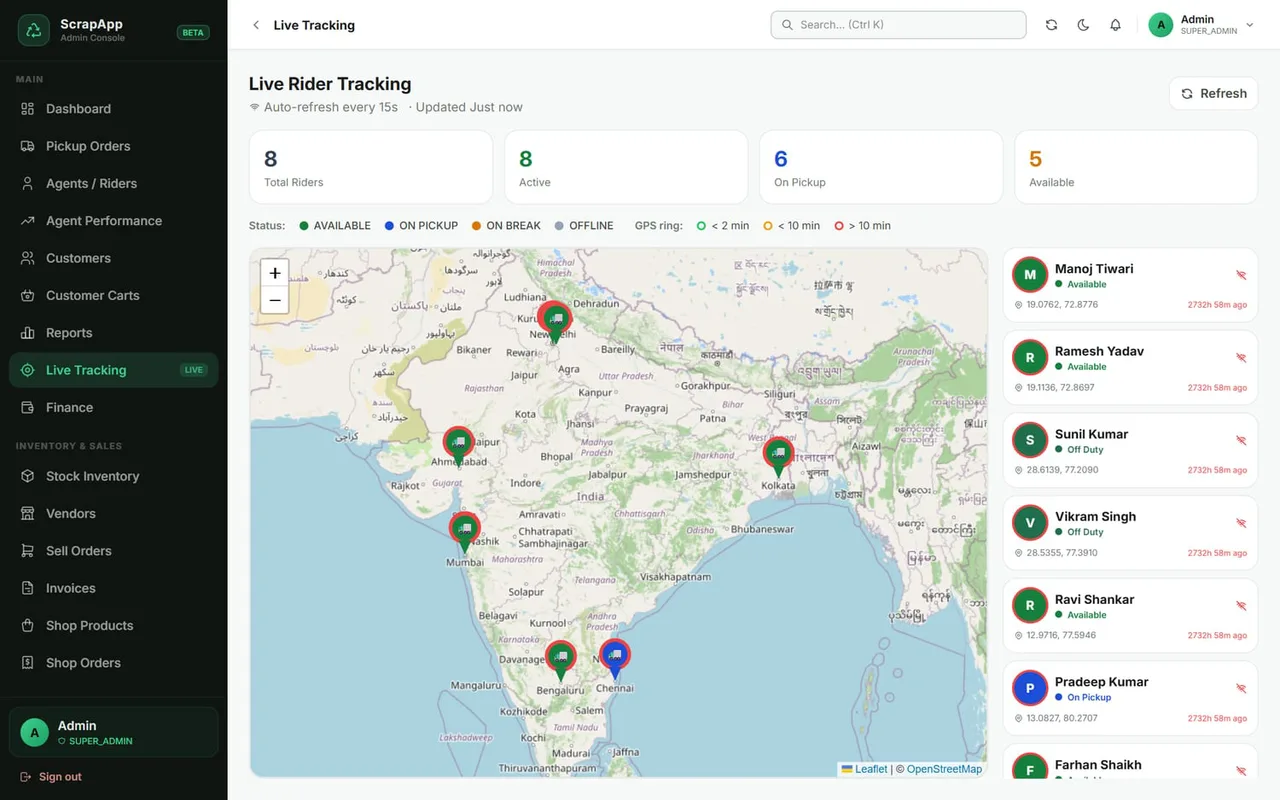
ScrapApp scrap collection app — Live tracking screen Enlarge
Every rider on one live map.

Dispatch

  • New bookings arrive in real time
  • Assign or reassign a rider
  • Status, cancellations, history

People

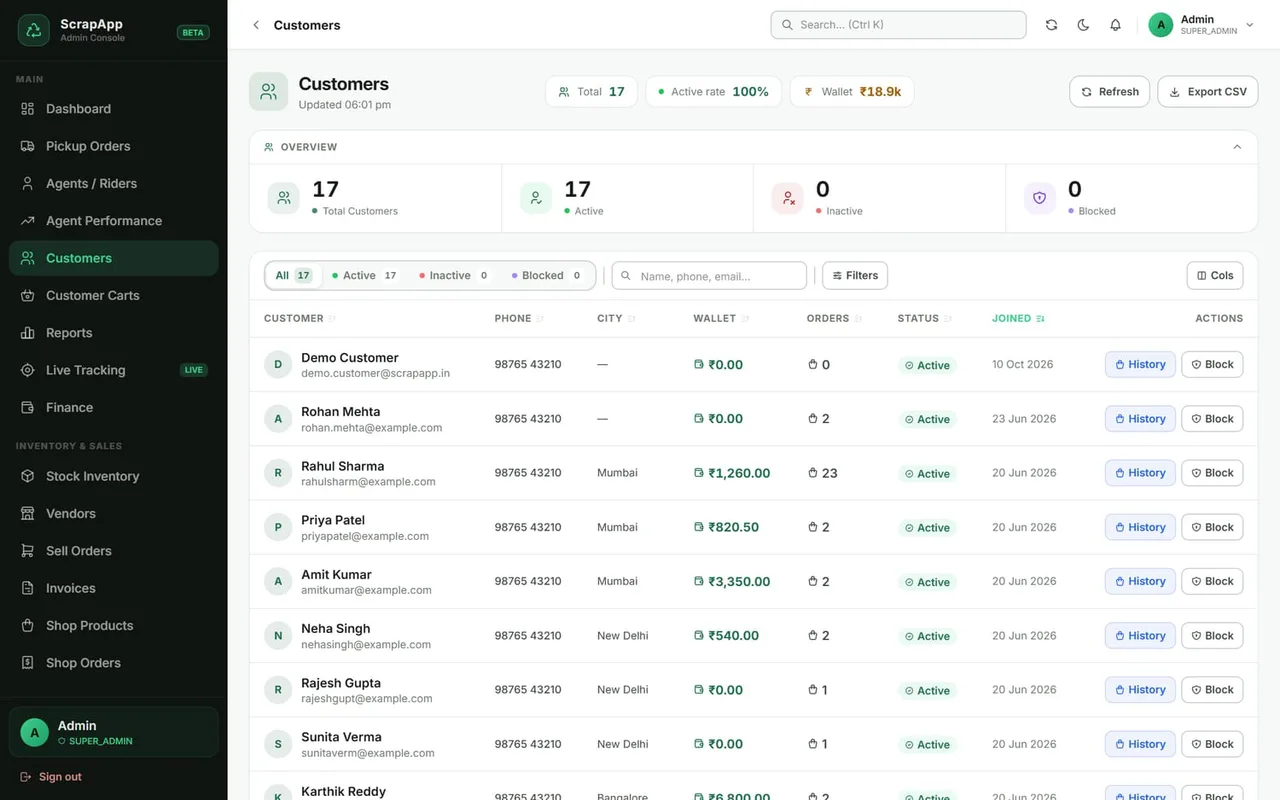
  • Customers with wallets and carts
  • Agent performance reports
  • Block / unblock accounts

View as

  • Open the app as any customer or rider to help or verify
  • Read-only mode available

Admin console · Finance & reports

Know where every rupee stands.

Customer and rider wallets, withdrawal approvals, payouts and analytics — with a trail of who changed what.
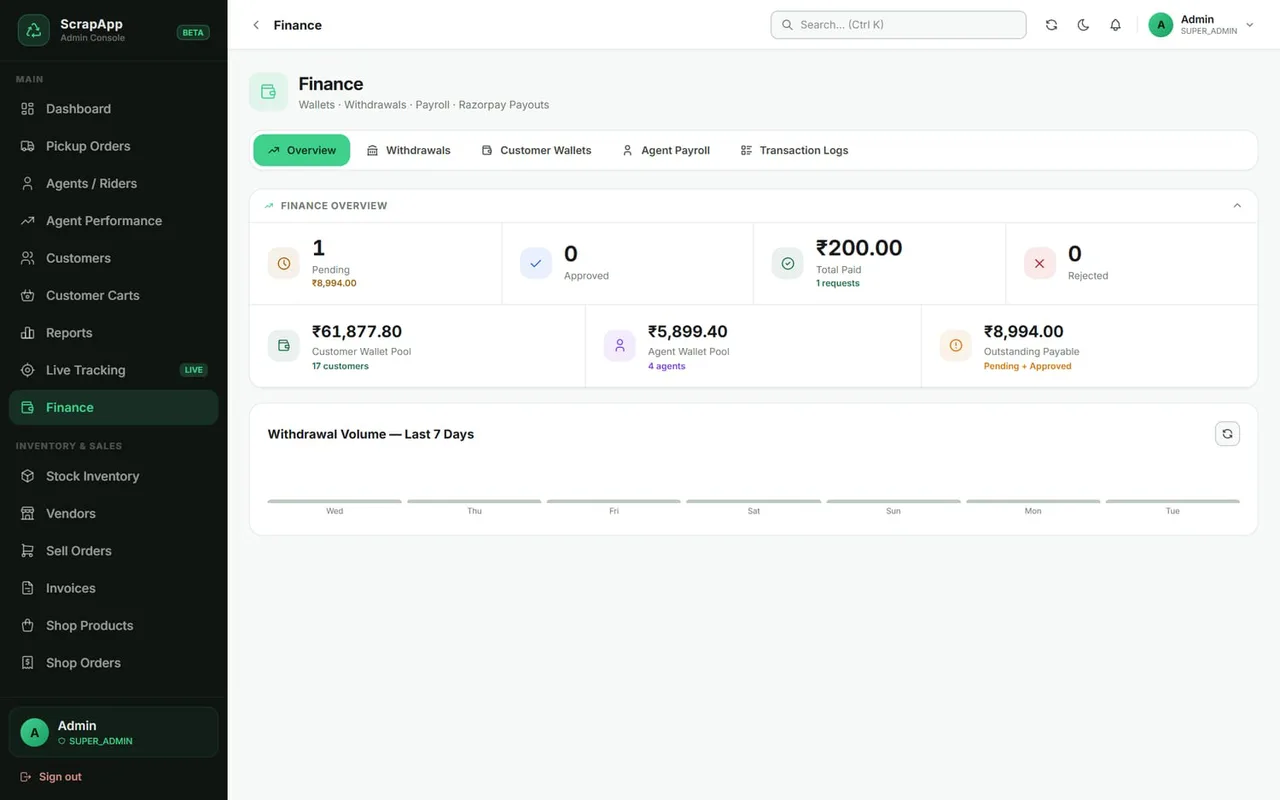
ScrapApp scrap collection app — Finance screen Enlarge
Wallet pools, payables and withdrawal volume.

Wallets

  • Customer and agent wallet pools
  • Credit or debit with a reason
  • Full transaction history

Withdrawals

  • Pending, approved, paid, rejected
  • Approve, reject or mark paid
  • Pay via Razorpay payout

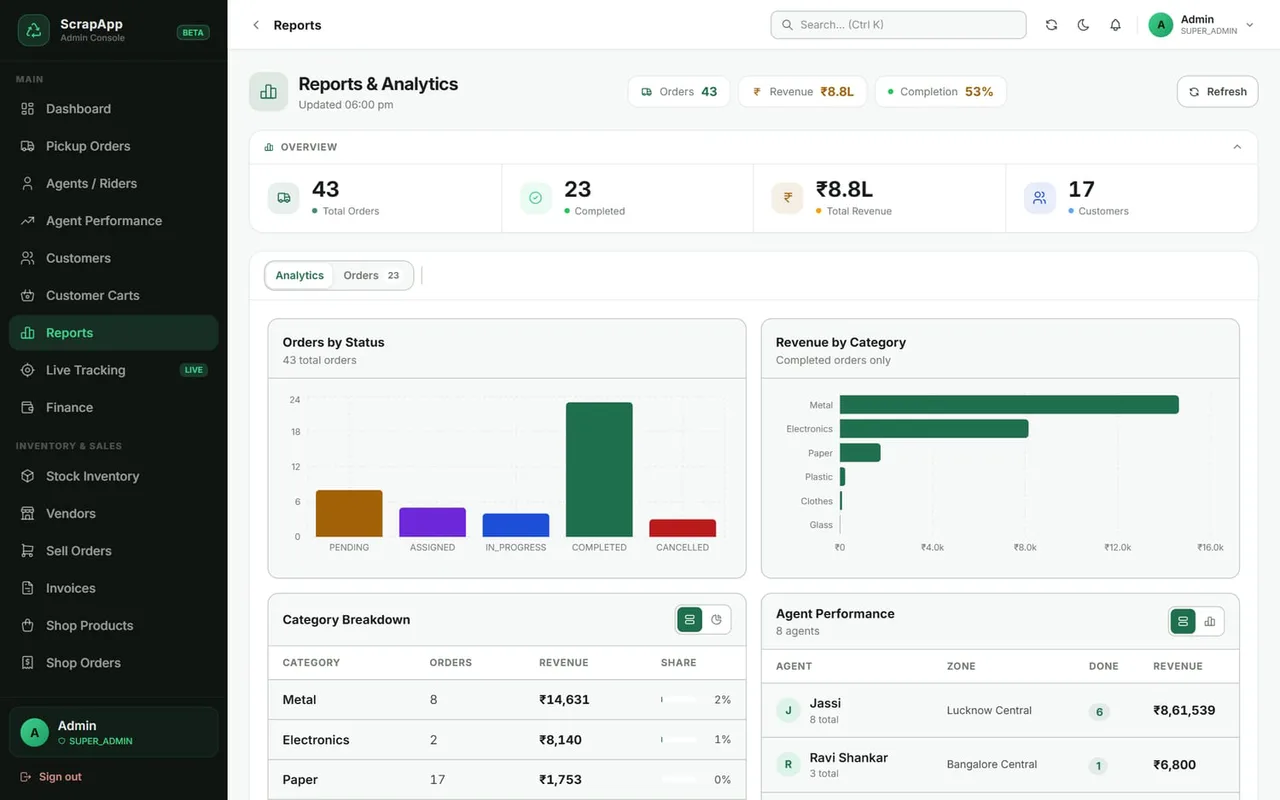
Reports

  • Orders, revenue and customers
  • Revenue by category
  • Agent-wise performance

Accountability

Every admin action is on record.

The audit log shows who changed what, on which record and when — so approvals, rate changes and settings are always traceable.

Inventory & sales

From collected scrap to a paid invoice.

Every kilo that is weighed is recorded in a stock ledger. Sell it to vendors, dispatch it, and invoice it — with stock and money moving together.
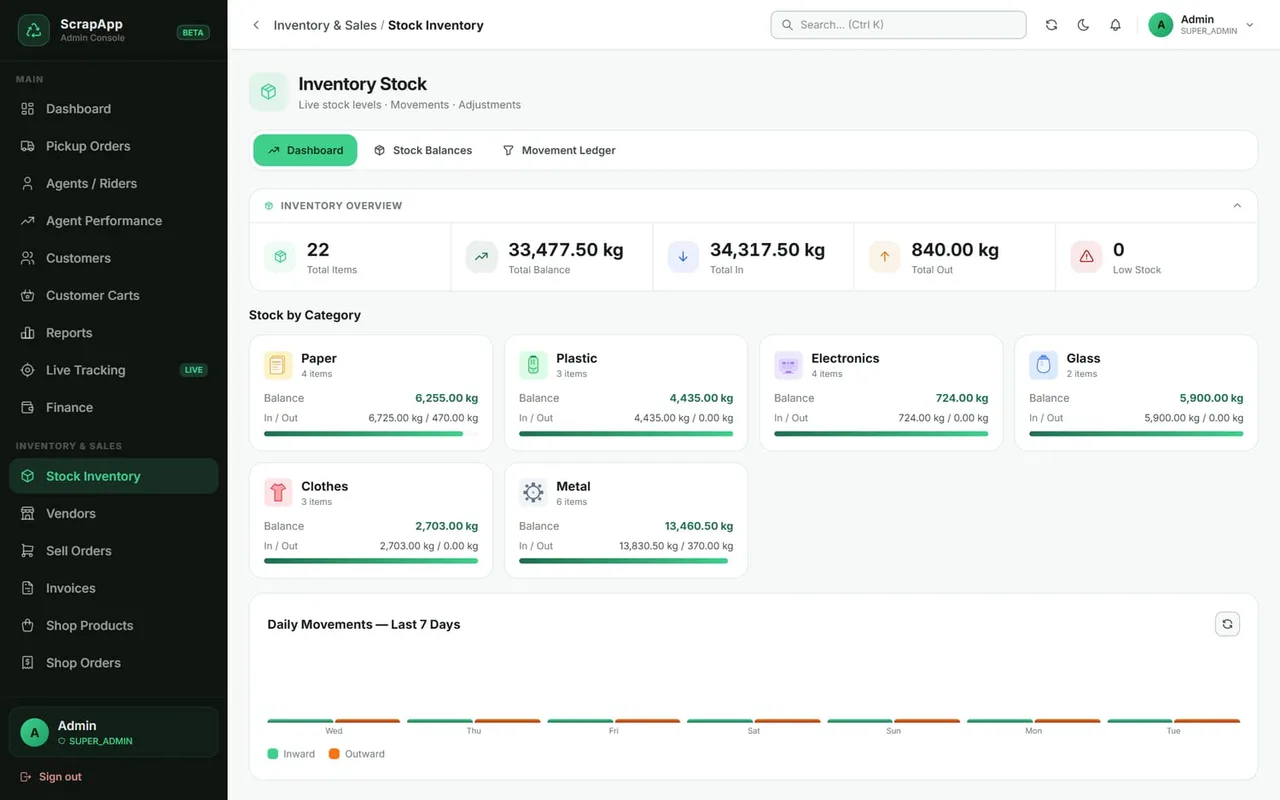
ScrapApp scrap collection app — Stock inventory screen Enlarge
Stock by category, balances, movements and manual adjustments.
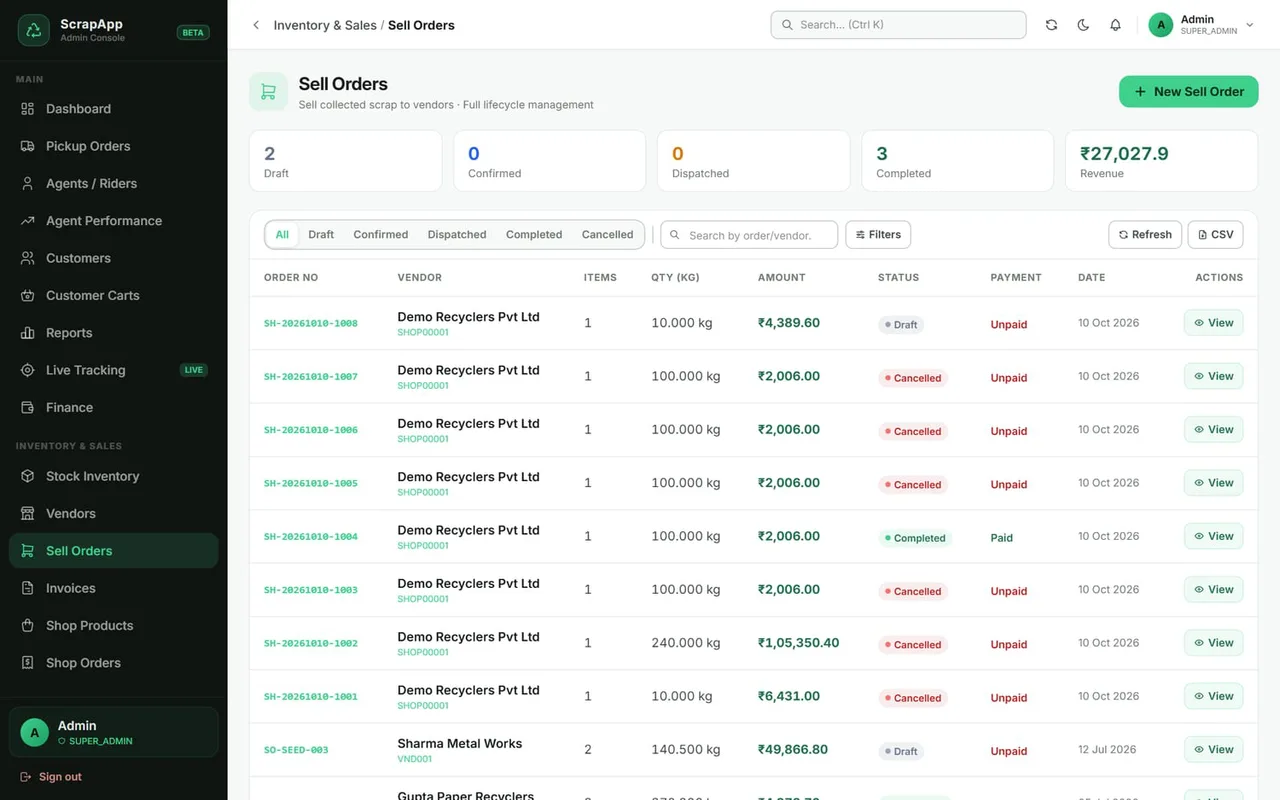
ScrapApp scrap collection app — Sell orders screen Enlarge
Draft to completed, with payment status.
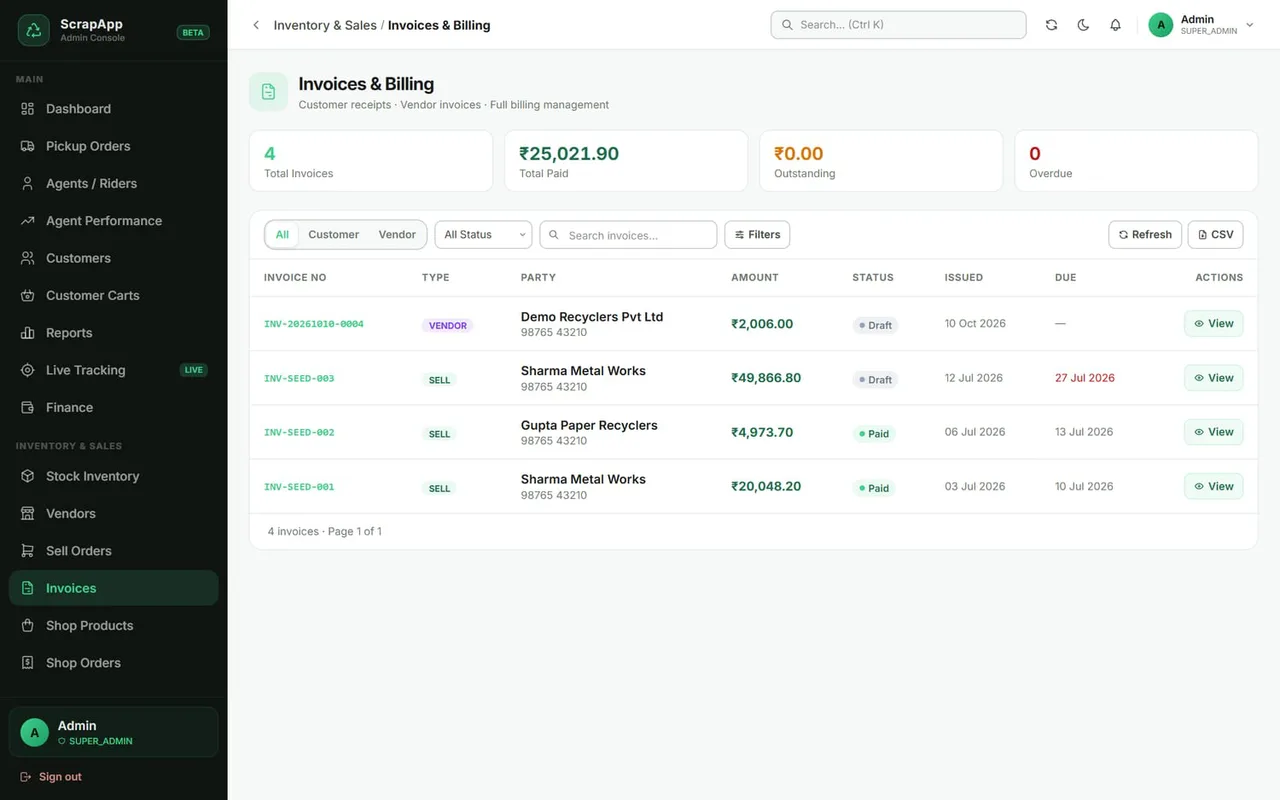
ScrapApp scrap collection app — Invoices screen Enlarge
Customer and vendor invoices.

How stock moves

  1. Pickup weighedStock in
  2. Stock ledgerLive balance
  3. Sell orderVendor or shop
  4. DispatchStock deducted
  5. Paid & invoicedBooks closed

Stock

  • Ledger of every movement
  • Low-stock flags, adjustments
  • Warehouses and fleet

Sell orders

  • Vendors with their own rates
  • Confirm, dispatch, complete, cancel
  • Cancel after dispatch returns stock

Invoices

  • Created from a sell order
  • Draft, sent, paid, overdue
  • Preview and PDF

ScrapApp Shop

Resell what you collect, online.

A mobile-friendly storefront where business buyers browse graded scrap with real photos, order in bulk and track delivery — fed directly from your inventory.
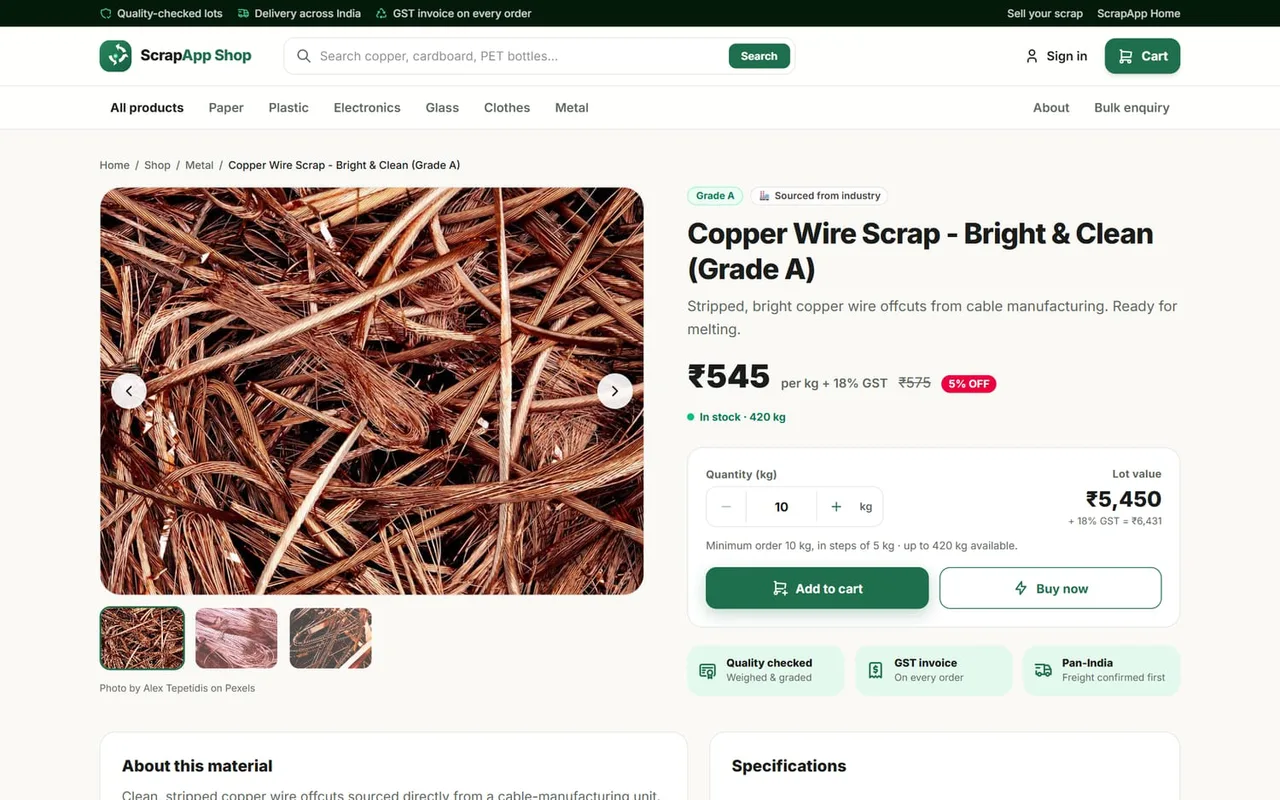
ScrapApp scrap collection app — Shop · product page screen Enlarge
Photos, grade, price, minimum order, live availability.
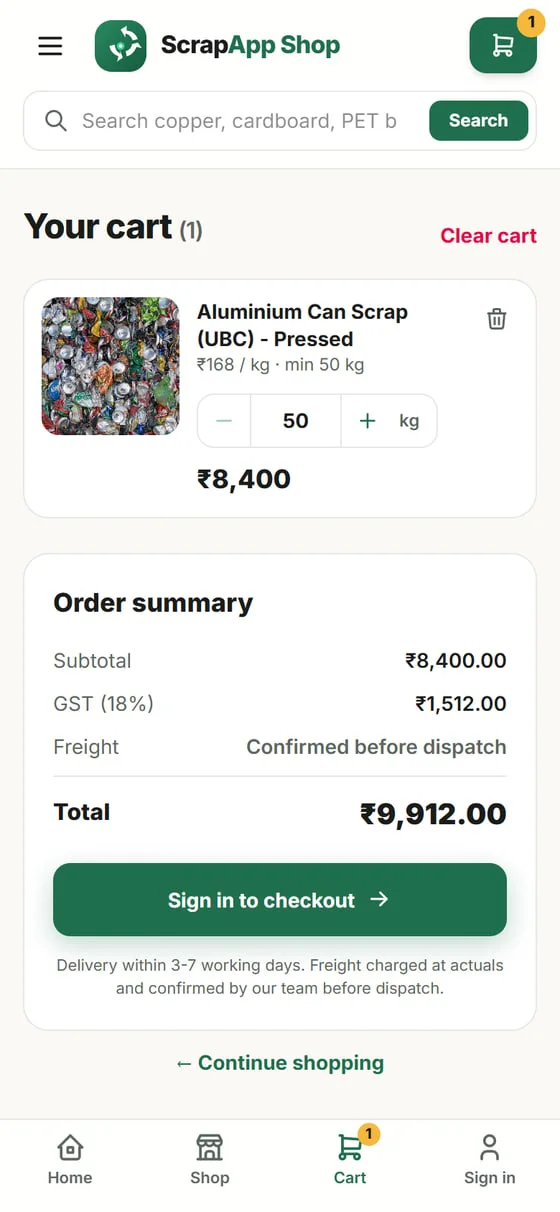
ScrapApp — On a phone screen
On a phoneCart and checkout
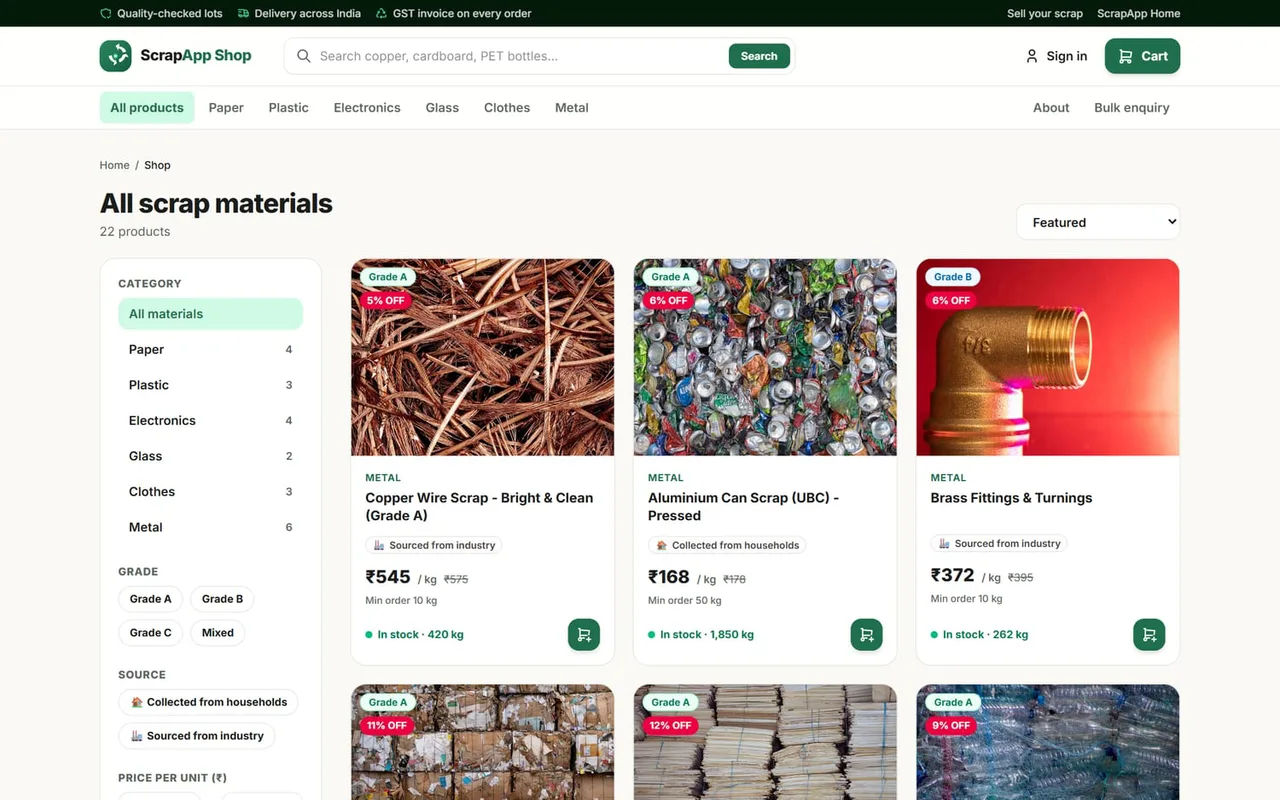
ScrapApp scrap collection app — Shop · catalogue screen Enlarge
All scrap materials with category, grade and source filters.
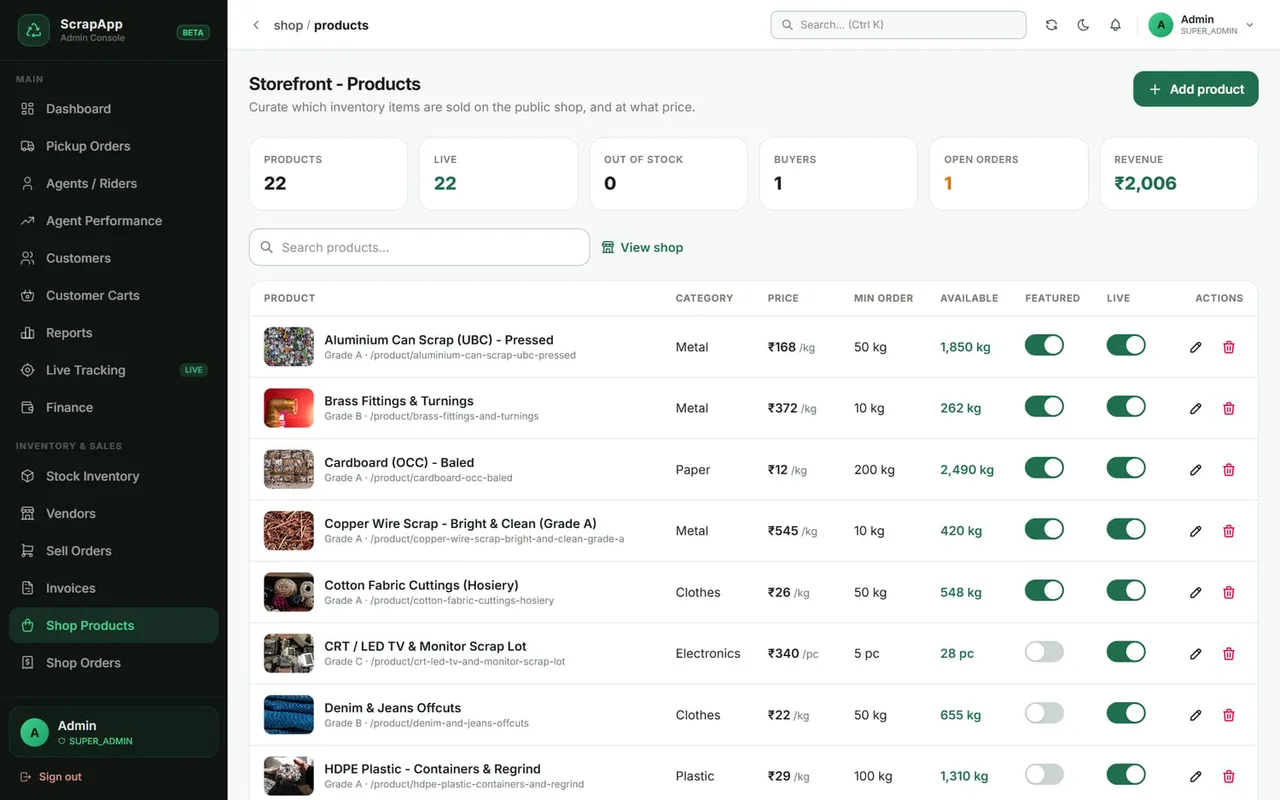
ScrapApp scrap collection app — Admin · shop products screen Enlarge
List inventory items with price, MOQ and availability.

For buyers

  • Filters, search, grades, photos
  • Cart, address book, order tracking
  • Pay on delivery or bank / UPI transfer

For the office

  • List any inventory item with price and MOQ
  • Confirm, dispatch, collect payment
  • Bulk enquiries and invoices

Always accurate

  • Availability = stock minus open orders
  • Quantity rules enforced
  • Two buyers can never take the same kilo

Control & customisation

Your rules, your brand, your data.

Set rates, zones and slots once. Decide who can see and change what. Make the apps look and sound like your business.
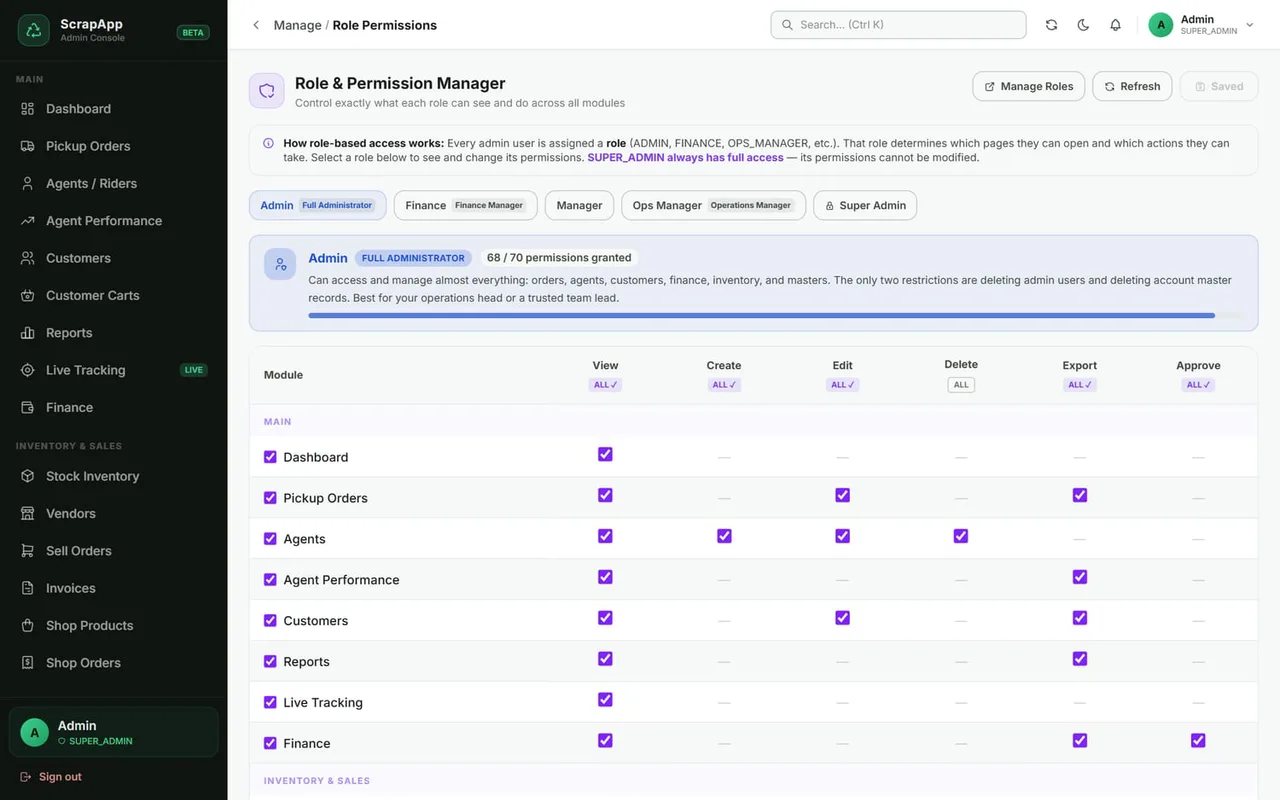
ScrapApp scrap collection app — Roles & permissions screen Enlarge
View, create, edit, delete and export — per screen.
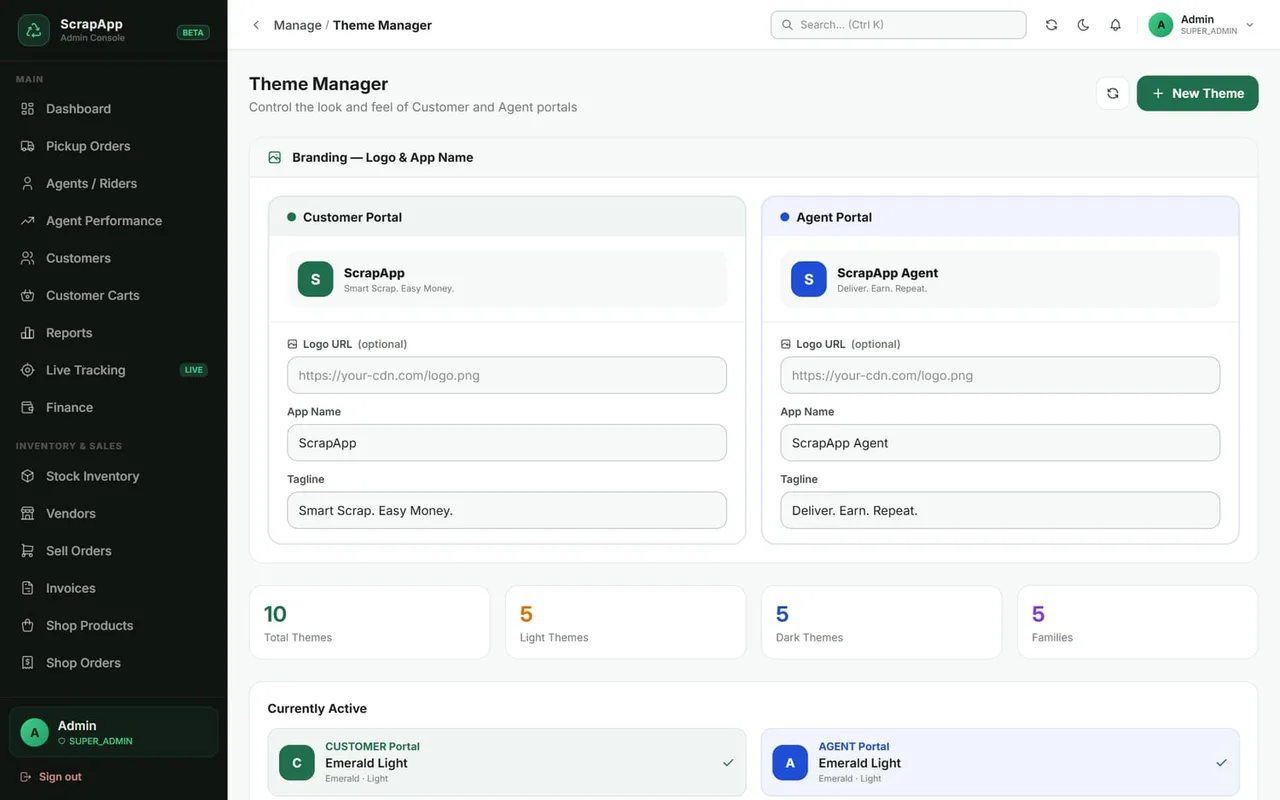
ScrapApp scrap collection app — Theme manager screen Enlarge
Logo, name, tagline and colour themes.
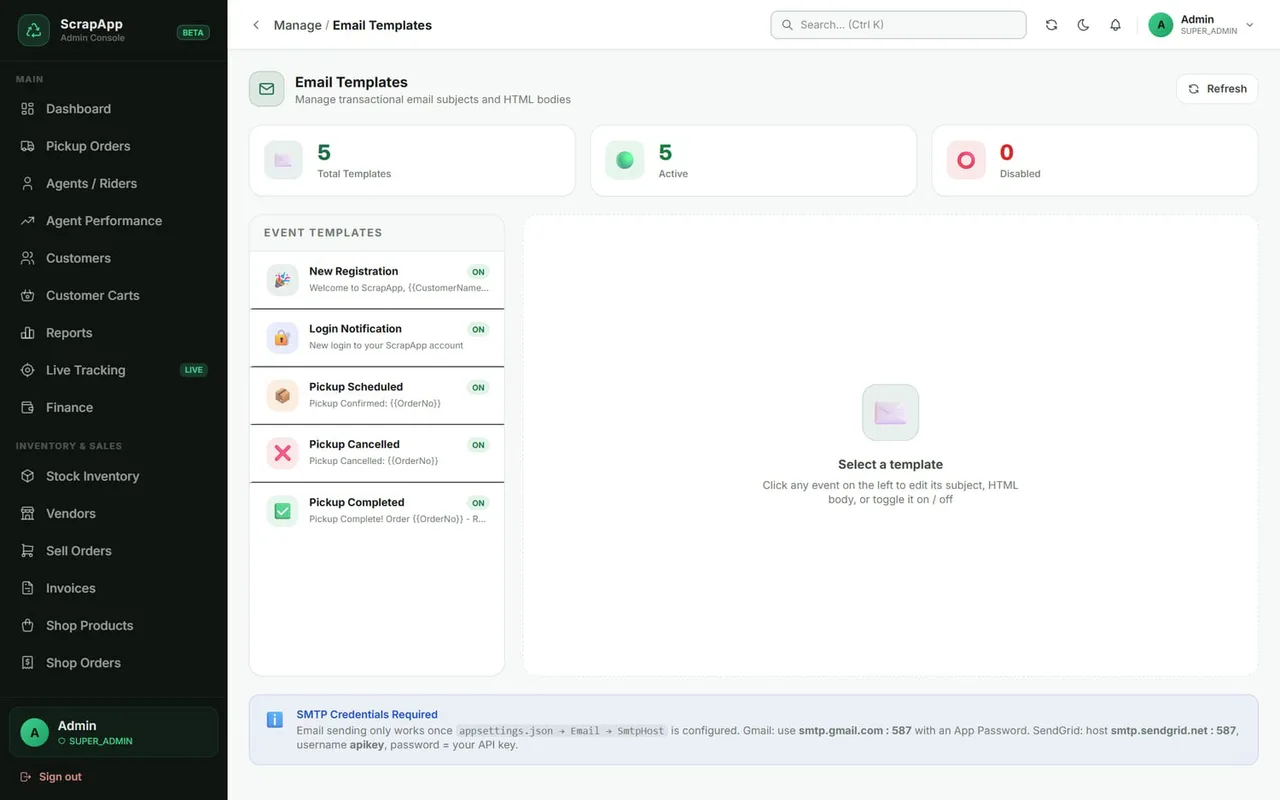
ScrapApp scrap collection app — Email templates screen Enlarge
Editable email for every event.
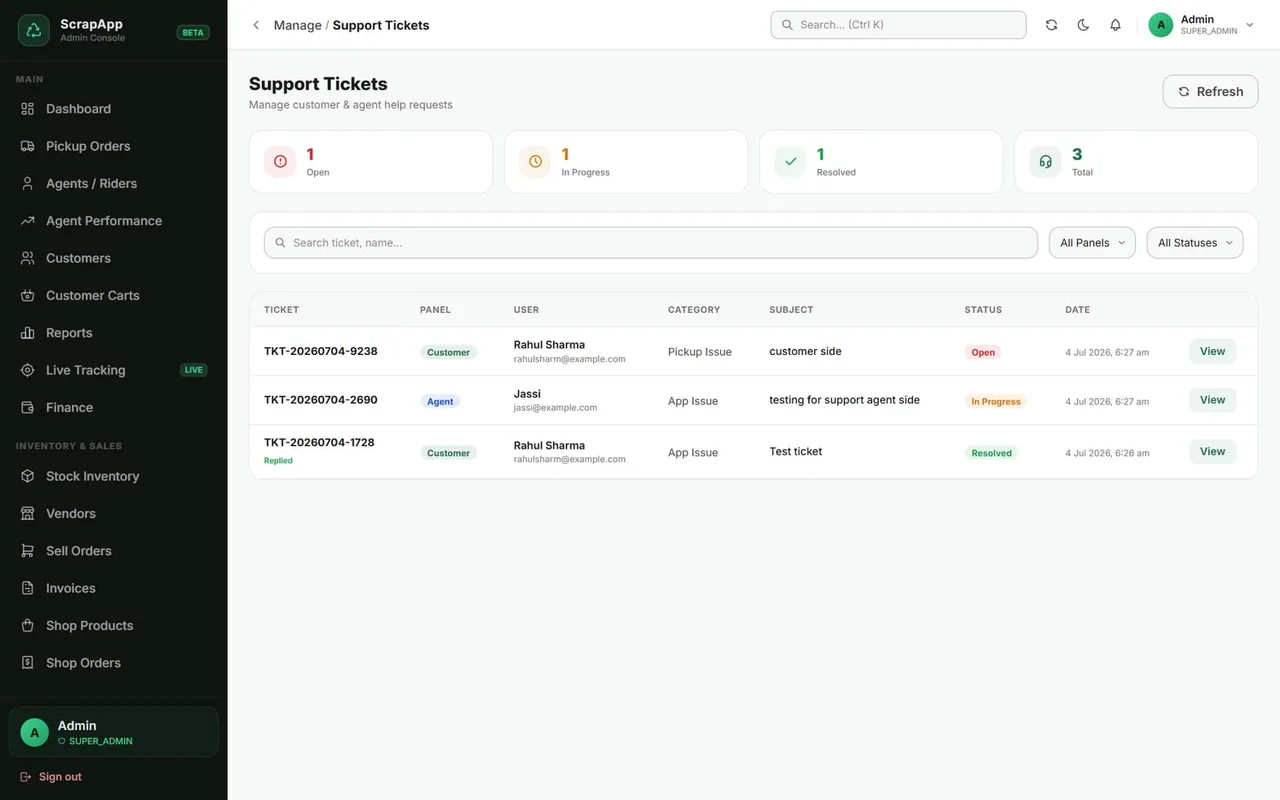
ScrapApp scrap collection app — Support tickets screen Enlarge
Customer and agent requests in one inbox.

Masters you control

  • Scrap categories
  • Items & rates
  • Units
  • States & cities
  • Zones & pincodes
  • Pickup time slots
  • Vehicle types
  • Payment modes
  • Gateways
  • Currencies

Engage your users

  • Promo banners
  • Seasonal events
  • Push notifications
  • News & updates
  • FAQ
  • App settings

Admin roles included

Super Admin · Admin · Finance · Ops Manager

Give your finance team only finance, your dispatchers only operations. Add more roles any time.

  • Secure sign-in
  • Audit log
  • Per-screen access

Website & apps on any device

A public face, and apps on every phone.

The website explains your service and sends visitors straight to the right app. Customers and riders install the apps in seconds.
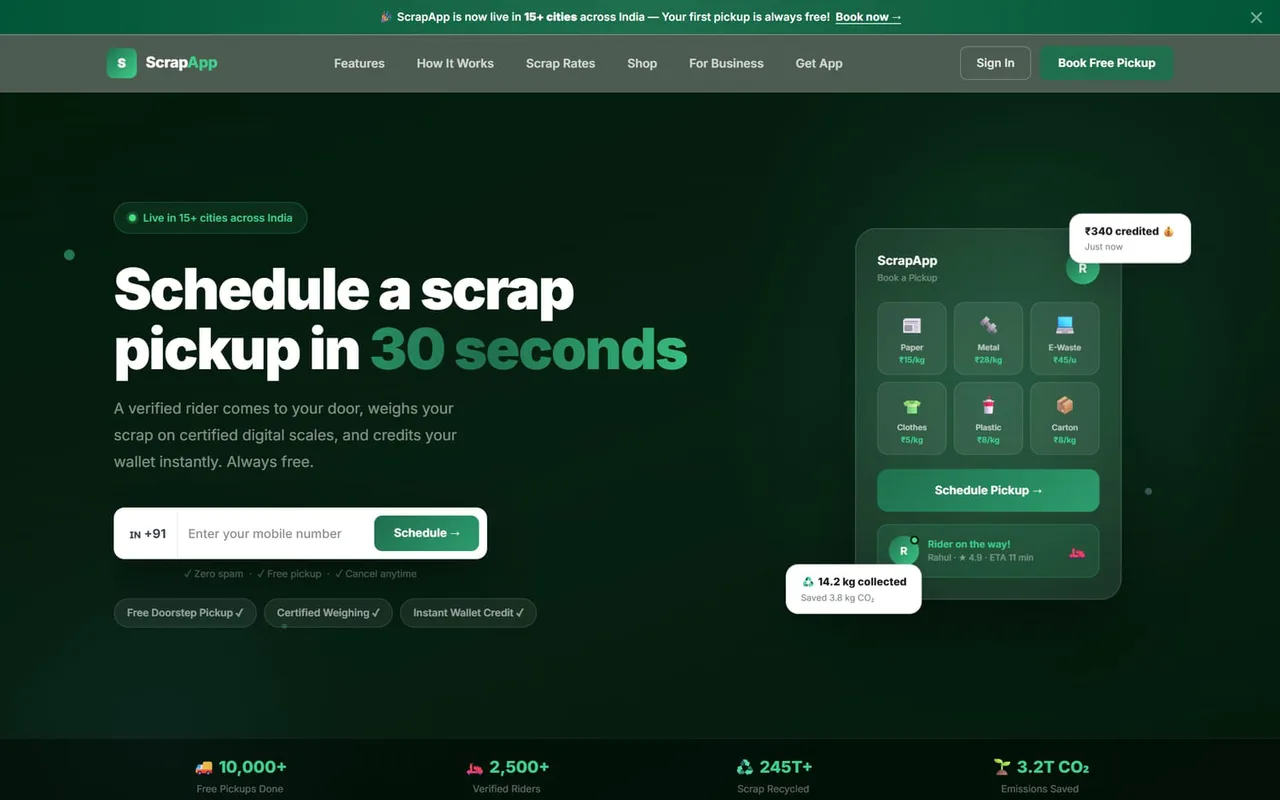
ScrapApp scrap collection app — Website screen Enlarge
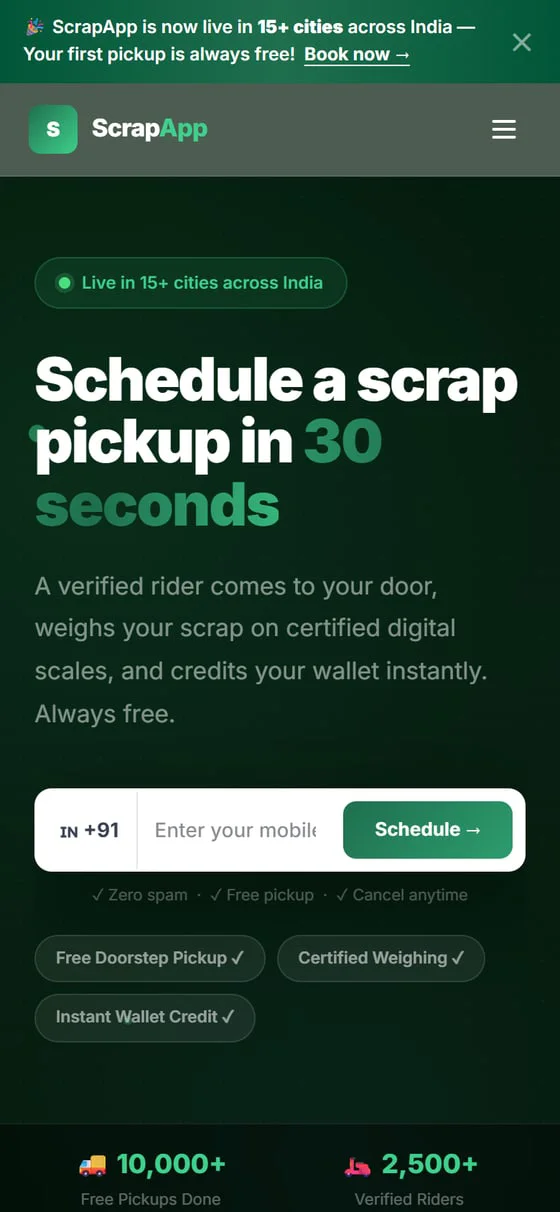
Landing page with live rates, app links and the Shop.
ScrapApp — Mobile website screen
Mobile websiteFully responsive

Install on Android

  1. 1

    Open the Customer or Agent link in Chrome

  2. 2

    Tap the menu, then Add to Home screen

  3. 3

    Tap Add — the icon appears like any app

Install on iPhone

  1. 1

    Open the link in Safari

  2. 2

    Tap Share, then Add to Home Screen

  3. 3

    Tap Add — opens full-screen

Any screen

Laptop, tablet or phone: layouts adapt, with a sidebar on large screens and bottom navigation on phones.

Fast and light

Installed apps open instantly and keep working through patchy connections.

Always current

Updates reach every user automatically — no app-store release cycle.

FAQ

Scrap collection app — common questions

What is ScrapApp?

ScrapApp is a scrap collection and resale platform by Sysfo Software Solutions. It connects households who sell, riders who collect, the office that manages and buyers who purchase — with doorstep pickups, a rider app, live tracking, wallets and payouts, inventory, sales, invoices and an online shop.

Which apps are included?

Five connected apps: the Website, the Customer App (17 screens), the Agent App (14 screens), the Admin Console (44 screens) and the Shop (11 screens) — 85+ ready screens in all, sharing the same customers, rates, orders, stock and money.

How do customers get paid for their scrap?

The rider weighs the scrap on arrival and records actual quantities; payment is credited to the customer's wallet instantly. Customers can withdraw to bank or UPI, and withdrawals are approved in the admin console and paid via Razorpay payouts.

Can customers track the rider?

Yes. Riders share live GPS, customers watch the rider arrive on a map with progress from booked to assigned, in progress and done, and the office sees every rider on one live map.

Does it support both freelance and salaried riders?

Yes. Freelance riders earn commission on every completed pickup; employee riders get a fixed monthly salary set by the admin and still see every pickup and the weight they collected. The admin panel tracks performance for both.

Can we sell the collected scrap?

Yes. Every kilo weighed goes into a stock ledger. Sell it to vendors through sell orders with dispatch and invoices, or list it on the ScrapApp Shop, where availability is stock minus open orders so two buyers can never take the same kilo.

Do customers need to download from an app store?

No. The Customer and Agent apps install to the phone's home screen from the browser — on Android via Chrome and on iPhone via Safari — and updates reach every user automatically.

Get started

See ScrapApp in action.

We set up your rates, zones and team, import your data and train your staff — so you can go live quickly and confidently.

  1. 1
    Live demo

    A walkthrough of the apps that matter most to your business.

  2. 2
    Setup and data

    Scrap categories and rates, service zones, riders and customers, set up for you.

  3. 3
    Training and go-live

    Hands-on training for the office and riders, with support after launch.

Try the live demo

Ask us for demo login details.

Every client gets

  • Your logo, colours and name across the apps
  • Users and permissions for every role
  • Editable email templates
  • Customer, Agent and Shop apps on any device
  • Reports, invoices and a full audit trail
Download the ScrapApp brochurePDF · 12 pages · 4.2 MB · every app with screenshots
Company
Sysfo Software Solutions Pvt. Ltd.
Product
ScrapApp — Scrap Collection & Resale Platform

Request a live demo

We reply within one business day. Your details are only used to respond to this enquiry.

Screens shown with sample data.