
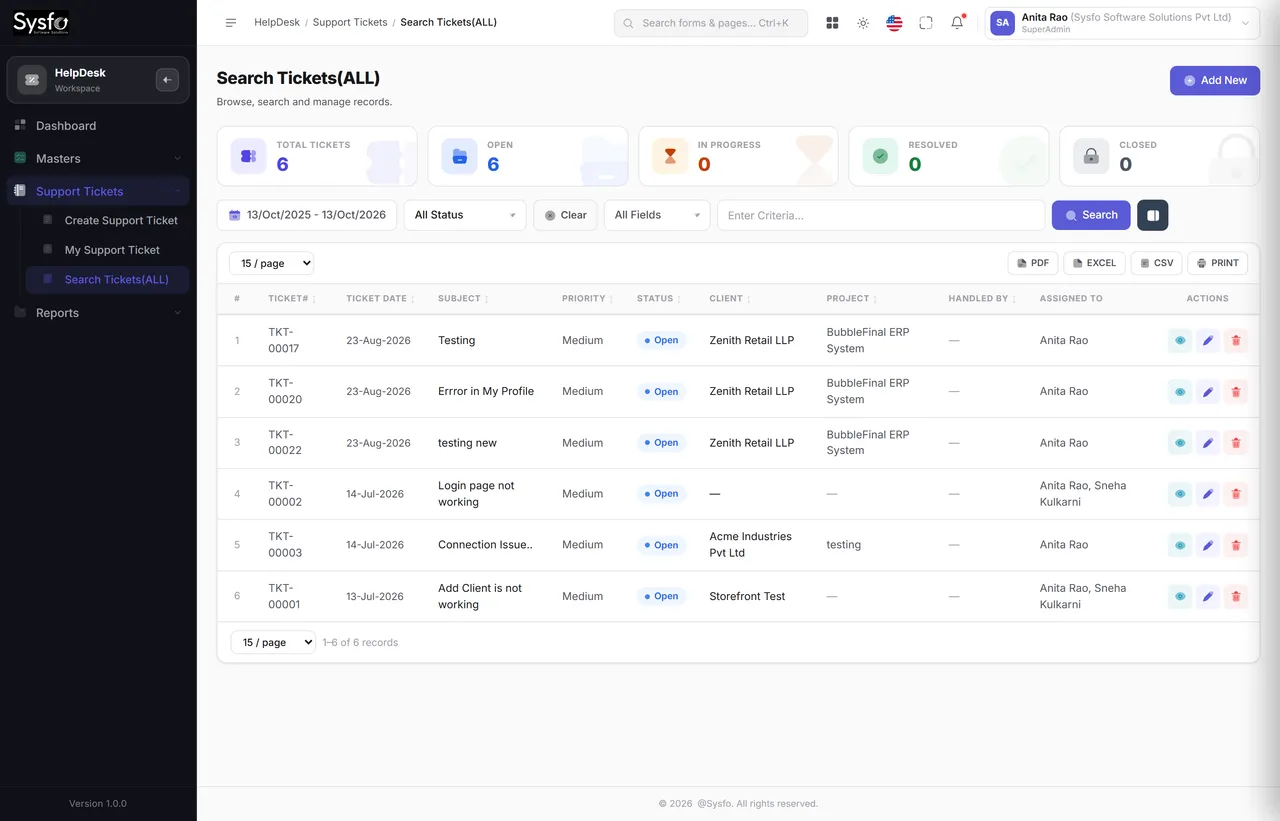
Every request is a record
Raised by staff or by the client, categorised by task type, owned by a person and stamped with a clock from the moment it arrives.
Tickets raised by your team or by clients from their own panel, tracked against an SLA, with ageing, resolution time and workload reported — one conversation, visible to both sides.
Why Sysfo HelpDesk
Email has no owner, no clock and no history you can report on. A ticket has all three — and when the client raises it from their own panel, it arrives attached to their record instead of in someone’s inbox.
Raised by staff or by the client, categorised by task type, owned by a person and stamped with a clock from the moment it arrives.
Time to respond and time to resolve are measured, not estimated — so a renewal conversation can be had with numbers in it.
A ticket sits on the same client record as their orders, invoices and subscriptions, so support context and commercial context are one view.
The life of a ticket
By your team, or by the client in their panel.
To a person, who is notified at once.
Replies visible to both sides.
With the resolution time recorded.
Ageing, workload and category analysis.
A mailbox has no owner, so two people answer or nobody does. It has no clock, so nobody can say whether you were quick. And it has no history you can group, so the same fault can recur for a year without anyone noticing it is the same fault.
A number both sides can quote, one named owner, a measured response and resolution time, a category that makes patterns visible, and a client who can look up the answer themselves instead of asking again.
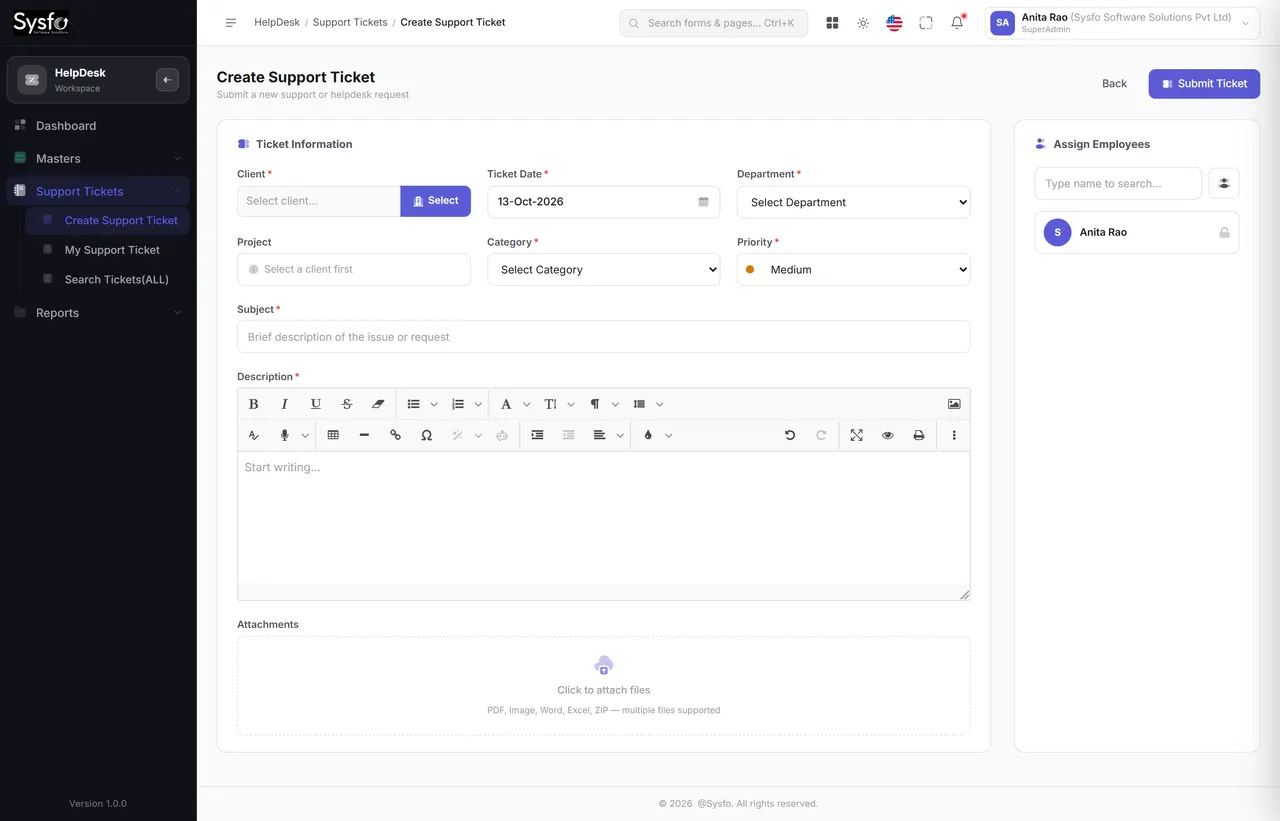
Working tickets
Create Support Ticket, My Support Ticket and Search Tickets cover the three questions a support team actually asks: log this, what is mine, and where is that one.
 Enlarge
Raised by the client
A ticket raised in the Client Panel arrives against that client’s record with their order and invoice history beside it — no forwarded email, no lost thread, no retyping what they already told you.
Ticket TKT-00218 has been assigned to Rahul Mehta and is being worked on. You can follow it in your client panel. — Sysfo Software Solutions
9:21 AM ✓✓The category on each ticket is what turns a year of support into an argument for a product fix or a training session.
Project tasks run on the same engine but are reported separately, so your support numbers are never padded by your own backlog.
Assignment and replies notify by Email, SMS and WhatsApp — so an urgent ticket does not wait for someone to refresh a page.
Support reporting
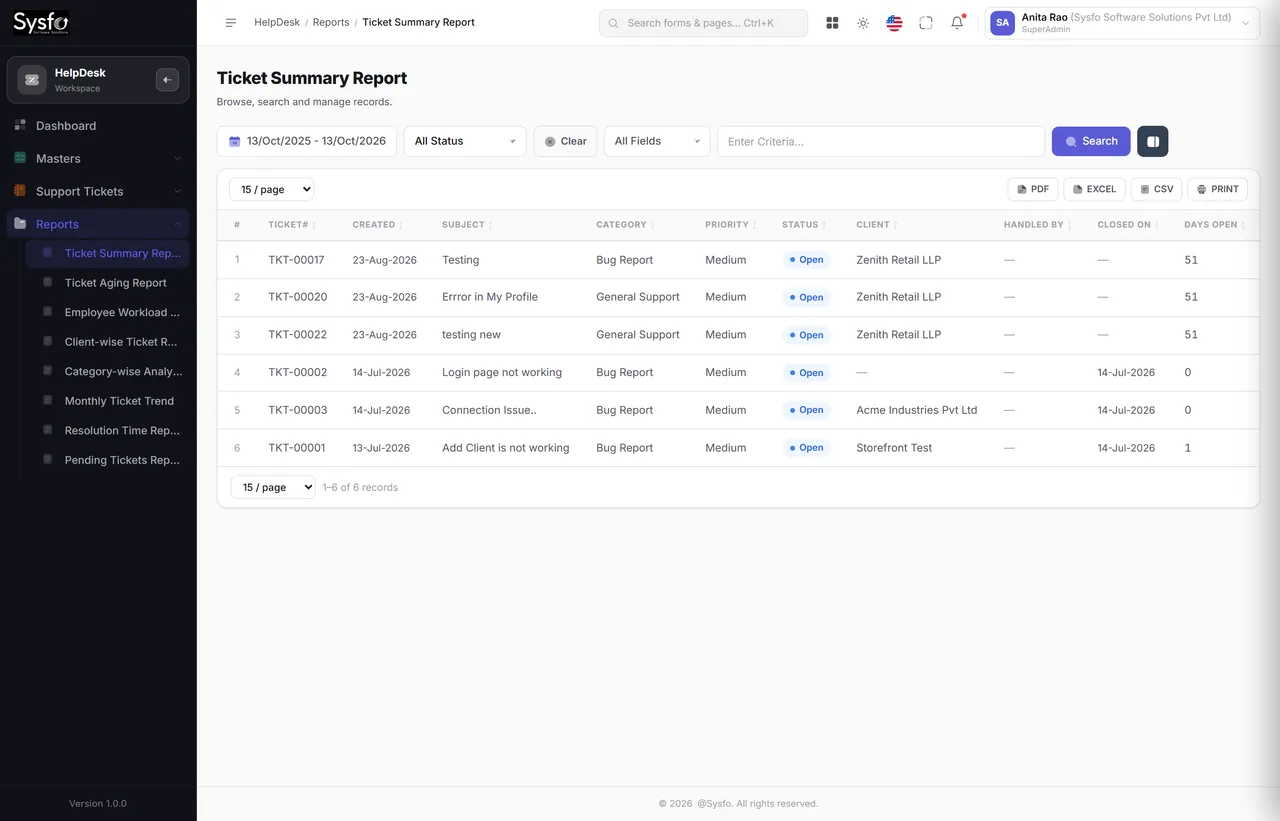
Support data answers three different audiences: the client wants responsiveness, the manager wants workload, and the owner wants to know which product keeps breaking.
 Enlarge
Every screen in the module
All twelve screens. Internal project tasks run on the same engine but stay separate in reporting, so support numbers are never inflated by your own to-do list.
When a support contract comes up for renewal, resolution time and ticket volume are the evidence. Without them the discussion is about price; with them it is about value delivered.
Employee Workload and Ticket Aging together show whether a backlog is a staffing problem or a process one — before either is argued from impressions.
Part of Sysfo ERP
HelpDesk & Support Ticket Software runs on its own, or alongside the other Sysfo ERP modules on one login and one set of records.
FAQ
It is a support ticket system where tickets are raised by your team or by clients from their own panel, assigned to an owner, tracked against an SLA and reported by ageing, resolution time, workload, category and client. It has 12 screens and 8 reports.
Yes. Clients raise tickets from the Client Panel; the ticket lands in your HelpDesk queue against their record, and they can follow its status and replies without emailing.
Every ticket is stamped with a clock when it arrives. Time to respond and time to resolve are measured, and the Ticket Aging, Resolution Time and Pending Tickets reports show what is on track and what has breached.
Yes. Assignment notifies the assignee, and replies notify the client, by Email, SMS and WhatsApp from templates you control.
Yes. Each ticket carries a task type, and Category-wise Analysis and the Client-wise Ticket Report show which products, categories or clients generate the most support.
No. Internal project tasks run on the same engine but are reported separately, so support figures are never inflated by your own backlog.
Get started
We set up your task types and SLA expectations, switch on the Client Panel for the clients you choose, and train the team that answers.
Raising, assigning and closing a ticket, from both sides.
Task types, assignment rules, notification templates and client logins.
Support team and managers, with the reporting pack explained.