
Nothing is re-typed
Each step carries the last one forward — client, items, taxes and terms — from enquiry to proposal to order to invoice.
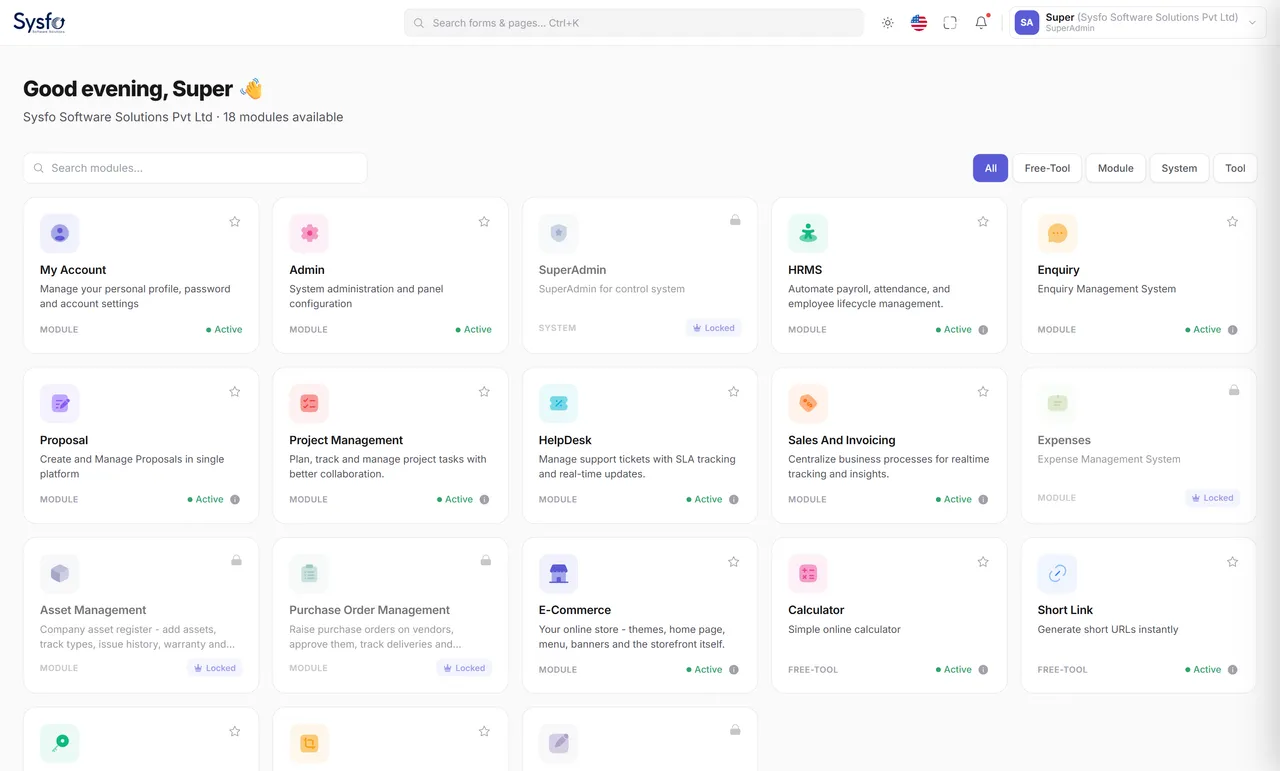
Enquiries, proposals, sales, invoicing, payments, purchasing, expenses, people, projects, assets and your online store — one login, one client record, one set of reports.
Why Sysfo ERP
Most businesses run on a quoting tool, an accounting package, a spreadsheet for stock and a WhatsApp group for everything else. Sysfo ERP replaces all of it: the enquiry becomes a proposal, the proposal an order, the order an invoice — each step costed, approved and reported.
Each step carries the last one forward — client, items, taxes and terms — from enquiry to proposal to order to invoice.
Permissions per screen and per action — add, edit, delete, export. A salesperson sees their own orders; the owner sees everything.
Built mobile-first, so an engineer can file a claim and an approver can clear it from a phone.
Order confirmed, invoice raised, payment received, leave approved — each fires Email, SMS and WhatsApp from your templates.
GST with HSN / SAC on every line, input tax credit and reverse charge, TDS, and financial-year numbering.
Several companies or branches from one installation, each with its own logo, numbering, tax setup and financial year.
A day with Sysfo ERP
A website enquiry lands and is assigned to a handler.
Proposal built from a template and emailed.
Client accepts; it becomes a sales order.
Purchase order raised on the vendor; goods received.
Invoice generated, payment received, receipt sent.
Owner reviews receivables, spend and margins.
Everything in one place
Add the rest as you grow. Every module shares one client record, one vendor record, one employee record and one login — so a client’s orders, invoices, payments, tickets and projects all sit in one place.
Sales & invoicing
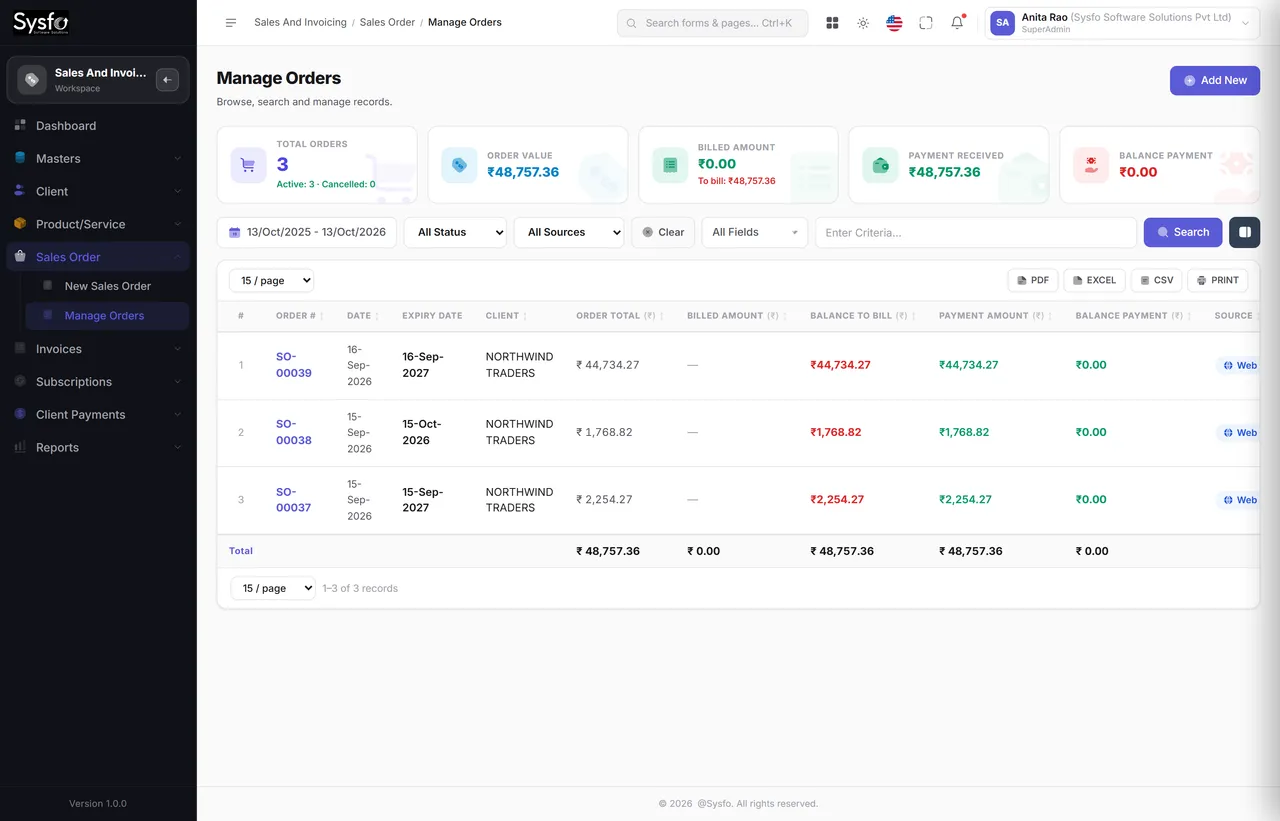
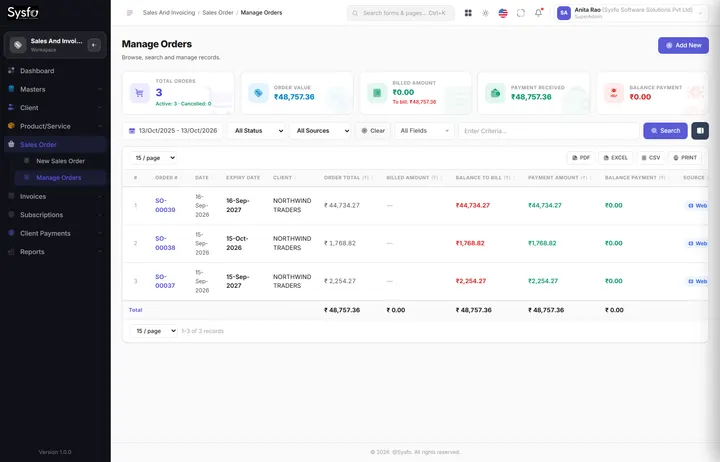
One client record holds contacts, addresses, GSTIN, KYC documents and credit terms. Raise an order against it and the items, taxes, discounts and terms carry through to the invoice, the receipt and every report.
 Enlarge
Subscriptions & renewals
An order line carries a period — AMC, hosting, a licence.
Manage Subscriptions shows what is live and what is ending.
Expiring Subscriptions lists what falls due, before it lapses.
Renew Subscription raises the next order in a click.
Work delivered but never invoiced because the order was closed in somebody’s head; payments received but never matched, so a client is chased for money they already sent. These are tracking failures, not accounting ones.
Billed against ordered on every line, receipts attached to bills, and a dated list of what is expiring — so month-end is an approval rather than a reconstruction.
Invoicing, payments & receivables
Few jobs are billed in one go. Generate as many invoices against an order as the work needs — Sysfo ERP keeps ordered, billed and remaining straight, and does the same for money received against each bill.
Automatic alerts
Order confirmations, invoices, receipts and renewal reminders go out by Email, SMS and WhatsApp from templates you control — with the PDF attached.
Dear Acme Industries, we have received ₹1,34,520.00 against invoice INV-2026-0188 on 05-Nov-2026. Receipt attached. Thank you. — Sysfo Software Solutions
4:12 PM ✓✓Who owes you, and for how long — 0-30, 31-60, 61-90 and beyond, by client, with the outstanding invoice list behind each bucket.
Every invoice, receipt, advance and credit note for one client, in date order, with a running balance.
Collections by day, by month, by payment mode and bank-wise — so you can see where the money actually arrives.
Purchase Order Management
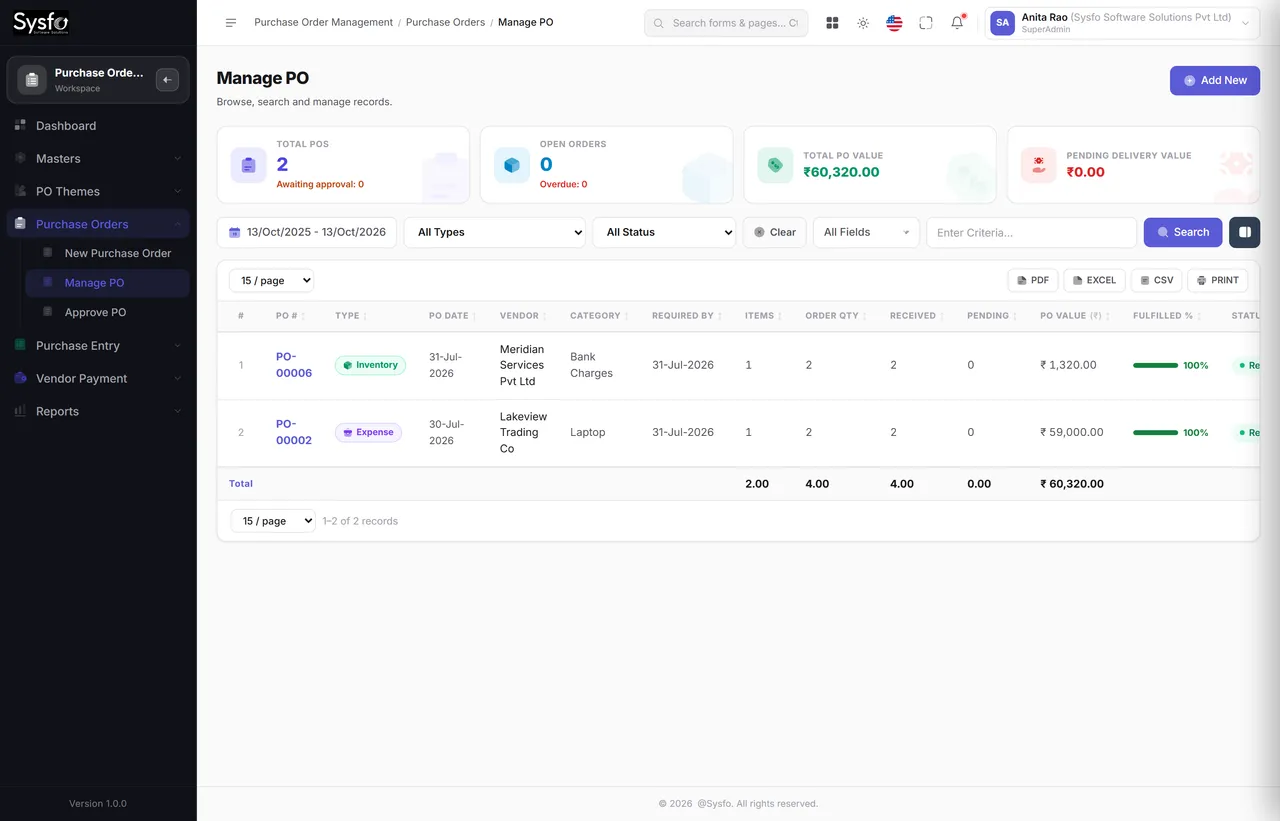
Raise a purchase order on a vendor, send it for approval, receive goods against it, and record the bill. What was ordered, what arrived and what was billed are three different numbers — and the system keeps all three.
 Enlarge
On-time against late, per vendor, measured from the PO’s own delivery date.
What each vendor charged for the same item, so a quote can be argued with evidence.
Where the bill does not match the order — before it is paid, not after.
What was ordered, what actually arrived and what was billed are rarely the same. Keeping them apart is what makes short supply visible while you can still do something about it.
A purchase order is a commitment to spend. Routing it for approval first — with the turnaround time measured — is cheaper than discovering the commitment when the bill arrives.
Expenses, payables & assets
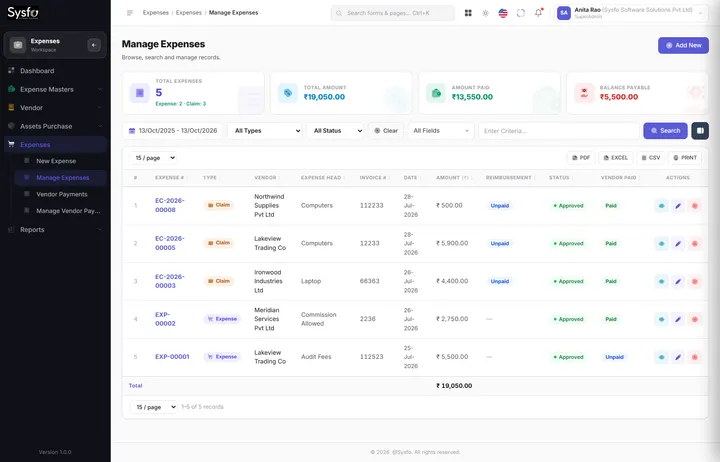
Office spend, vendor bills, employee claims and asset purchases all land in one place, each against an expenditure group, head and item — so the monthly question “where did it go?” has an answer with a drill-down.
Which purchases carry claimable GST and which do not, totalled for the period — plus a reverse-charge liability list.
By head, by vendor, by project, by item and month on month — with the top vendors by spend on one page.
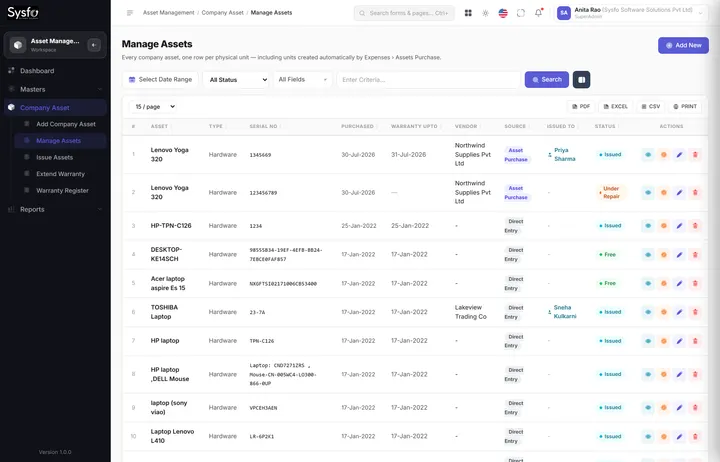
An asset purchase raises one asset record per unit, so a ten-laptop bill becomes ten tracked assets in Asset Management.
Explore Expense Management Software Asset Management Software
HRMS, payroll & self-service
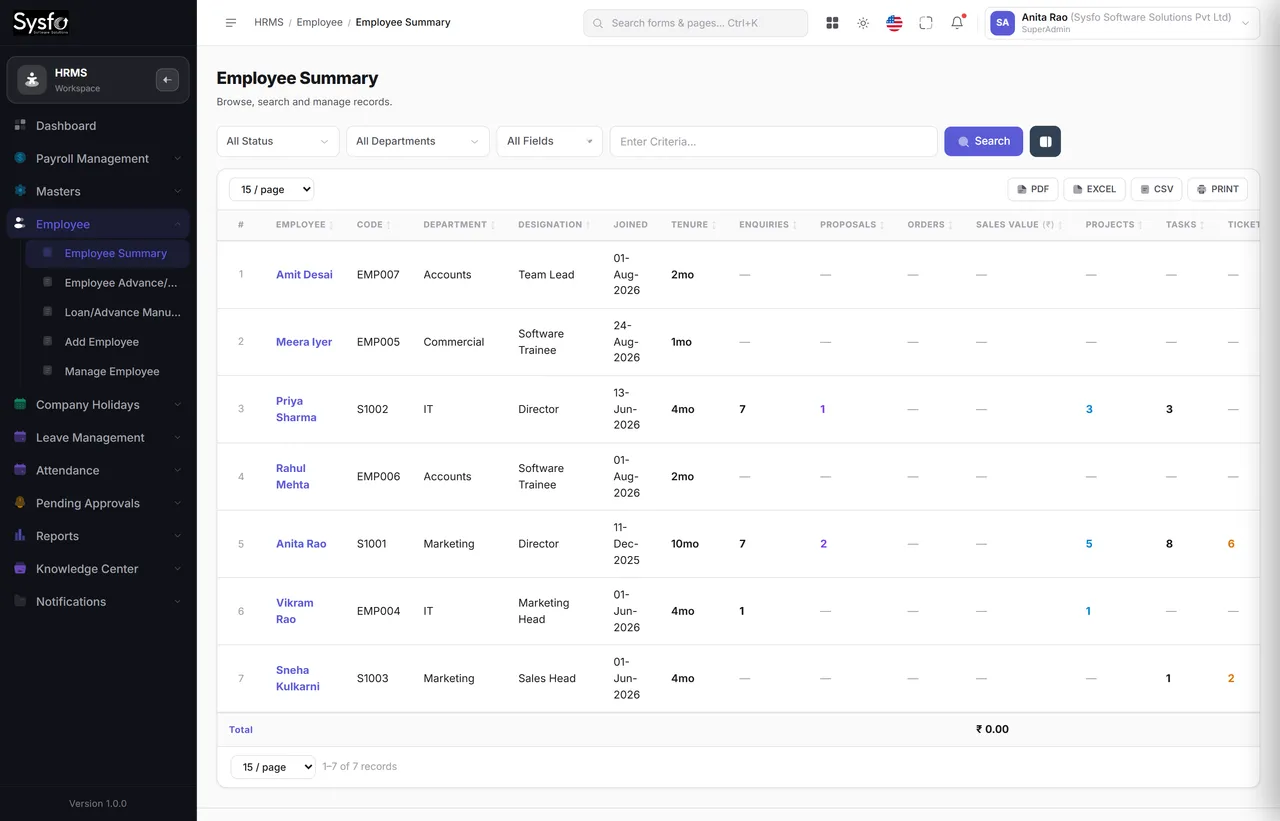
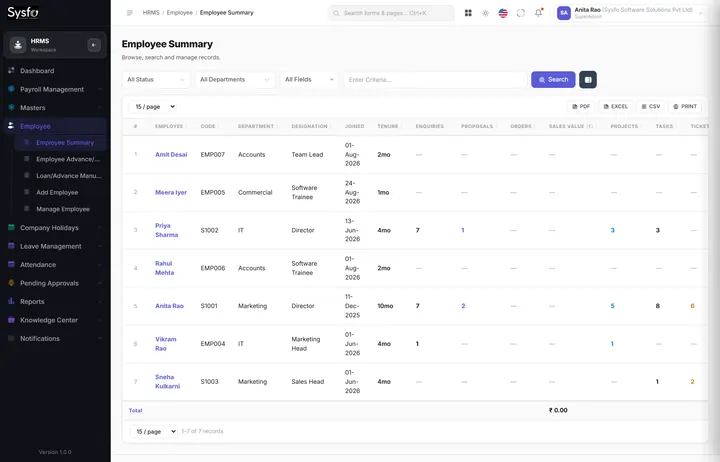
Personal details, documents, department and designation, shift, salary structure, assets issued, leave balance and attendance — all on one employee, visible from one screen. Payroll reads what it already has.
 Enlarge
Because attendance, leave, adjustments, claims and advances all live here, running payroll is a calculation rather than a collection exercise — and advances recover themselves against the balance.
Thirteen My Account screens let staff apply for leave, file claims, enter timesheets and read their own records — which is most of what HR is otherwise asked for.
Enquiry & proposal
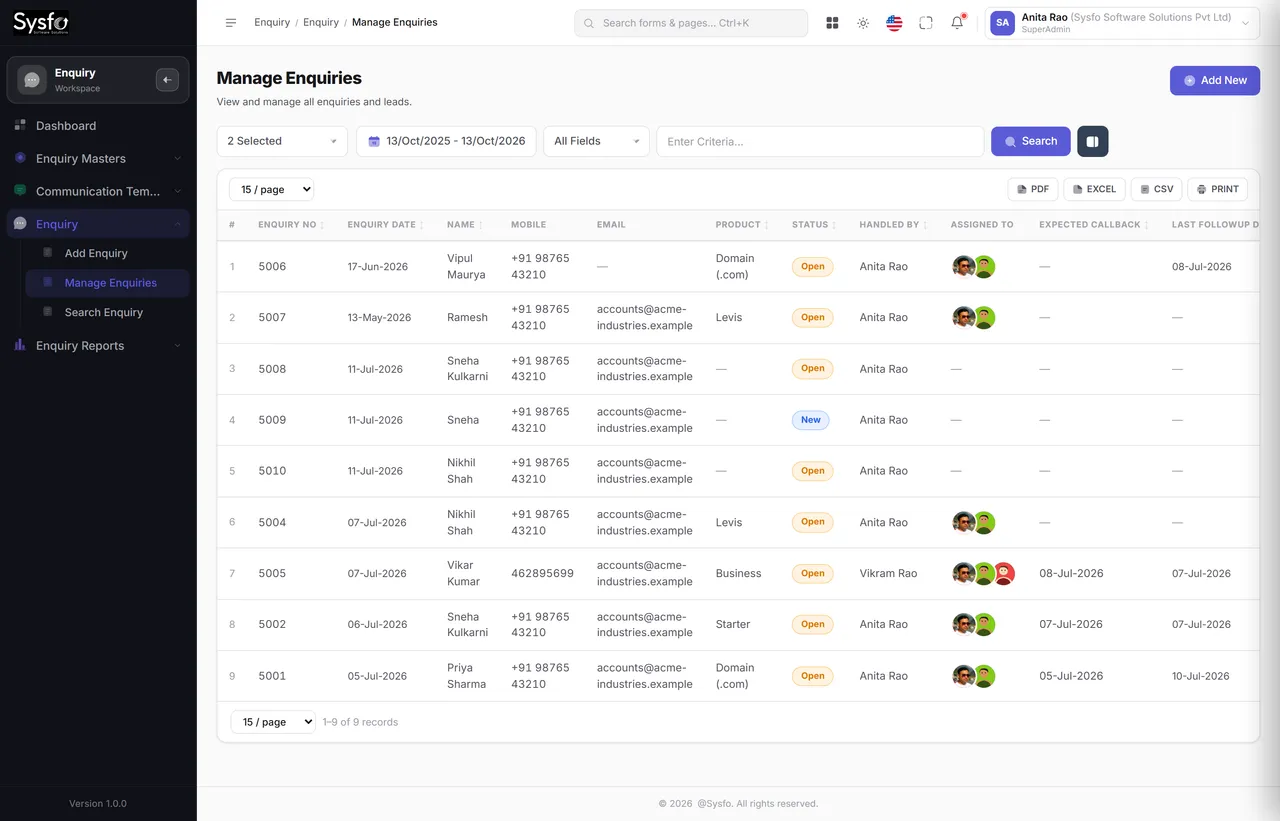
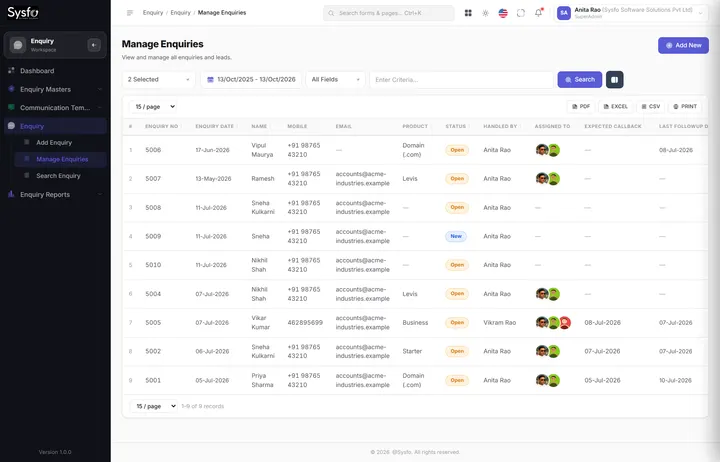
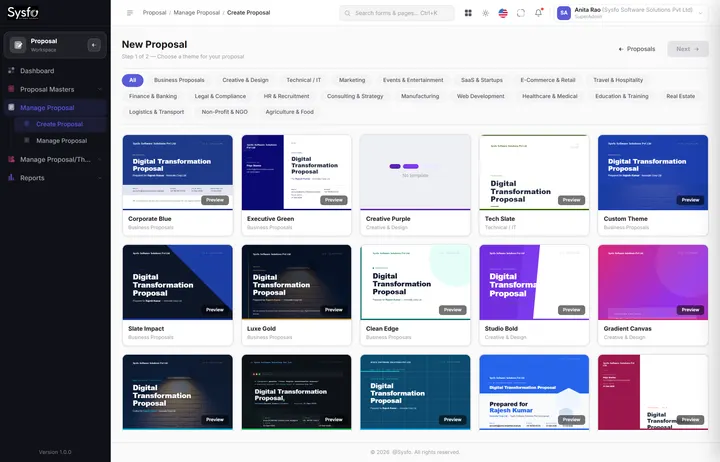
Every enquiry — walk-in, phone call, website form — is recorded against a handler with a callback date. When it is ready for a price, the proposal is assembled from reusable pages, themed and sent — and a won proposal becomes a sales order without re-typing.
 Enlarge
Where it goes next
Captured, assigned, followed up.
Assembled, themed, sent.
Client, items and taxes carried forward.
Billed in parts, collected, receipted.
Explore Enquiry Management System Proposal Management Software
Projects & HelpDesk
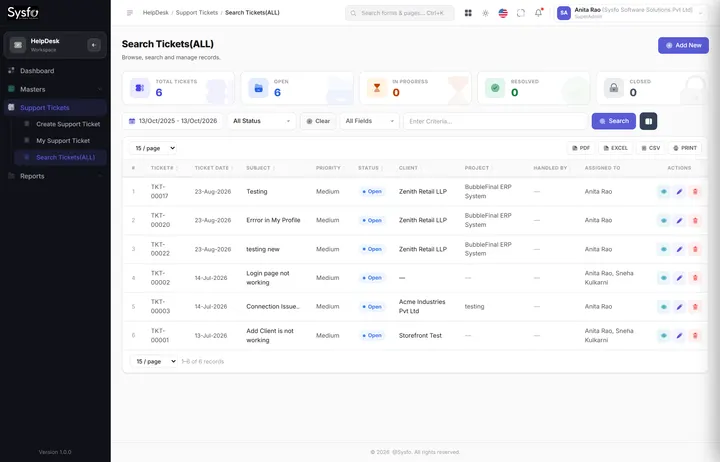
Projects carry a client, a budget, a team and a progress line. Internal tasks and client support tickets run on the same engine but stay separate in reporting — so “what is my team doing” and “what are clients waiting for” are two different answers.
Internal tasks and client tickets run on one engine but report separately, so your support figures are never inflated by your own backlog — and workload still totals across both.
When a support contract comes up, resolution time and ticket volume are the argument. Without them the conversation is only about price.
E-commerce, domains & hosting
The storefront runs on the products, prices, discounts and taxes already in the system. A web order arrives as a sales order, tagged as web — so online and offline sit in one sales figure, not two.
A TLD price book mapped to your products, domain registration, and a register of what each client holds.
Plan packages, service routing per product category, panel accounts, and a manual queue for what cannot be automated.
Pages, blog and knowledge base, plus an announcement bar across the top of the site — all edited from the admin app.
Admin & SuperAdmin
Twenty-eight administration screens decide how the platform behaves — numbering, taxes, currency, who may do what, what the documents look like and which messages go out. Above them, SuperAdmin creates companies and branches and gives each its modules.
Why this matters
Because modules, categories, screens, permissions and report columns are data rather than code, a screen can be renamed, moved, hidden or granted to a role from inside the application — which is also how a module is switched on for one company and off for another.
API keys issued and revoked from the admin app, an API reference built into the product, and published Enquiry, HRMS and HelpDesk APIs.
Who called, when, and whether it was allowed — partner tokens run on their own audience, separate from staff and client logins.
Themes for the admin app, invoice templates and HR document settings — your logo, colours and company name throughout.
The Client Panel
Every client gets their own login — issued from the Add / Edit Client screen, on a separate sign-in from your staff. They see their own orders, invoices, payments, subscriptions and tickets. Only their own.
A client login is created from the Add / Edit Client screen, so you decide who gets access. Passwords are hashed; you can reissue at any time.
The panel signs in on its own token audience, and every query is bound to that client’s id — so a client cannot reach another client’s records.
Reporting & analytics
Learn one report and you have learnt all of them. Every report filters by date and by the things that matter to it, searches across every column on screen — including the ones joined in from elsewhere — lets you choose your columns, and exports.
| Client | Not due | 0–30 | 31–60 | 61–90 | 90+ | Total |
|---|---|---|---|---|---|---|
| Acme Industries Pvt Ltd | 1,04,548 | — | — | — | — | 1,04,548 |
| Northwind Traders | — | 62,300 | 18,900 | — | — | 81,200 |
| Zenith Retail LLP | — | — | — | 44,100 | 27,600 | 71,700 |
| Harbour Logistics | 36,000 | 12,400 | — | — | — | 48,400 |
| 4 clients | 1,40,548 | 74,700 | 18,900 | 44,100 | 27,600 | ₹3,05,848 |
Built-in tools & safe by design
A Digital Signature tool to sign any PDF in the browser, plus a calculator, short-link maker, password generator and image cropper — and the safeguards underneath every screen.
Deleting switches a record off. A mis-click is recoverable, and history never develops holes.
Who created it, who last changed it and when — on every record, without anyone opting in.
Record IDs do not appear in the address bar, so a URL cannot be edited into someone else’s data.
Staff, clients and partner integrations each hold their own kind of token. One can never act as another.
Gateway, SMS, WhatsApp and registrar keys are held in API Manager — not in a file on a server.
Draw, type or upload a signature and place it on any page; the signed file is stored with a SHA-256 checksum. An electronic signature — not a cryptographic DSC.
Module pages
Each module is complete on its own and better together — one client record, one employee record, one login.
FAQ
Sysfo ERP is a cloud ERP platform that connects enquiries, proposals, sales and GST invoicing, purchase orders, expenses, HRMS and payroll, projects, helpdesk, asset management and an online store. It has 13 integrated modules, 356 ready screens and over 100 reports, all sharing one client, vendor and employee record.
Yes. Each company is assigned only the modules it uses — for example Sales, Expenses and HRMS — and more can be switched on later from SuperAdmin without a new installation or data migration.
Yes. Every line carries HSN or SAC and a tax rate, discounts are apportioned before tax, and the reports cover tax collection, input tax credit, reverse-charge liability, HSN summaries and TDS deducted, with financial-year numbering on every document.
Yes. One installation runs several companies or branches, each with its own logo, numbering, tax setup and financial year. Users are granted only the companies they may open.
Yes. Clients get a Client Panel to see orders, invoices, payments, subscriptions and support tickets, and employees get My Account self-service for leave, attendance, timesheets, expense claims and policies — each on a separate login.
Every screen is built mobile-first, so approvals, expense claims, leave requests and tickets can be handled from a phone or tablet as well as a desktop browser.
We run a live demo, set up your company, financial year, taxes and numbering, import your clients, products and opening balances, and train each role. Most businesses go live on their own data within a few weeks, with support after launch.
Get started
We set up your company, bring across your clients, products and opening balances, and train your team — so you go live on real data, not on a demo.
A walkthrough of the modules that matter most to your business.
Company, financial year, taxes, numbering, and your existing clients, products and balances.
Hands-on training for each role, with support after launch.