
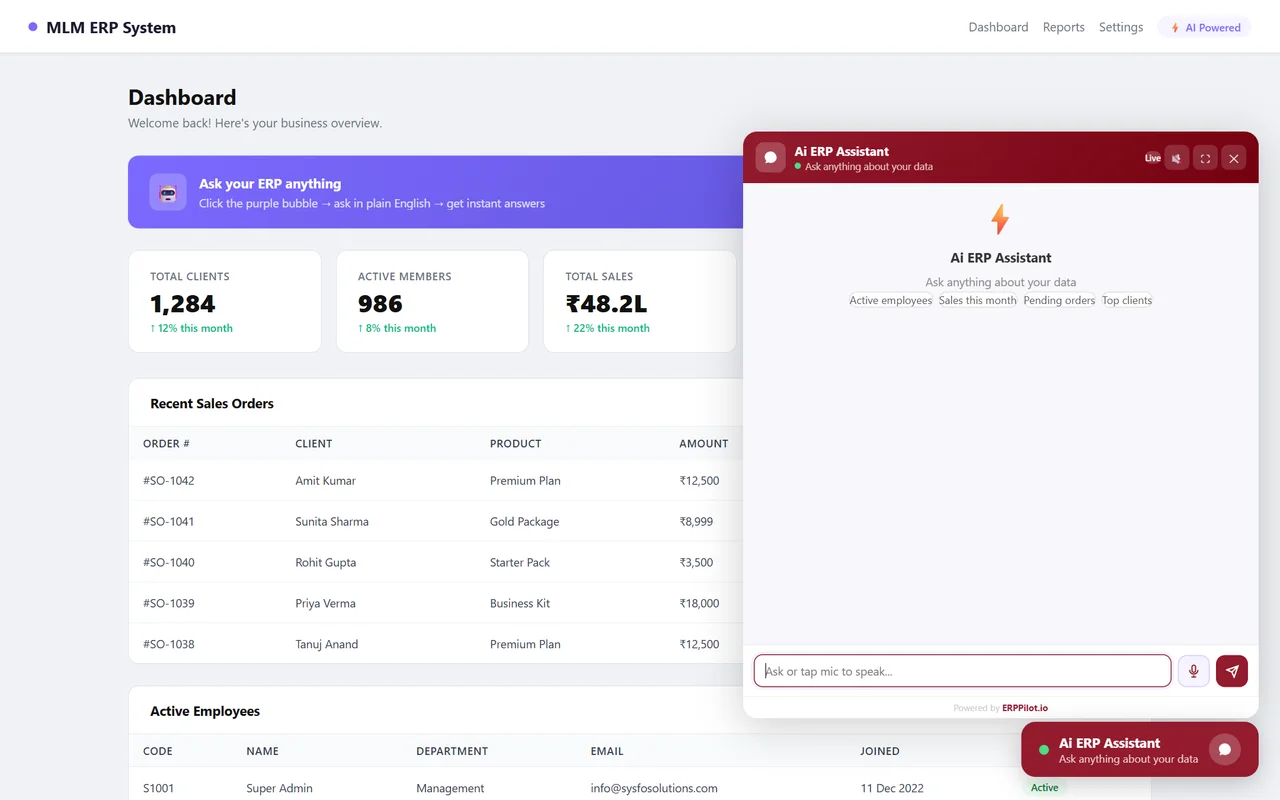
Bar charts
Compare totals across years, months, branches or products.

ERPPilot turns plain-English questions into live answers from your ERP database: tables, charts, Excel and PDF, on your website, in your app and on WhatsApp. Your team needs no SQL and no report requests.
Live in three steps
No data warehouse, no copying, no new reports to build — ERPPilot reads your schema once and queries the live ERP every time someone asks.
Connect · Embed · Ask
Add your SQL Server connection in the client portal. ERPPilot reads the schema and auto-detects tables, columns and relationships. You choose exactly which tables the AI may use.
Paste one script tag into your website or app. The assistant appears in your brand colours, on desktop and in a full-screen mobile mode.
Your team types or speaks a question. ERPPilot writes a safe, read-only query, runs it on live data and replies in seconds with a summary, a table and a chart.
One line to install
<script src="https://api.erppilot.io/widget/yourcompany.js"></script> — the same widget works in plain HTML, React and Android WebView apps.
Wherever your team works
The same assistant, the same live data — wherever your team already spends its day.
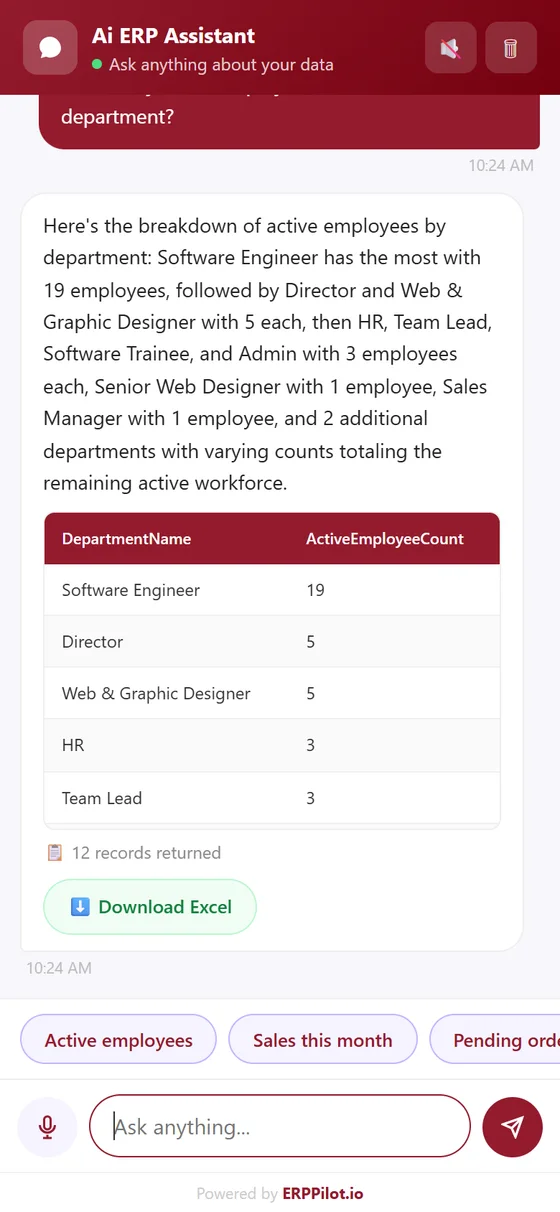
Real answers from a live ERP
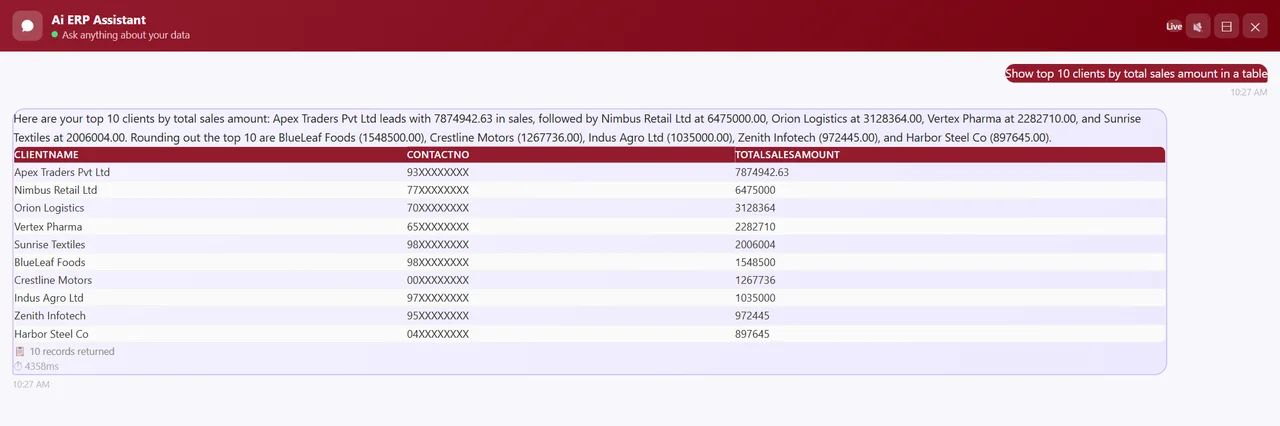
These questions were typed into ERPPilot connected to a working MLM ERP database. Client names and phone numbers are masked for privacy.
 Enlarge
Charts on request
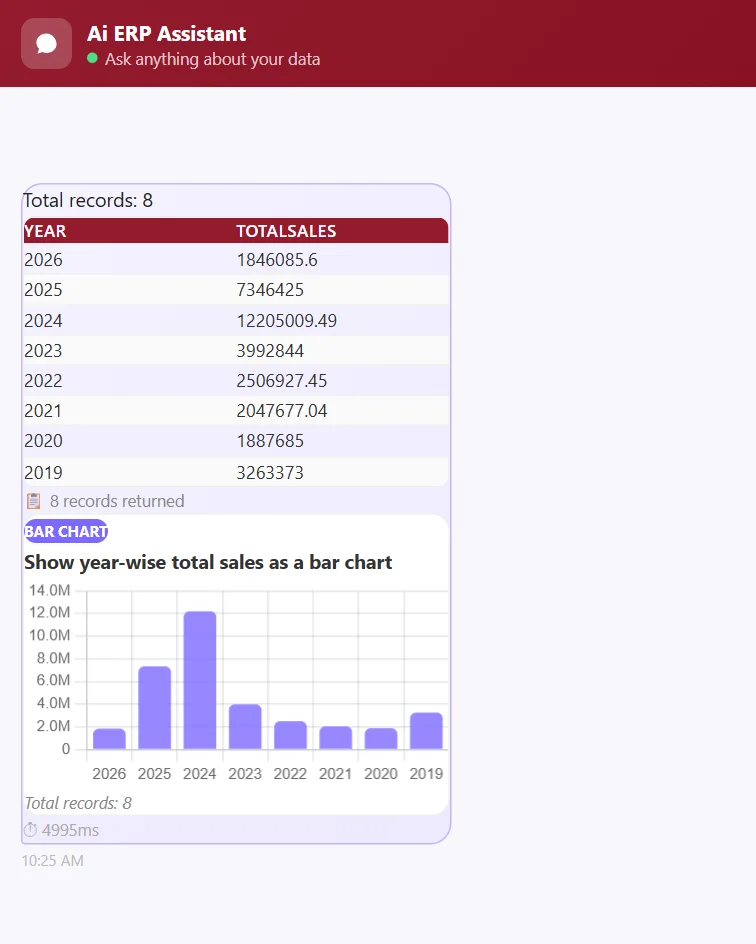
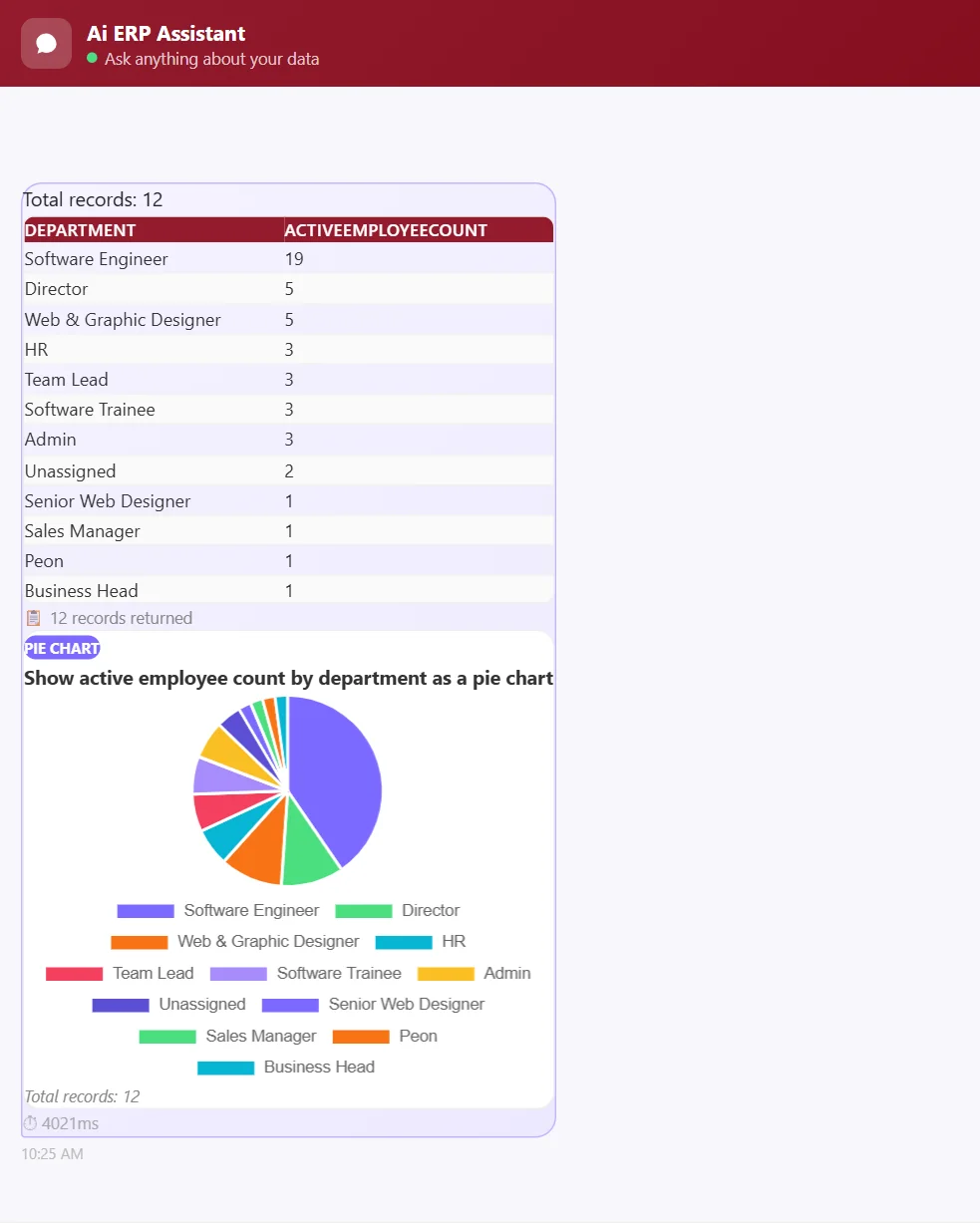
“Year-wise sales as a bar chart. Active employees by department as a pie chart.” — bar, line or pie, drawn from the same live query, with the data table alongside.
 Enlarge
Compare totals across years, months, branches or products.
See trends over time from the same live query.
Share of the whole — like active employees by department.
Live data, any shape
The pie chart and the table behind it come from the same SELECT query, run against the live ERP the moment the question is asked.
 Enlarge
Client portal
Every ERPPilot customer gets a self-service portal to connect the database, install the widget, track usage and manage billing.
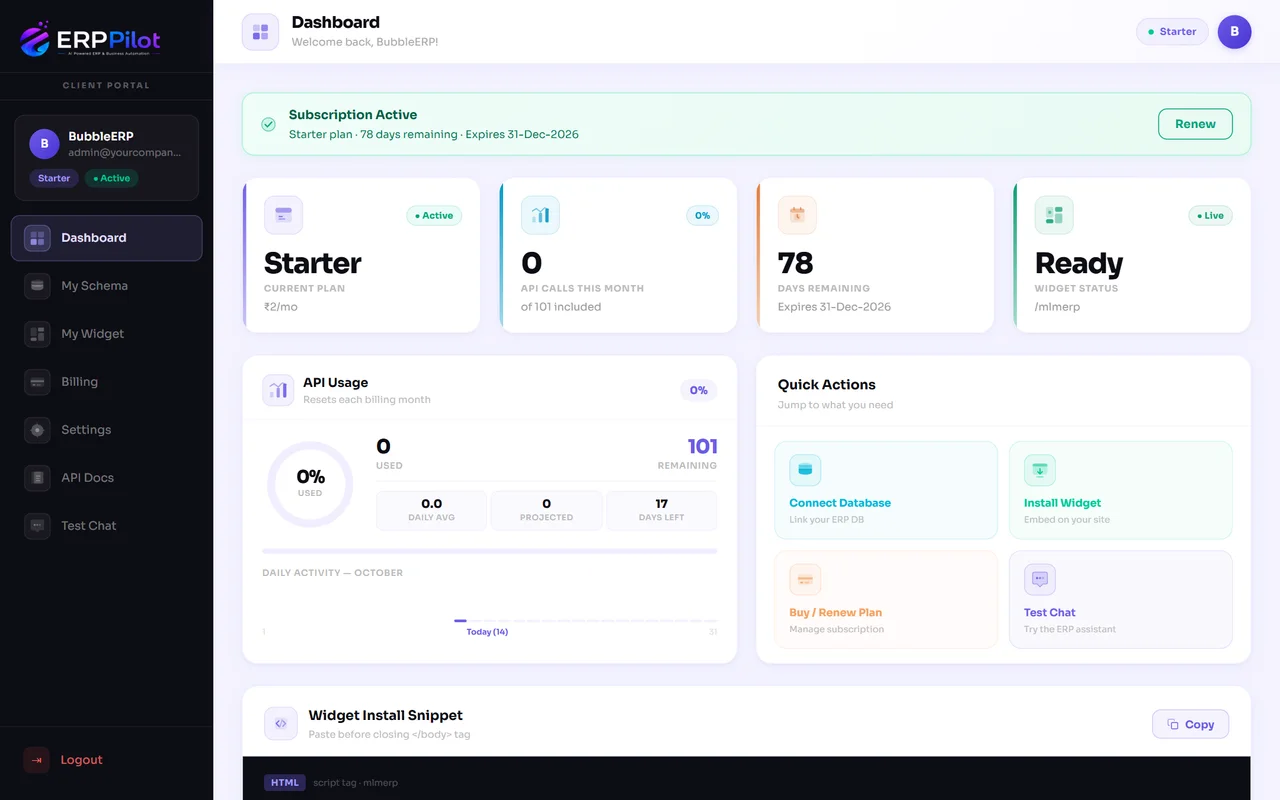 Enlarge
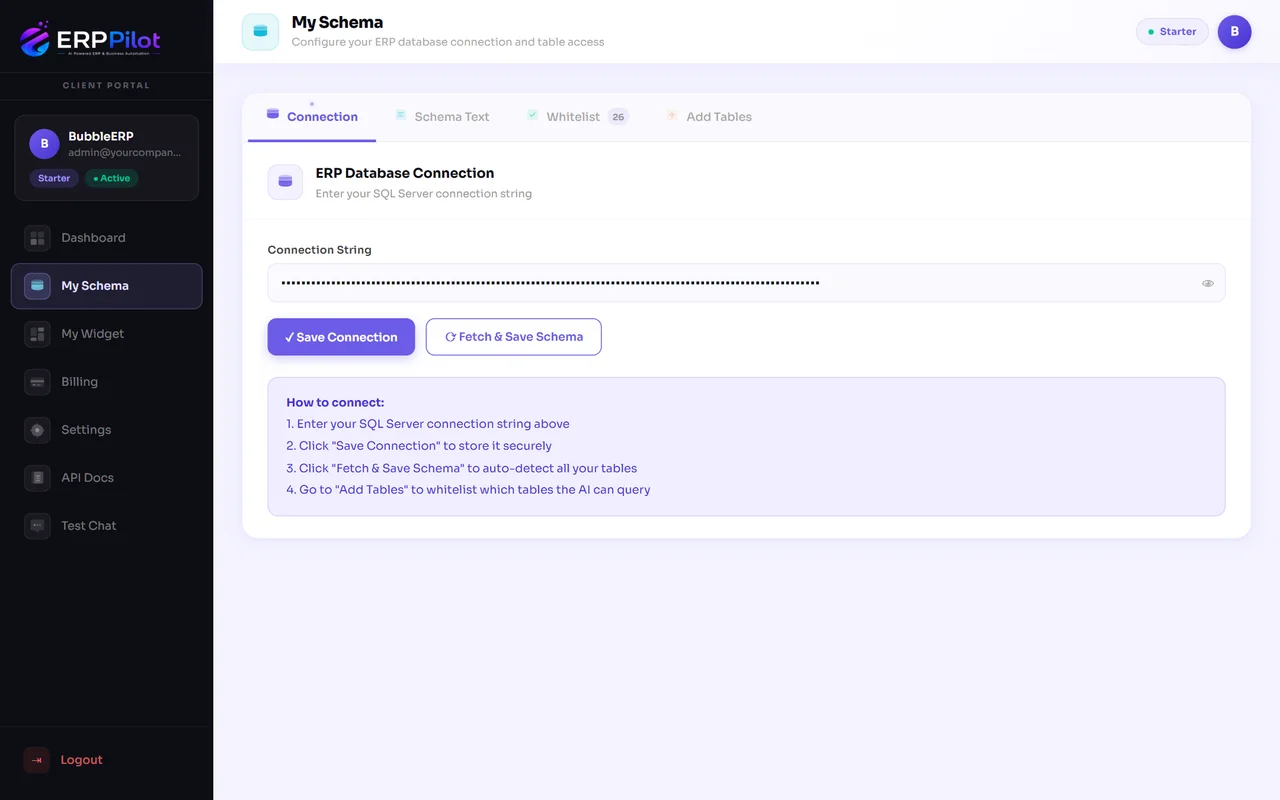
Connect your database
Save an encrypted SQL Server connection, fetch the schema and whitelist the tables the AI may read.
 Enlarge
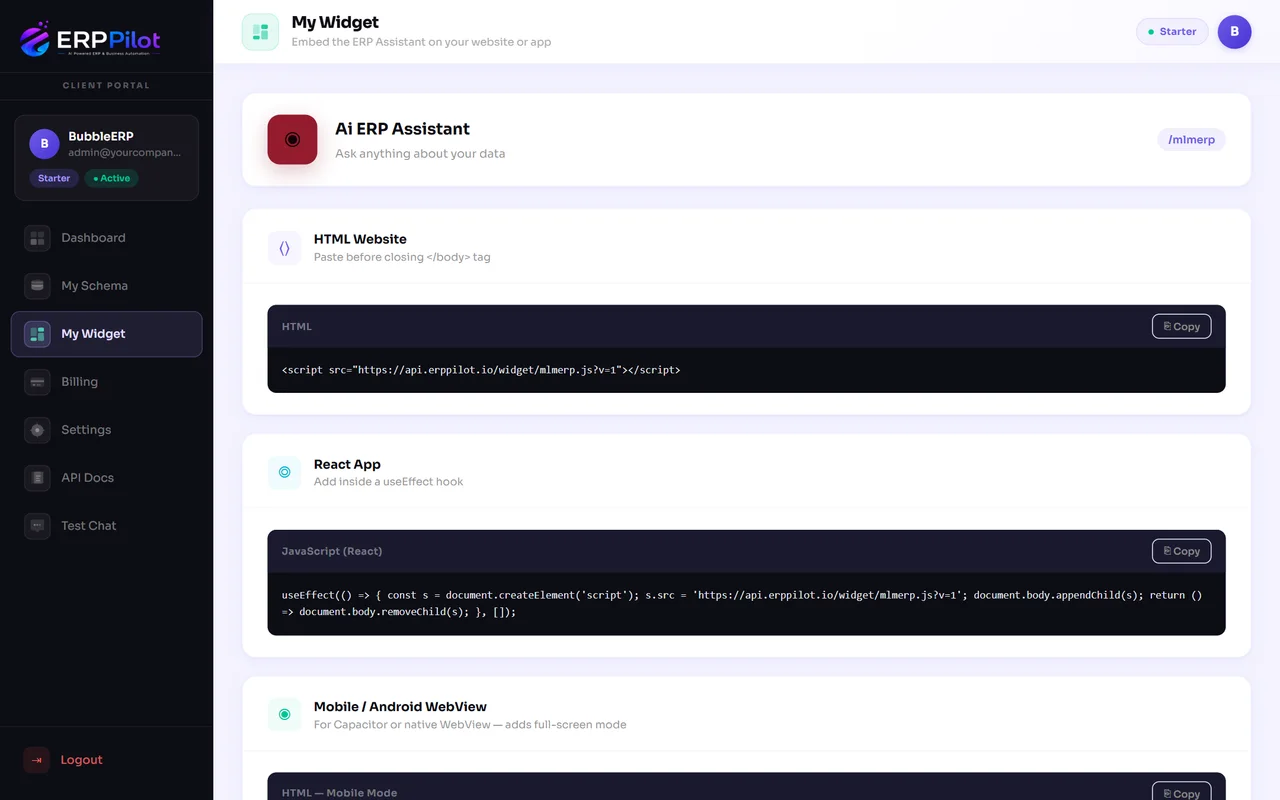
Install the widget
Copy-ready snippets for plain HTML, React and Android WebView — with your own title and brand colour.
 Enlarge
Admin console
For ERP vendors and resellers, ERPPilot is a multi-tenant platform: one console for companies, plans, AI models, data access and WhatsApp.
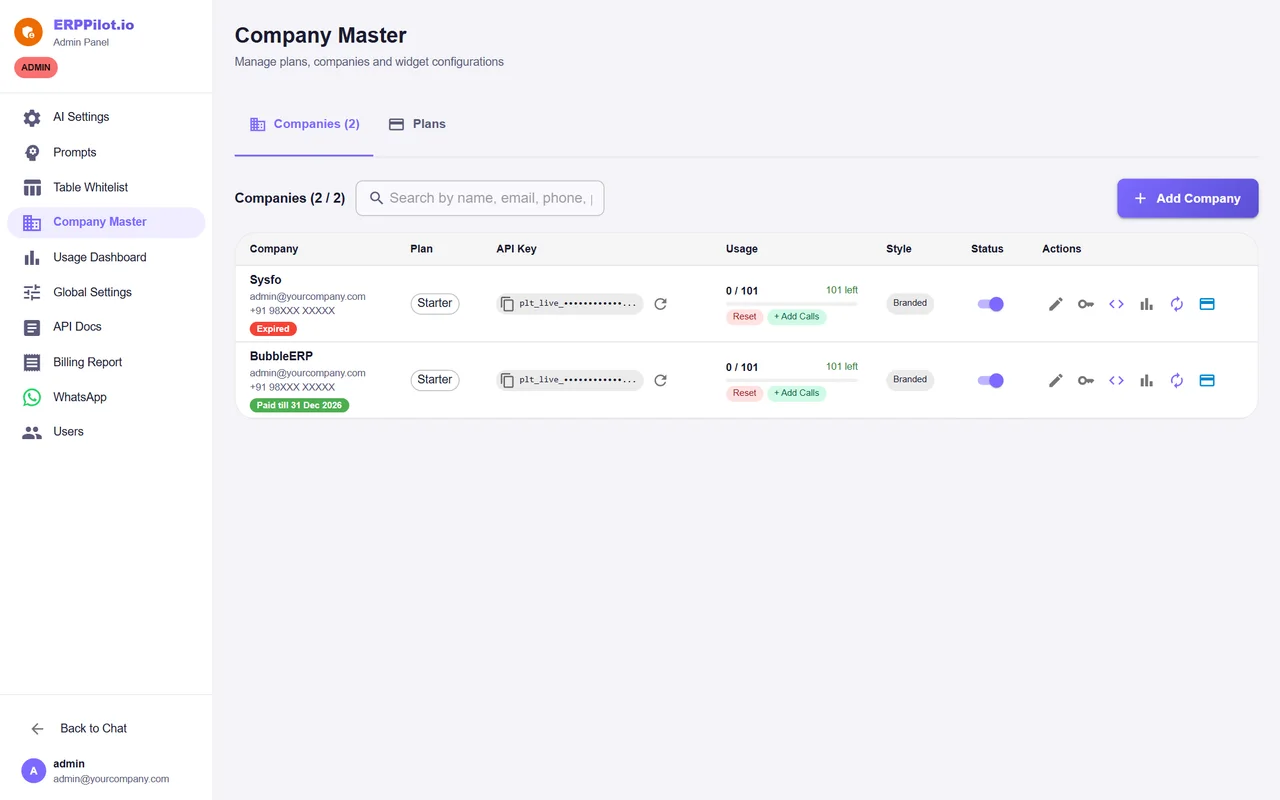 Enlarge
Table whitelist
Switch individual ERP tables on or off for the AI, with a friendly display name for each.
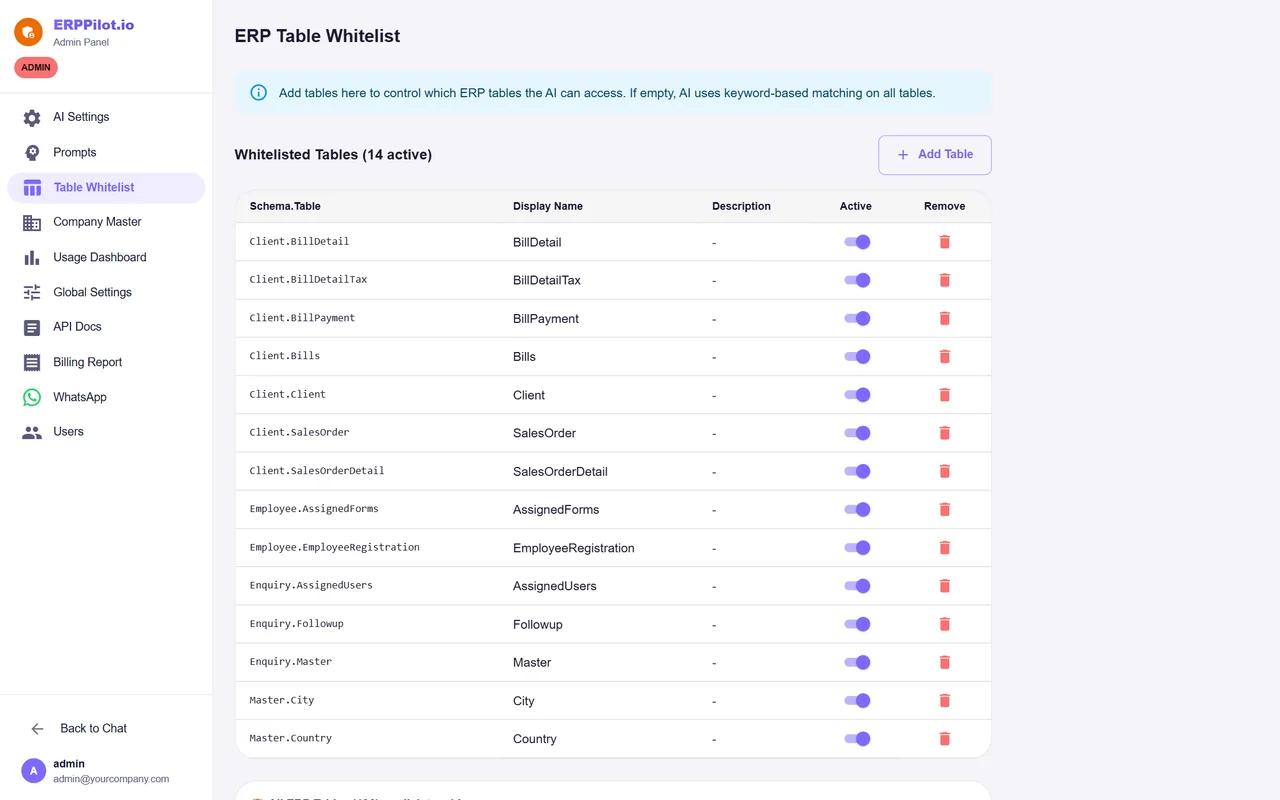 Enlarge
Choose the AI model
ERPPilot runs on Anthropic Claude with Groq as a fallback. Switch provider or model from the console, with automatic key rotation.
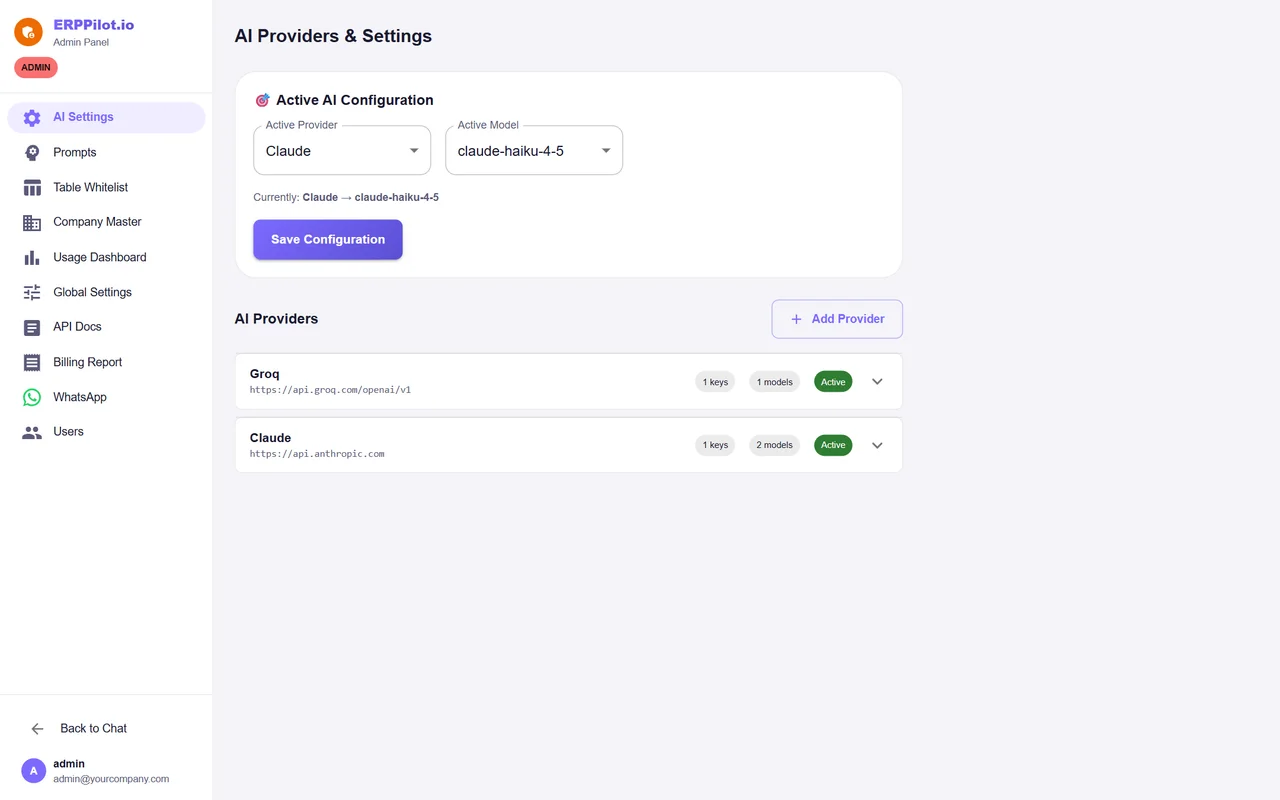 Enlarge
Plans
Plans are sized by AI queries per month. A free demo plan lets you try the widget on your own data first. Pay securely online in the client portal — current prices are listed there; contact us for a quote.
| Item | Starter | Growth (most popular) | Enterprise |
|---|---|---|---|
| Queries / month | 101 | 500 | 2,000 |
| Daily limit | Up to 20 a day | Up to 100 a day | No daily limit |
| Web widget & mobile mode | ✓ | ✓ | ✓ |
| Tables, charts & Excel export | ✓ | ✓ | ✓ |
| — | ✓ | ✓ | |
| Overage rate | Standard | Lower | Lowest |
Security by design
ERPPilot only ever asks your database questions — it never changes a single row.
Every generated query is read-only. ERPPilot never inserts, updates or deletes ERP data.
Database connection strings and API keys are stored encrypted at rest.
Each company controls exactly which tables the AI can see.
Each company queries only its own database, through its own connection and key.
Separate JWT sign-in for administrators and for portal and widget users.
Only phone numbers approved by the admin can query the ERP on WhatsApp.
More from Sysfo
Software we build and support for the businesses that run on it.
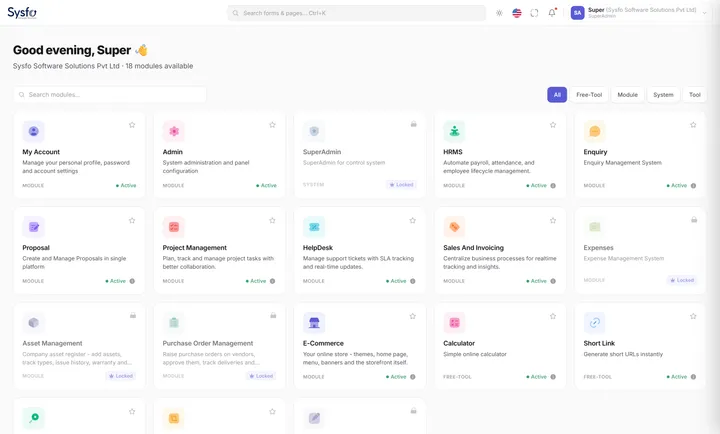
FAQ
ERPPilot is an AI assistant for your ERP from Sysfo. Your team asks questions in plain English — typed or spoken — and ERPPilot writes a safe, read-only SQL query, runs it on your live ERP database and replies in 3 to 10 seconds with a summary, a table and a chart.
Any SQL Server based ERP. You add the connection in the client portal, ERPPilot reads the schema and auto-detects tables, columns and relationships, and you choose which tables the AI may use.
No. Every generated query is SELECT-only — ERPPilot never inserts, updates or deletes ERP data — and it can only read tables you have whitelisted.
As a floating chat widget on your website or web app, in full-screen mode inside an Android or Capacitor app, and on WhatsApp for registered numbers on the Growth and Enterprise plans.
Yes. Ask for a bar, line or pie chart and you get one, with the data table alongside. Full results can be downloaded as Excel, and on WhatsApp large results arrive as Excel or PDF attachments.
Connection strings and API keys are AES-256 encrypted at rest, each company queries only its own database through its own connection and key, sessions use signed JWTs, and only admin-approved numbers can use WhatsApp.
Plans are sized by AI queries per month — Starter (101), Growth (500) and Enterprise (2,000) — with a free demo plan to try the widget on your own data first. Current prices are in the client portal; contact us for a quote.
Get started
Book a demo — we’ll connect ERPPilot to your SQL Server ERP and let your team ask it anything, on a free demo plan.
See ERPPilot answer live questions about your own data.
Add your SQL Server connection and pick the tables the AI may read.
Paste one script tag — your team starts asking in plain English.