
Built for schools
Academic sessions, classes & sections, class teachers, subject teachers, bell schedule and time table — the way schools actually work.

Admissions, attendance, homework, online classes, exams, fees, transport, library, staff and parents — connected, mobile-friendly and ready from day one.
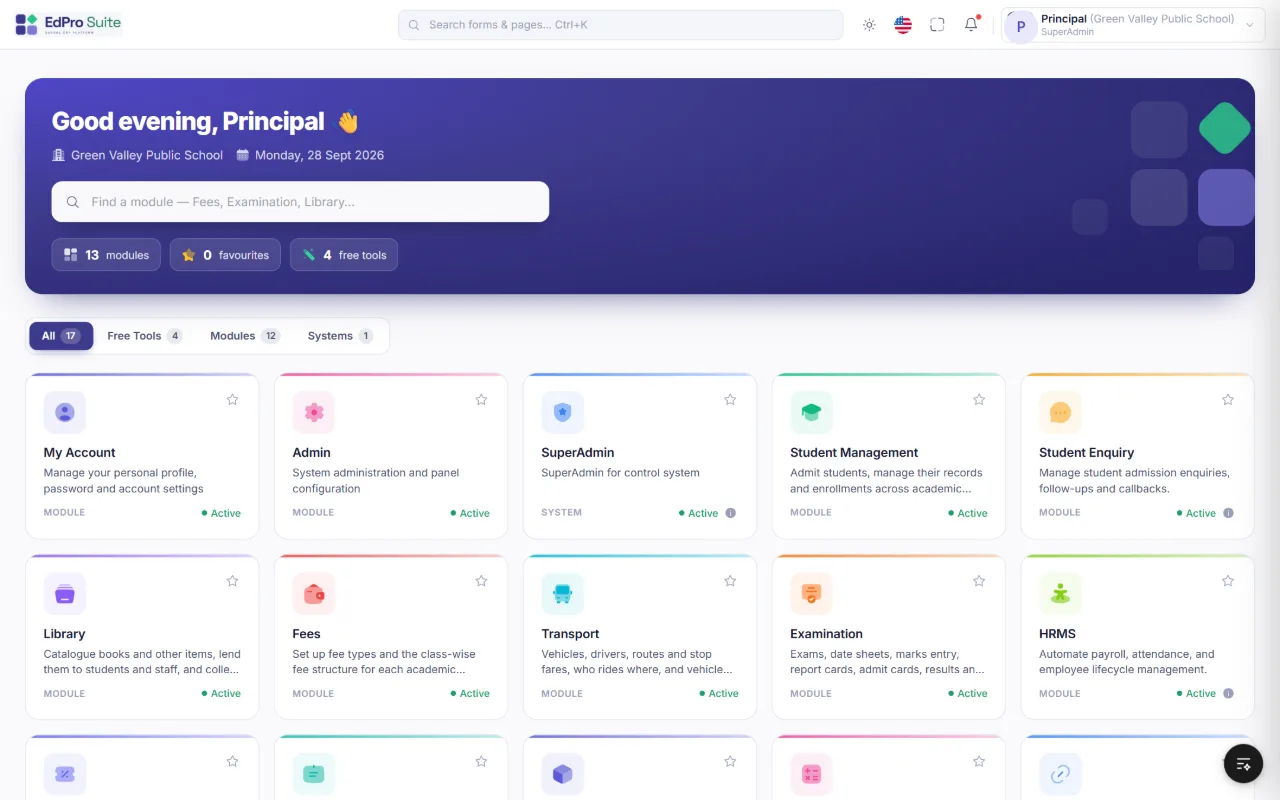 Click to enlarge
Why EdPro Suite
EdPro Suite brings every office, classroom and parent touch-point into a single system. Teachers see only their own classes, the office sees everything, and parents get timely updates — on any device.
Academic sessions, classes & sections, class teachers, subject teachers, bell schedule and time table — the way schools actually work.
Role-based permissions per screen and action. Teachers work only on their own classes and subjects; admins see the whole school.
Mobile-first design for phones, tablets and desktops — take attendance in class or collect fees at the counter.
Email, SMS and WhatsApp alerts for absence, homework, notices and online classes, plus a redesigned Student & Parent Portal.
Student, Fees, Transport and Examination each open on a live dashboard. Reports filter by session, class, section and date, then export.
Run several schools or branches from one installation with their own branding, settings, logo, themes and language.
Every record belongs to an academic session. Switch the session from the header to look back at any year; closed sessions become read-only so past records stay safe.
Nothing is ever hard-deleted — removed records are archived. Every change is stamped with who made it and when, and IDs in links are encrypted.
A day with EdPro Suite
Late arrivals logged at the gate; parents alerted.
Class teachers mark attendance; absent alerts go out.
A parent collects a child early — gate pass printed.
Homework assigned; students see it on the portal.
Fee counter collects dues and issues receipts.
Principal checks collections, attendance and reports.
Everything in one place
Start with what you need today and switch on more modules as your school grows. Everything shares one student record, one login and one set of reports — and Student Management, Fees, Transport and Examination each open on their own dashboard.
Take the tour
Student Management
One complete record for every student: personal details, parents, address, documents, class and section for each session.
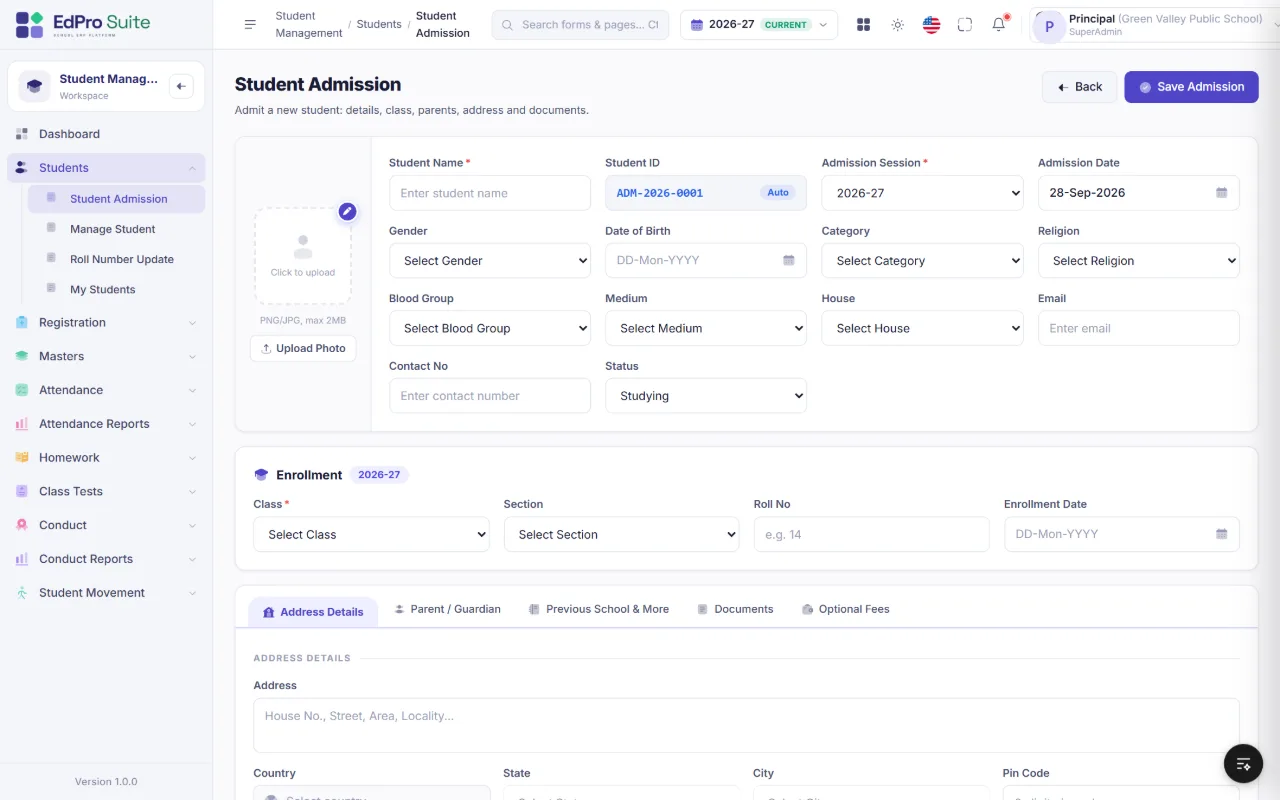 Click to enlarge
Attendance
Teachers mark their own class in seconds — by mouse or keyboard — and parents of absent students are alerted automatically.
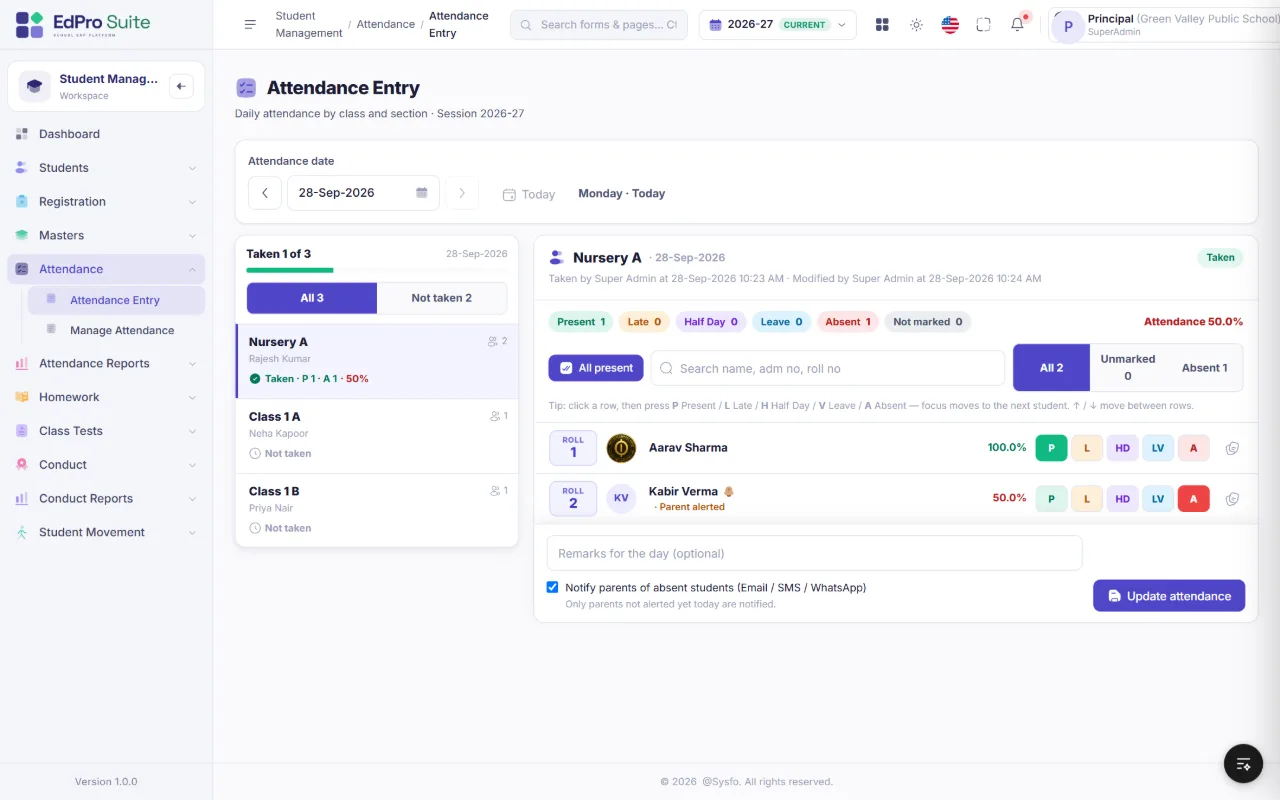 Click to enlarge
Academics
Set up every class once — sections, class teachers, rooms, subject teachers and the weekly time table — and the rest of the system follows it.
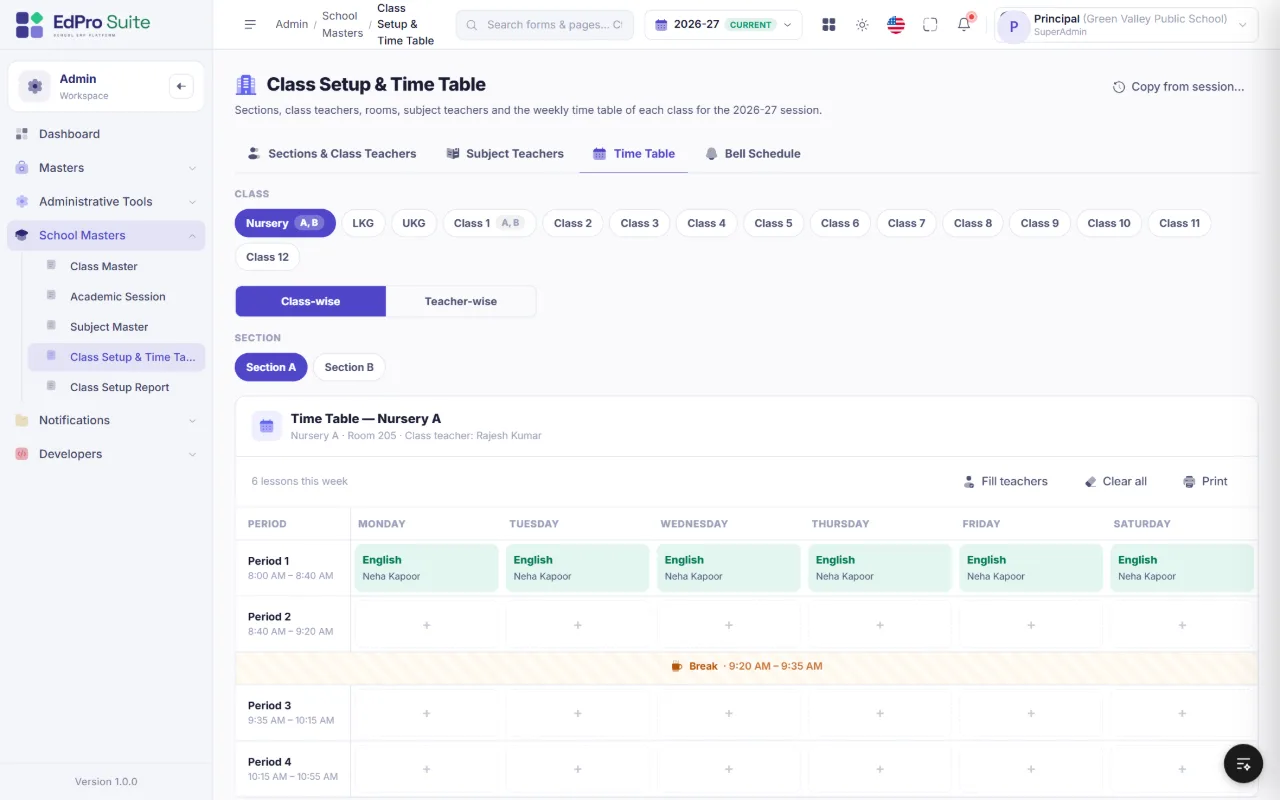 Click to enlarge
Examination
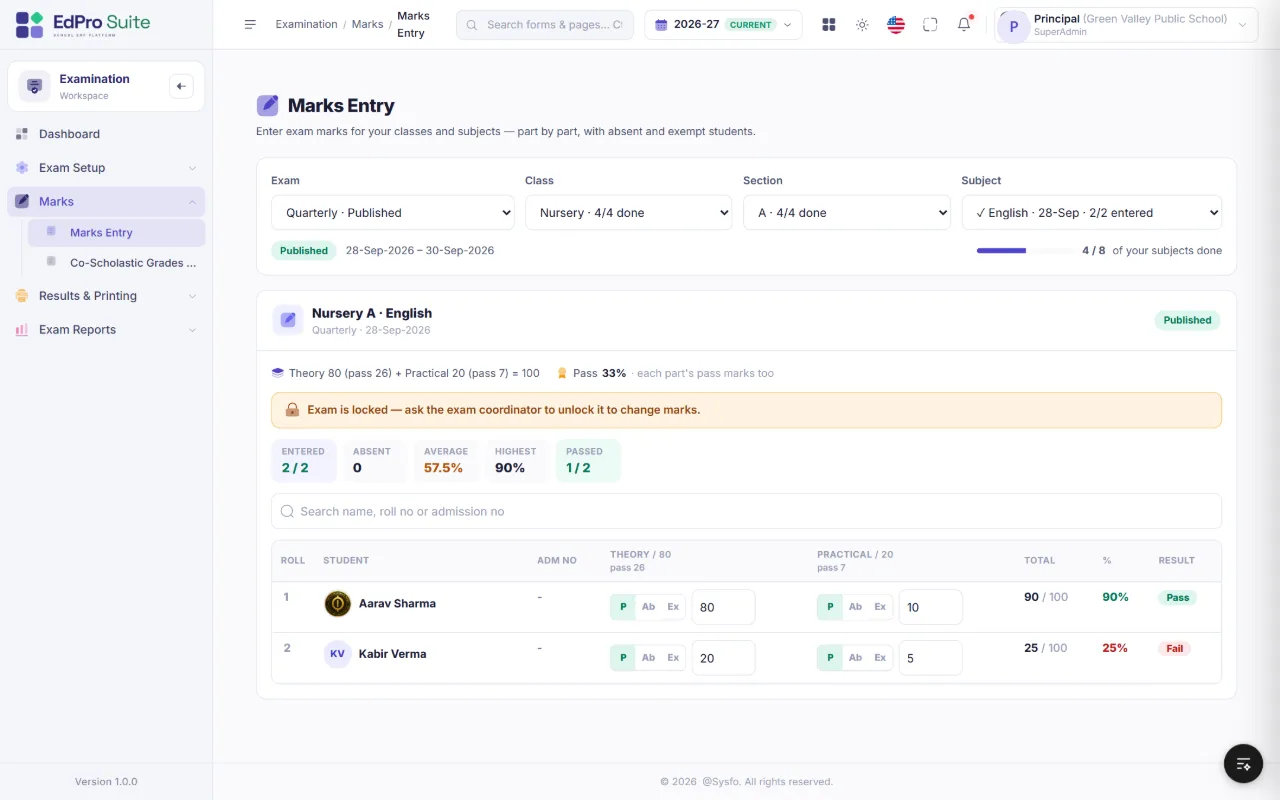
Quarterly, half-yearly and annual exams with flexible marks structures, automatic results and printable report cards.
 Click to enlarge
Fees
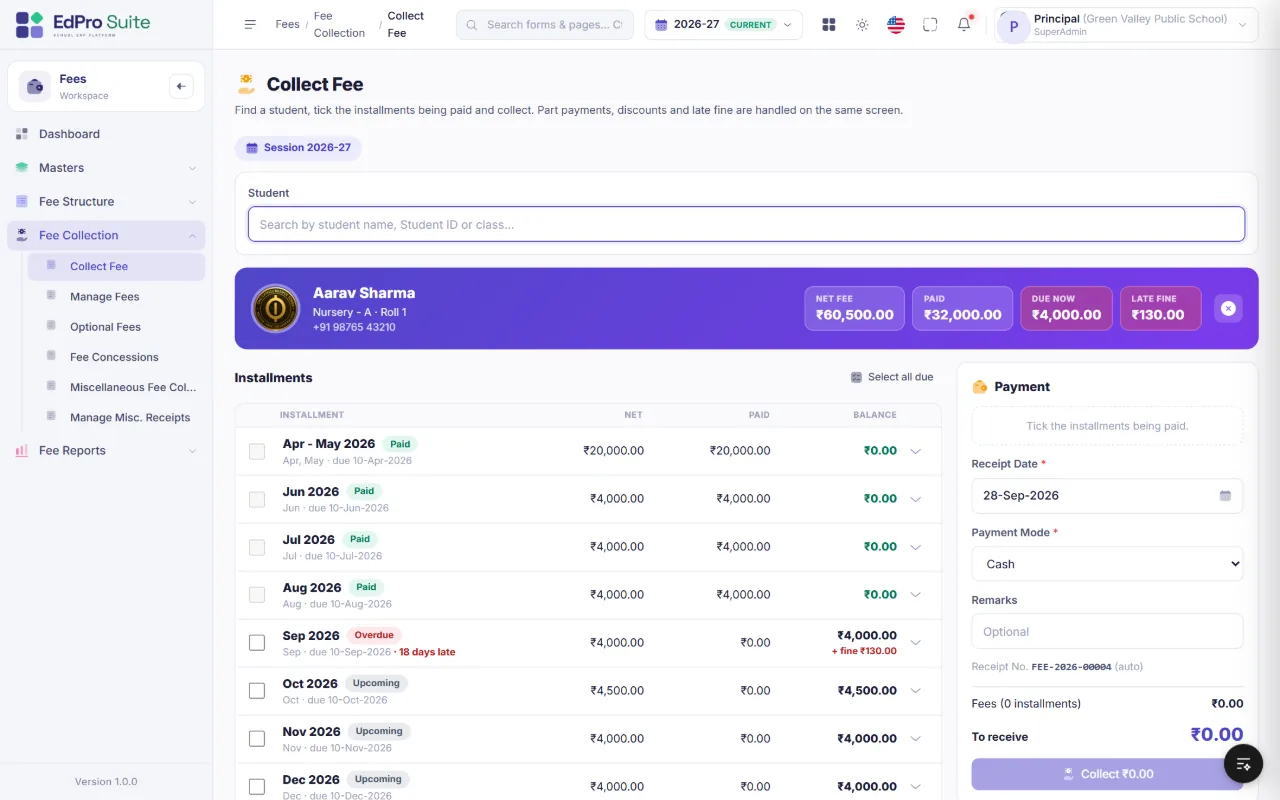
Find a student, tick the installments and collect. Part payments, discounts and late fine are handled on the same screen, and the receipt is ready instantly.
 Click to enlarge
Safety, wellbeing & staff
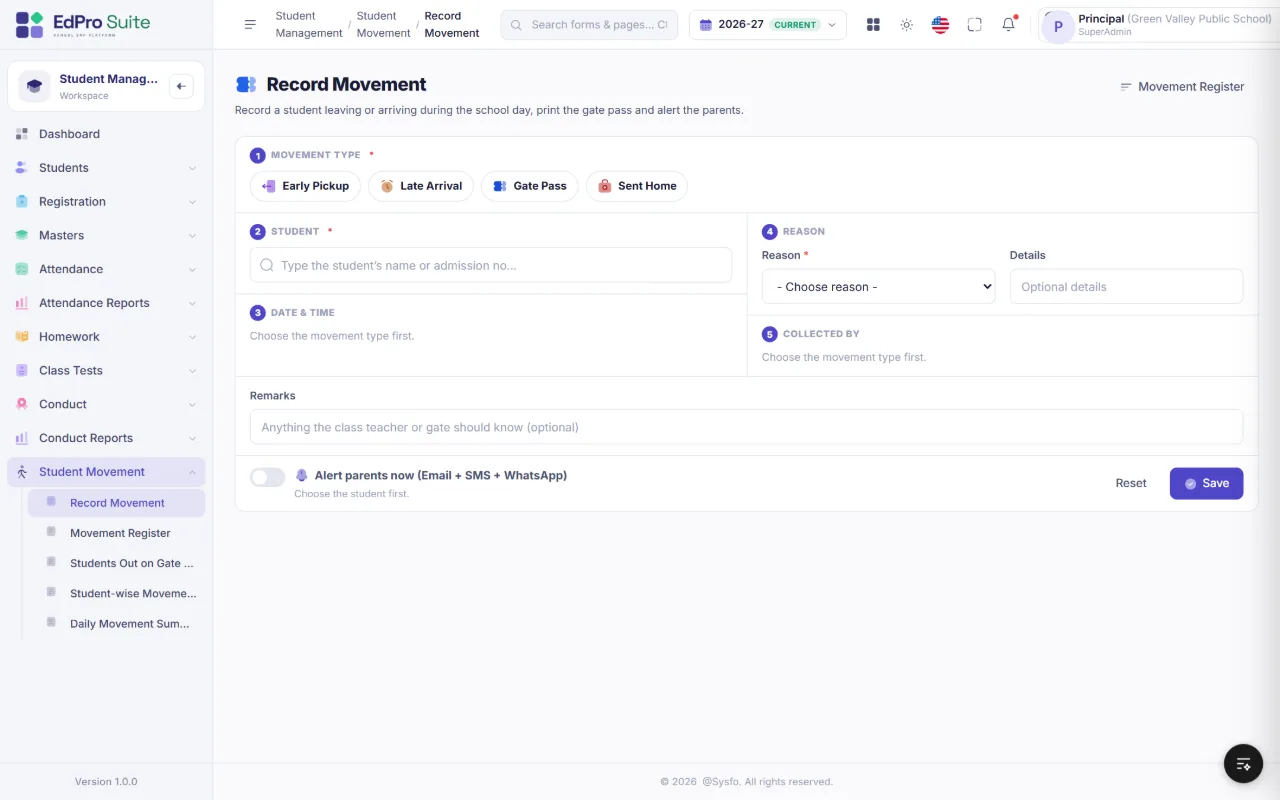
Gate passes, authorised pickups, conduct records, HRMS and payroll, staff self-service, transport, library, helpdesk and expenses — all in the same system.
 Click to enlarge
Learning beyond the classroom
Teachers share resources and run live classes for the sections they teach. Students open everything from the Student & Parent Portal, and teachers can see who took part.
School life, shared
Share what is happening at school with the families it concerns, keep a news line running across the portal, and issue transfer certificates without chasing paperwork.
Student & Parent Portal
A fresh sign-in page with the school’s logo, an indigo sidebar with the child’s photo, class and admission no., light and dark mode, a language switcher — and a bottom tab bar on phones.
1 · English 8:00
2 · Mathematics now
Ready to print
Dashboards for every module
Strength, today’s attendance by section, admissions, birthdays — teachers see their own sections.
Daily & monthly collections, payment modes, installment status, top defaulters.
Fleet, routes, riders, occupancy; documents, fuel and maintenance.
Results overview, pass %, grades, subject performance, toppers.
FAQ
EdPro Suite is school management software (a school ERP) by Sysfo Software Solutions. It brings admissions, attendance, homework, online classes, exams, fees, transport, library, staff and parents into one simple, secure platform.
Twelve integrated modules: Student Management, Student Enquiry, Examination, Fees, Transport, Library, HRMS & Payroll, My Account (staff self-service), Admin, HelpDesk, Expenses and Asset Management — plus the Student & Parent Portal. Start with what you need today and switch on more modules as your school grows.
Parents get Email, SMS and WhatsApp alerts for absence, homework, notices and online classes, and every student gets the Student & Parent Portal with attendance, time table, homework, fees and receipts, results, transport and school events.
Yes. EdPro Suite is mobile-first and works on phones, tablets and desktops — teachers can take attendance in class and the office can collect fees at the counter. The portal has a bottom tab bar on phones, light and dark mode and a language switcher.
Yes. Several schools or branches can run from one installation, each with its own branding, settings, logo, themes and language.
Access is controlled by role-based permissions per screen and action, so teachers work only on their own classes and subjects. Nothing is ever hard-deleted — removed records are archived — every change is stamped with who made it and when, IDs in links are encrypted, and closed academic sessions become read-only.
Book a live demo of the modules that matter most to your school. We then set up your classes, sessions, fee structure and student data, and train your office staff and teachers, with support after go-live.
Get started
We set up your school, import your students and train your team — so you can go live quickly and confidently.
A walkthrough of the modules that matter most to your school.
Classes, sessions, fee structure and your student data, set up for you.
Hands-on training for office staff and teachers, with support after launch.
Screens and illustrations shown with sample data.