Time table, homework & class tests Time tables, homework and class tests.

Set up every class once — sections, class teachers, rooms, subject teachers and the weekly time table — and the rest of the system follows it.

Key features
Time table, homework & class tests in EdPro Suite

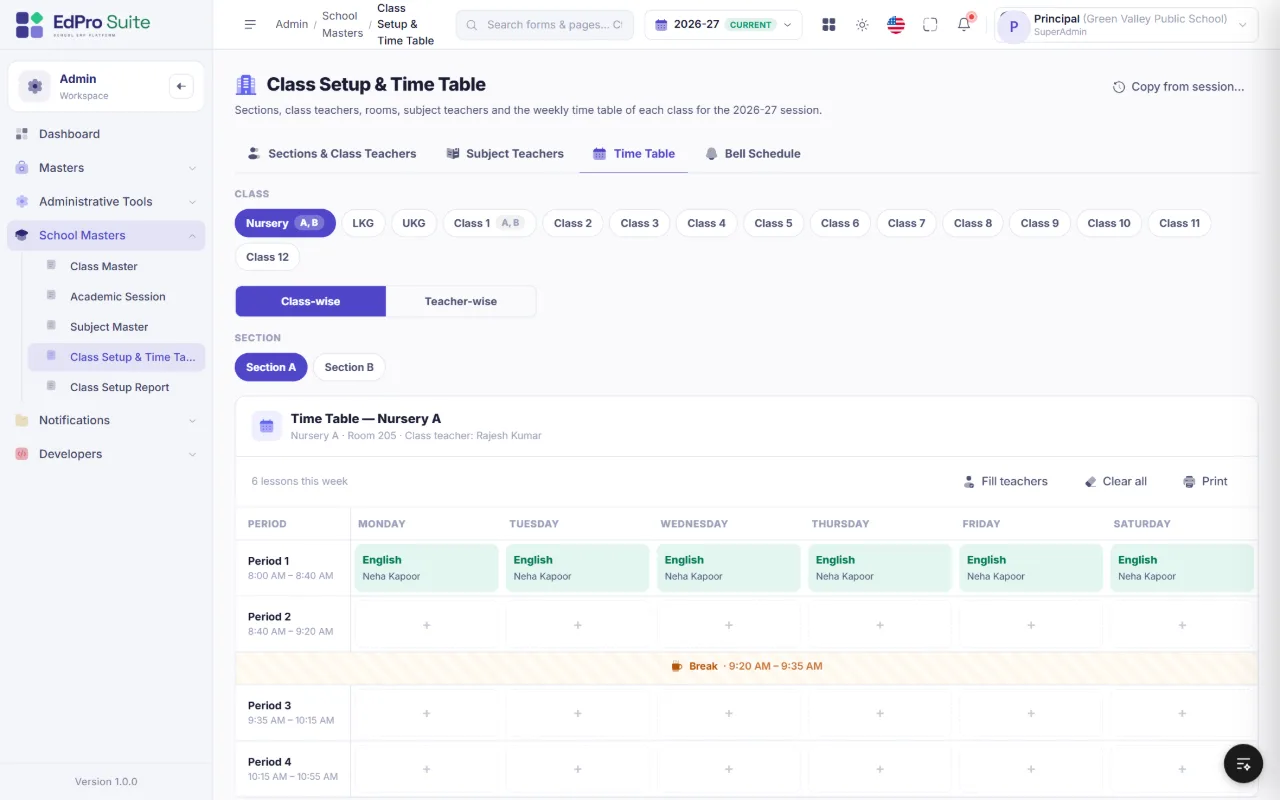
Class Setup & Time Table EdPro Suite school ERP — Class Setup & Time Table screen Click to enlarge
Class Setup & Time Table — class-wise and teacher-wise views, bell schedule with breaks, clash checks and printing.

Class setup

  • Sections, class & secondary teacher, room
  • Subject teachers per section
  • Copy the setup to a new session
  • Teachers see My Time Table and the Academic Calendar

Homework

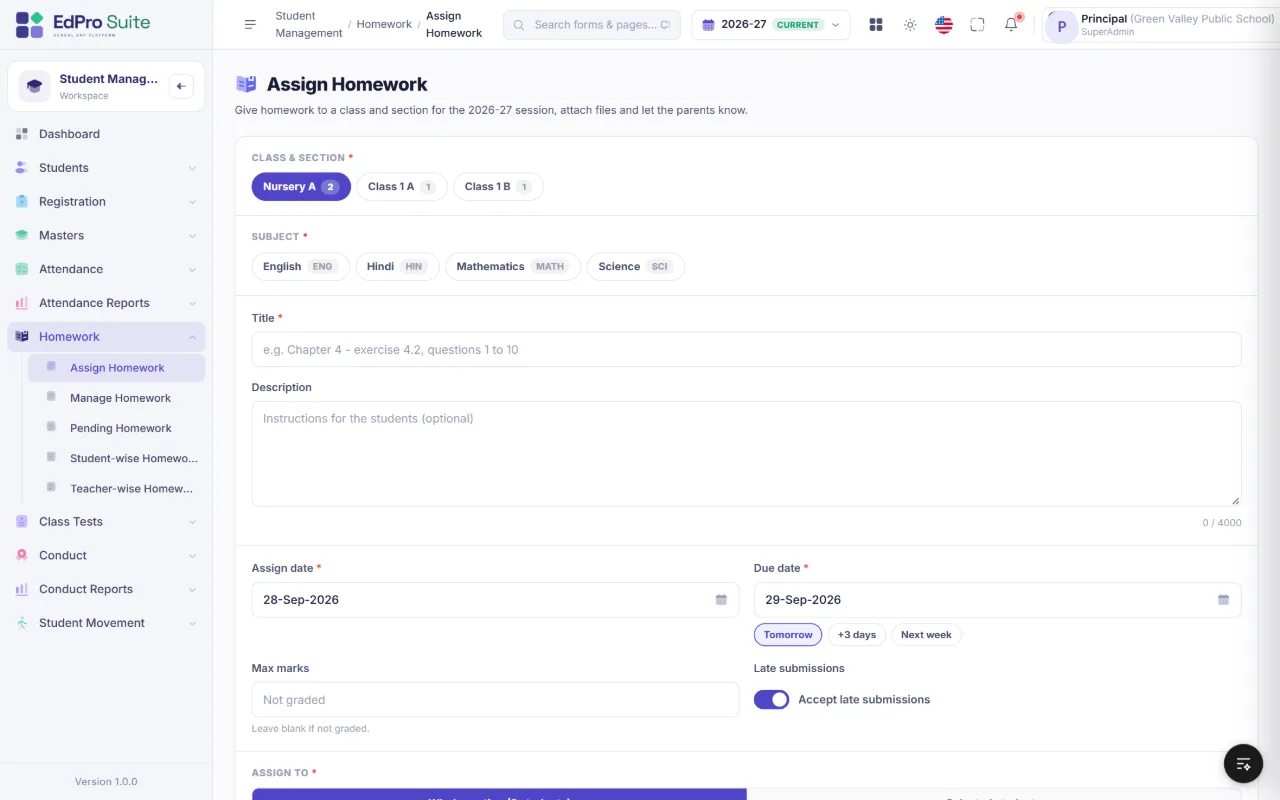
  • Assign to a whole section or selected students
  • Attach files; notify parents
  • Students submit online from the portal
  • Review, marks and remarks

Class tests

  • One test per class, section and subject
  • Marks, %, auto grade and rank
  • Publish to the portal “My Tests”
  • Student and subject analysis

More screens

A closer look at academics.

Assign Homework EdPro Suite school ERP — Assign Homework screen Click to enlarge
Homework — assign to a whole section or selected students, attach files and notify parents.

For teachers

Everything a teacher needs — and only their own classes.

Each teacher logs in to their own dashboard: My Students for the sections they teach, My Time Table with today’s periods, the Academic Calendar of holidays and exams, attendance for their class, homework and marks entry for their subjects — nothing more, nothing less.

Get started

See EdPro Suite at your school.

We set up your school, import your students and train your team — so you can go live quickly and confidently.

  1. 1
    Live demo

    A walkthrough of the modules that matter most to your school.

  2. 2
    Setup & data

    Classes, sessions, fee structure and your student data, set up for you.

  3. 3
    Training & go-live

    Hands-on training for office staff and teachers, with support after launch.

Every school gets

  • Your logo, colours and school name throughout
  • Users and permissions for every role
  • Email, SMS and WhatsApp alert templates
  • Student & Parent Portal for every student
  • Academic sessions with safe year-end closing
  • Multi-branch and multi-language support
  • Works on phones, tablets and desktops
  • Hundreds of ready-made screens and reports
Download the EdPro Suite brochurePDF · 13 pages · 5.7 MB · every module with screenshots
Company
Sysfo Software Solutions Pvt. Ltd.
Product
EdPro Suite — School ERP Platform

Request a live demo

We reply within one business day. Your details are only used to respond to this enquiry.

Screens and illustrations shown with sample data.