
"I want to add a new product in minutes."
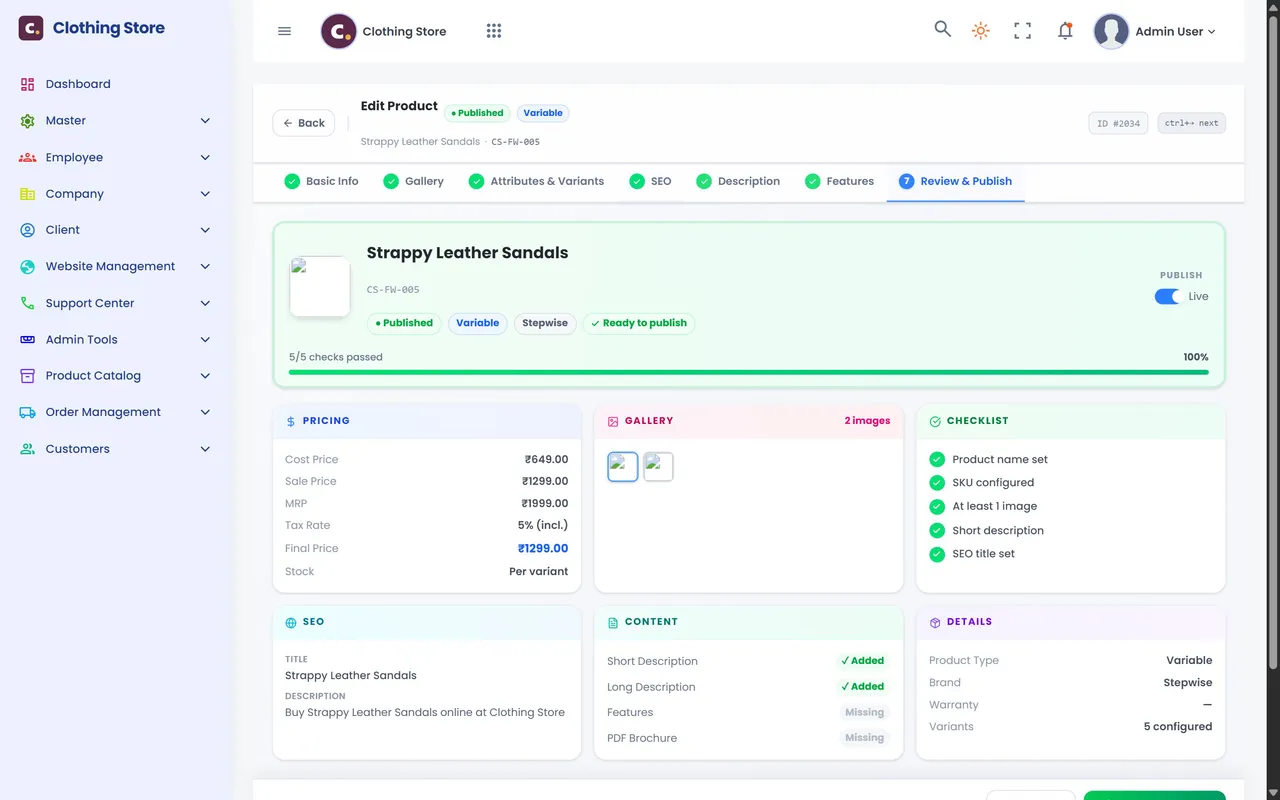
Product editor: seven guided steps — photos, sizes and colours, stock and price per variant, then publish.

Products, stock, orders, payments, delivery rules, offers, banners, menus and every word on your website — controlled from one simple admin console. No developer needed for day-to-day changes; your website and mobile store update the moment you save.
Built around the store owner
Running an online store is not about code. It is about adding products, shipping orders, collecting money and keeping the shop looking fresh. Here is what store owners tell us they need, and how the e-commerce software answers each one.
Product editor: seven guided steps — photos, sizes and colours, stock and price per variant, then publish.
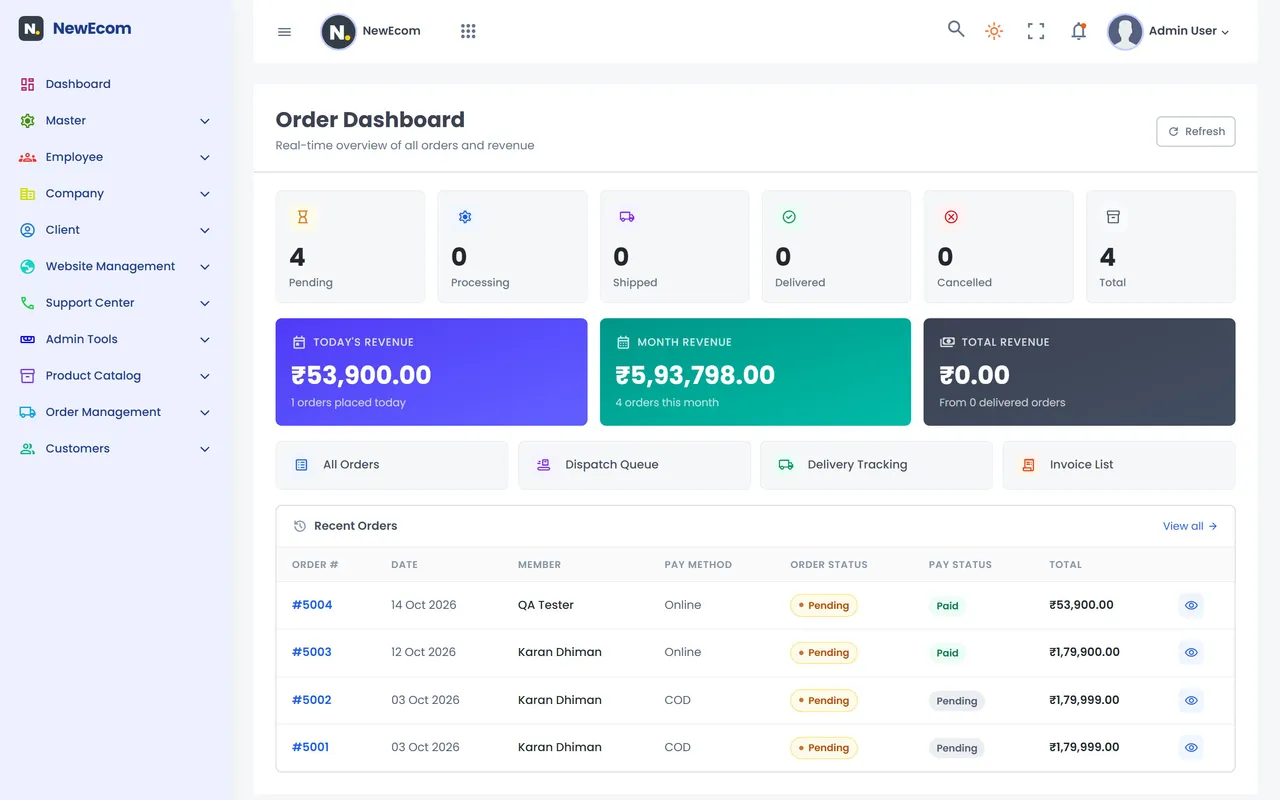
Order dashboard: orders by status, today's and this month's revenue, and the latest orders.
Order management: confirm, dispatch queue, delivery tracking, cancellations and invoices.
Shipping & payments: delivery charge, free-delivery amount, COD on/off and limit, return days.
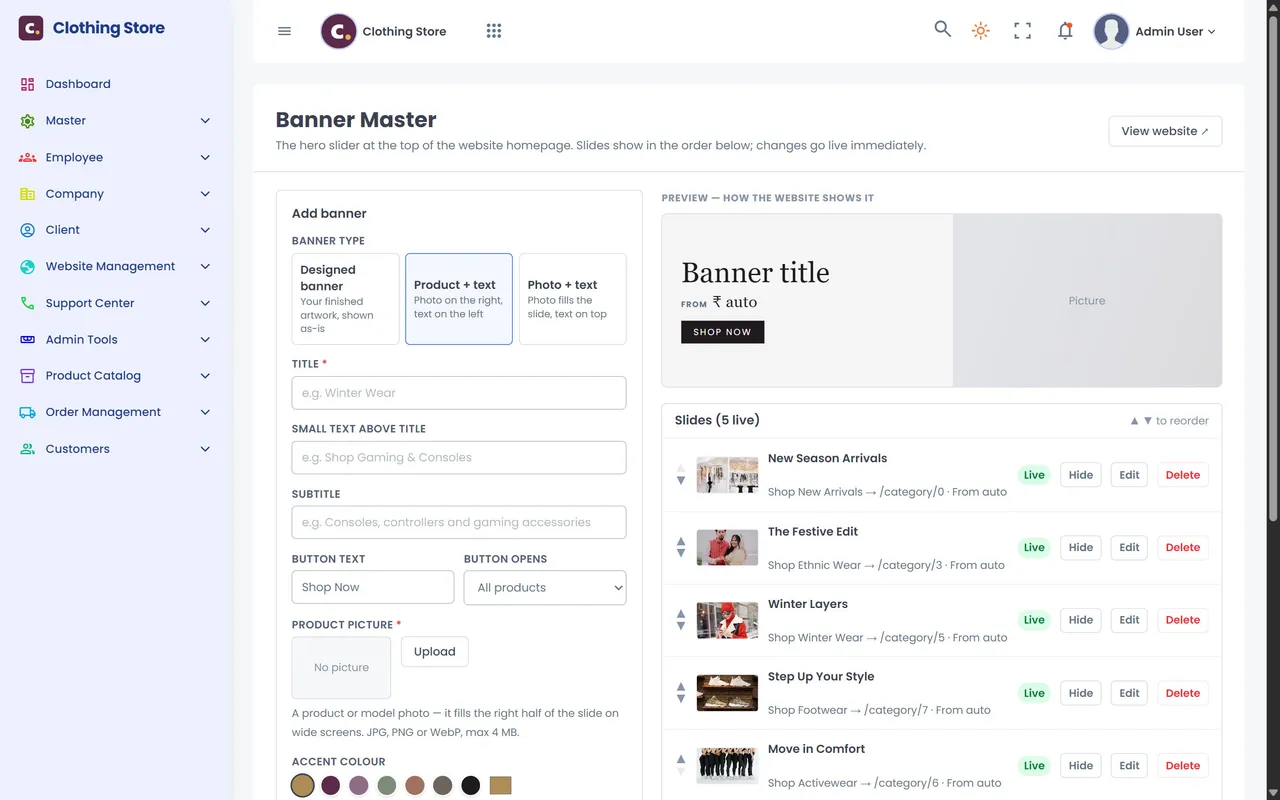
Coupons, deal of the day and banners: create the offer, set its limits, put it on the homepage.
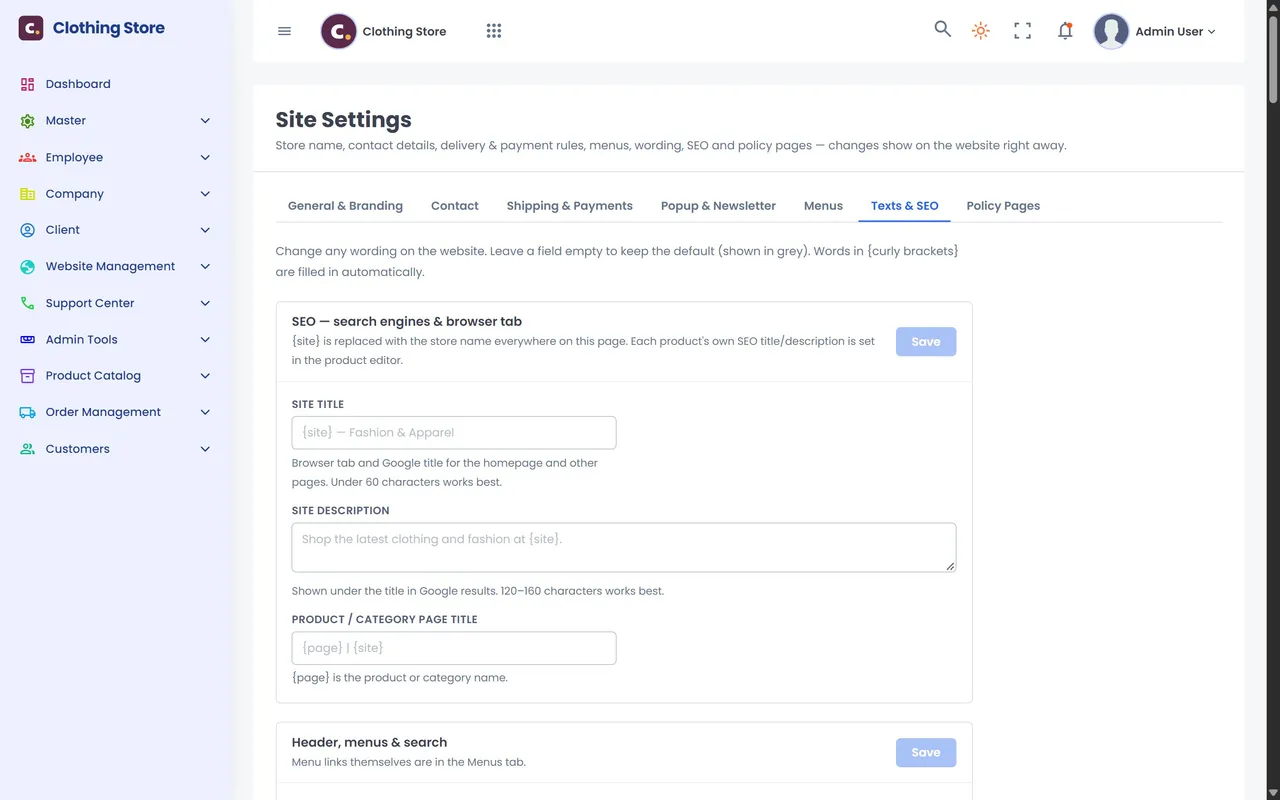
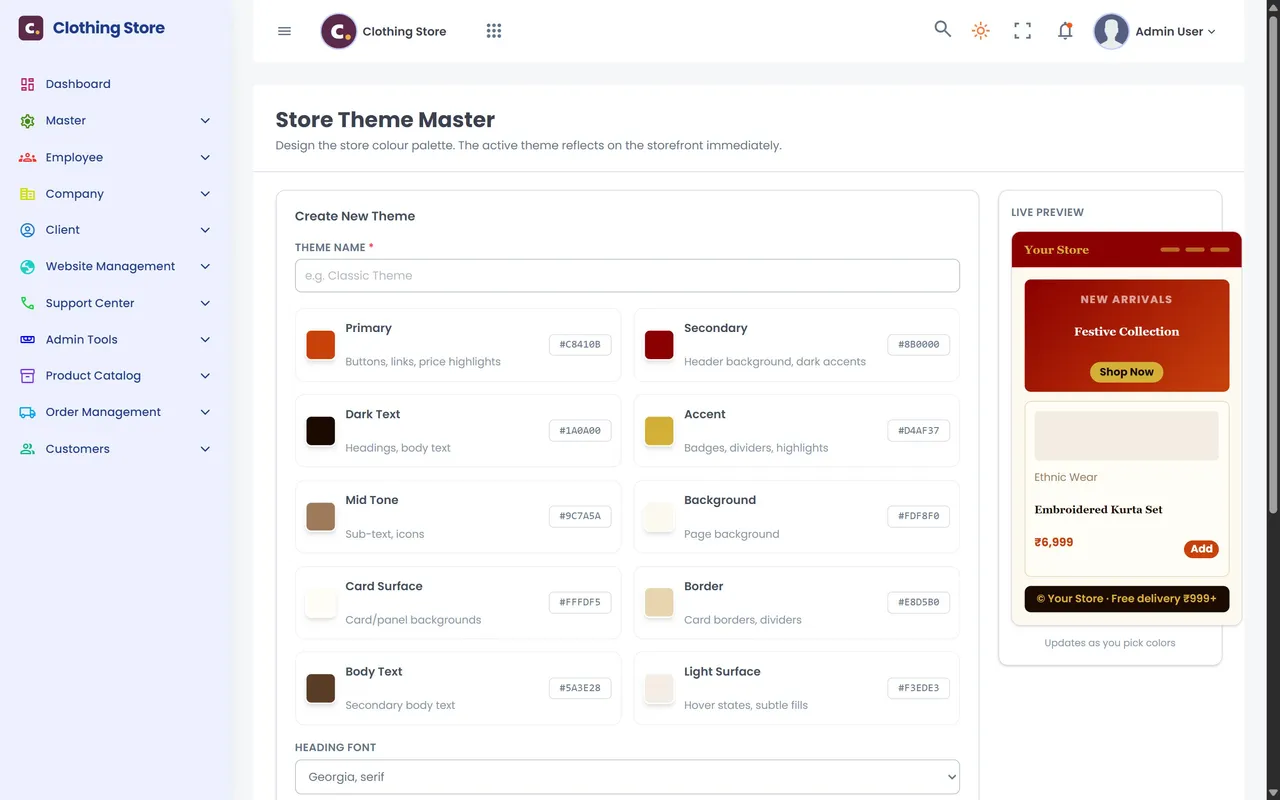
Website management: homepage order, menus, every label, policy pages, SEO and theme colours.
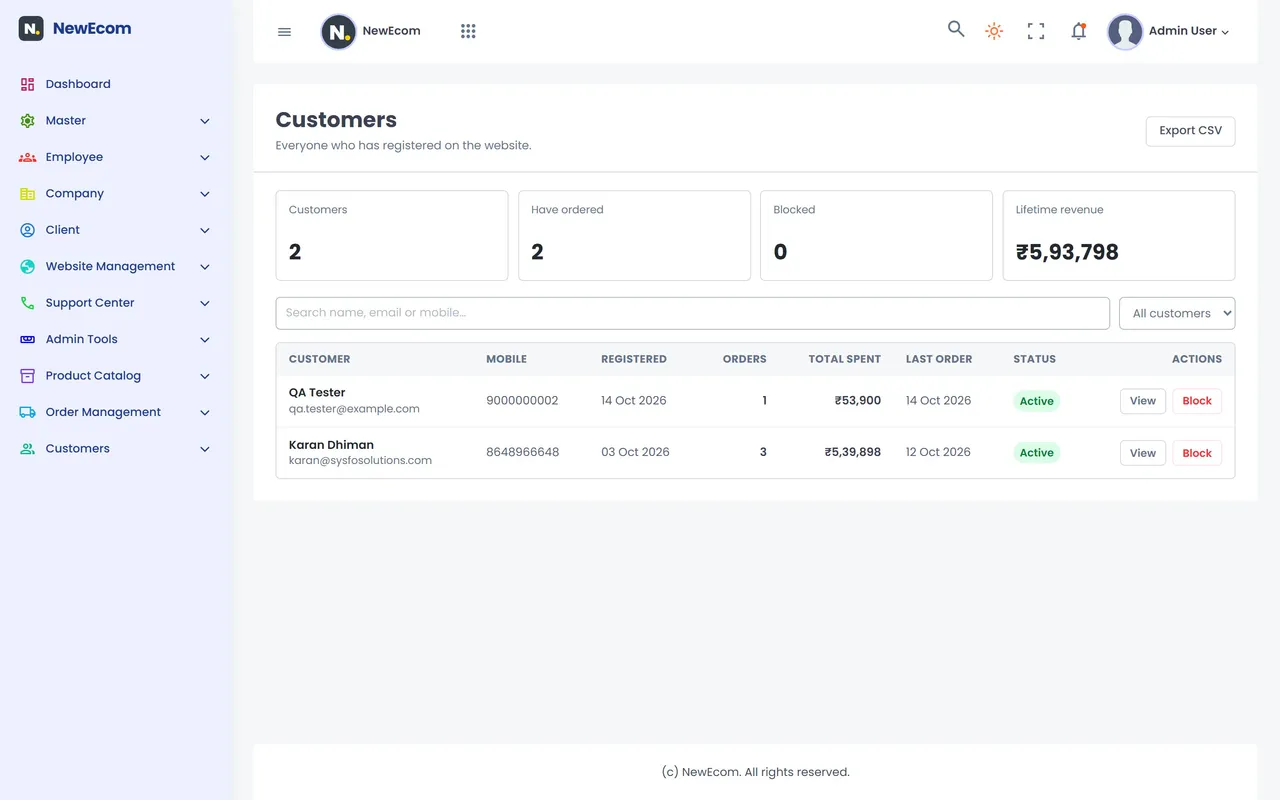
Customers: orders and spend per customer, review approval and newsletter sign-ups, with export.
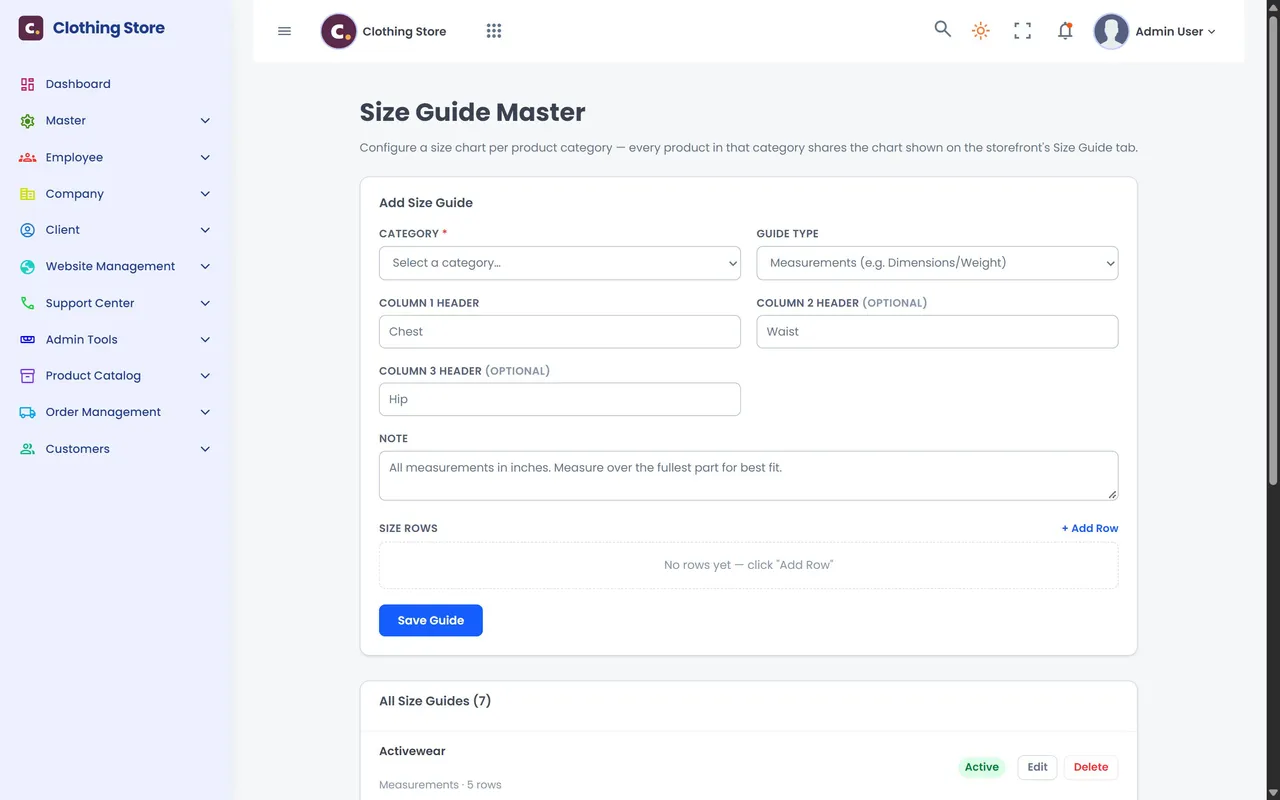
Employees & role permissions: packing staff get orders only, the catalogue team products only.
A day in the admin
Check the dashboard: 12 new orders and today's revenue.
Add a new arrival with sizes, photos and stock.
Put up a weekend banner and a 10% coupon.
Confirm orders; invoices are created automatically.
The dispatch team ships today's queue with tracking.
Approve two new reviews and export newsletter sign-ups.
The admin console at a glance
Sign in and the first thing you see is how the business is doing today. Everything else is one click away in the menu on the left.
 Enlarge
Products, variants, stock, categories, attributes, filters and size guides.
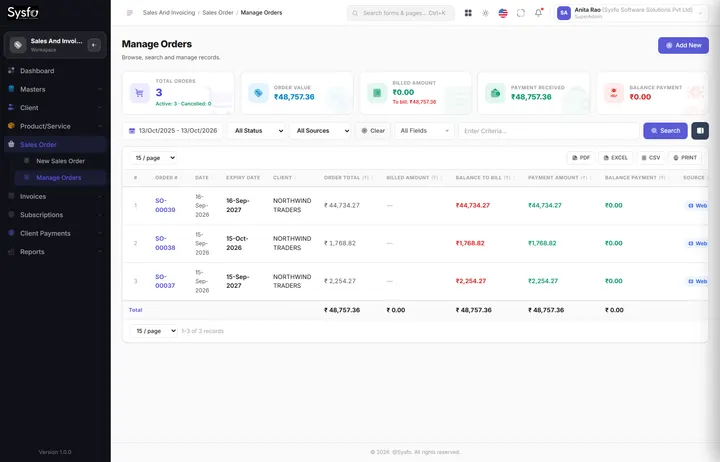
Dashboard, order list, dispatch, delivery, cancellations and invoices.
Customer list, product reviews and newsletter subscribers.
Banners, homepage sections, theme, menus, texts, SEO, policies and coupons.
Delivery charge, free delivery, COD limit, online payment and returns.
GST rates, payment modes, bill prefix and printable invoices.
Employees, departments and role permissions per screen and action.
Support tickets, email templates and social media links.
01 · Products
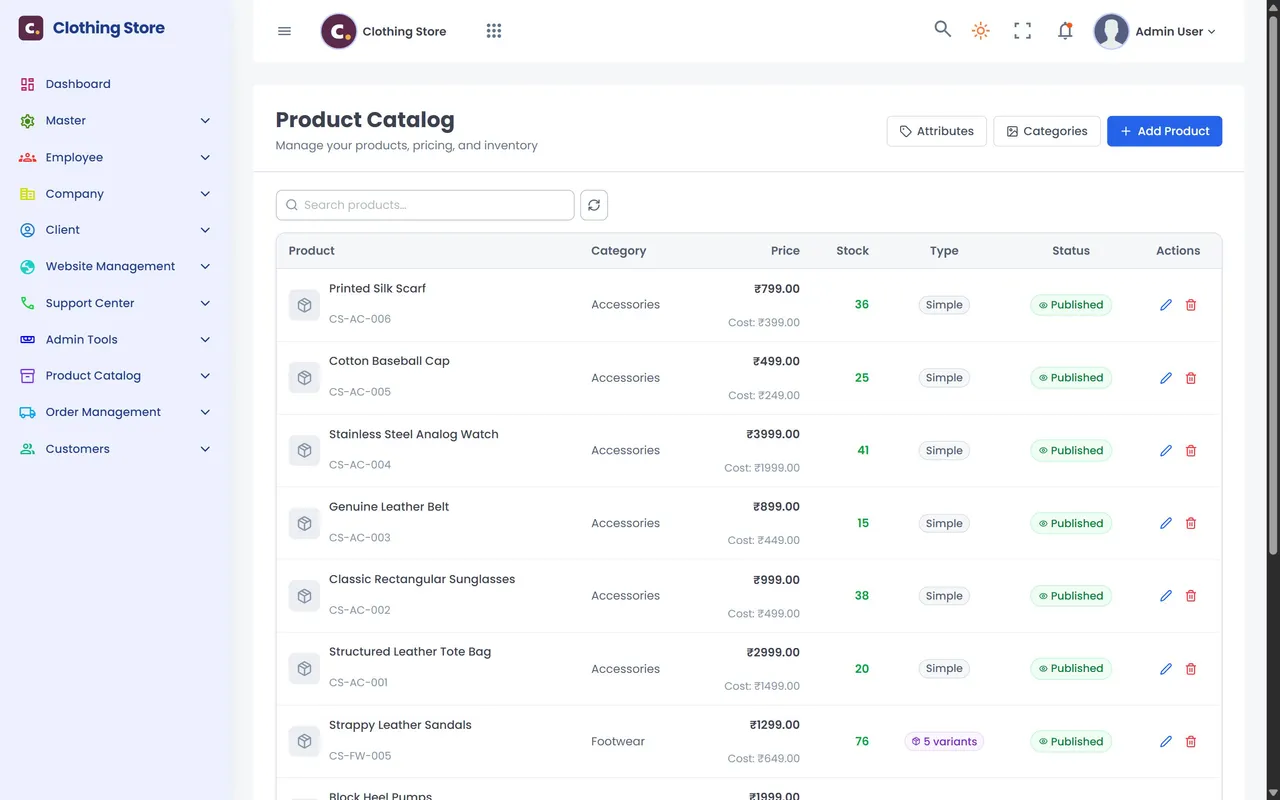
No technical knowledge needed. The editor walks you through each step, checks what is missing and shows a ready-to-publish score before the product goes live.
 Enlarge
 Enlarge
Seven steps
Name, category, brand, SKU, tax and price.
Drag-and-drop product photos.
Sizes, colours, stock and price for each.
Google title, keywords and description.
Rich text with formatting.
Key highlights and specs, then a checklist, a score and go live.
02 · Variants, stock & filters
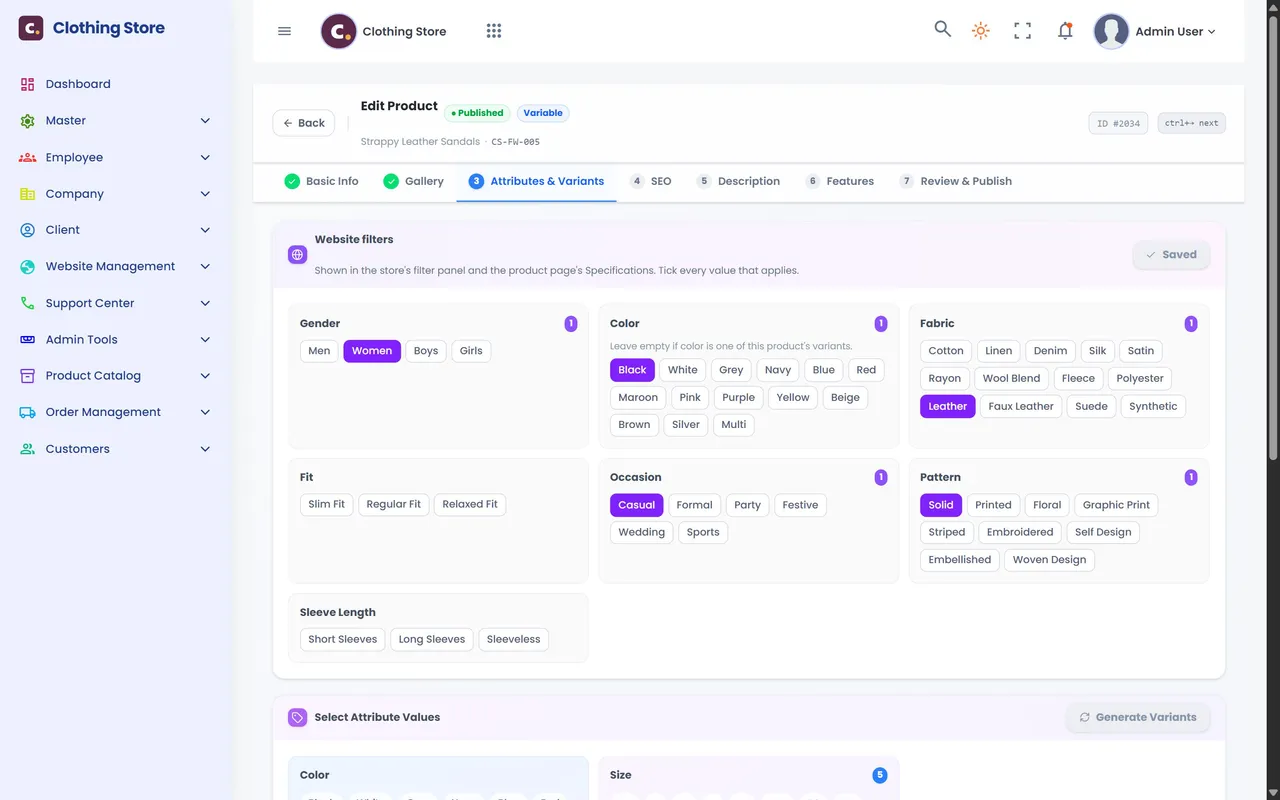
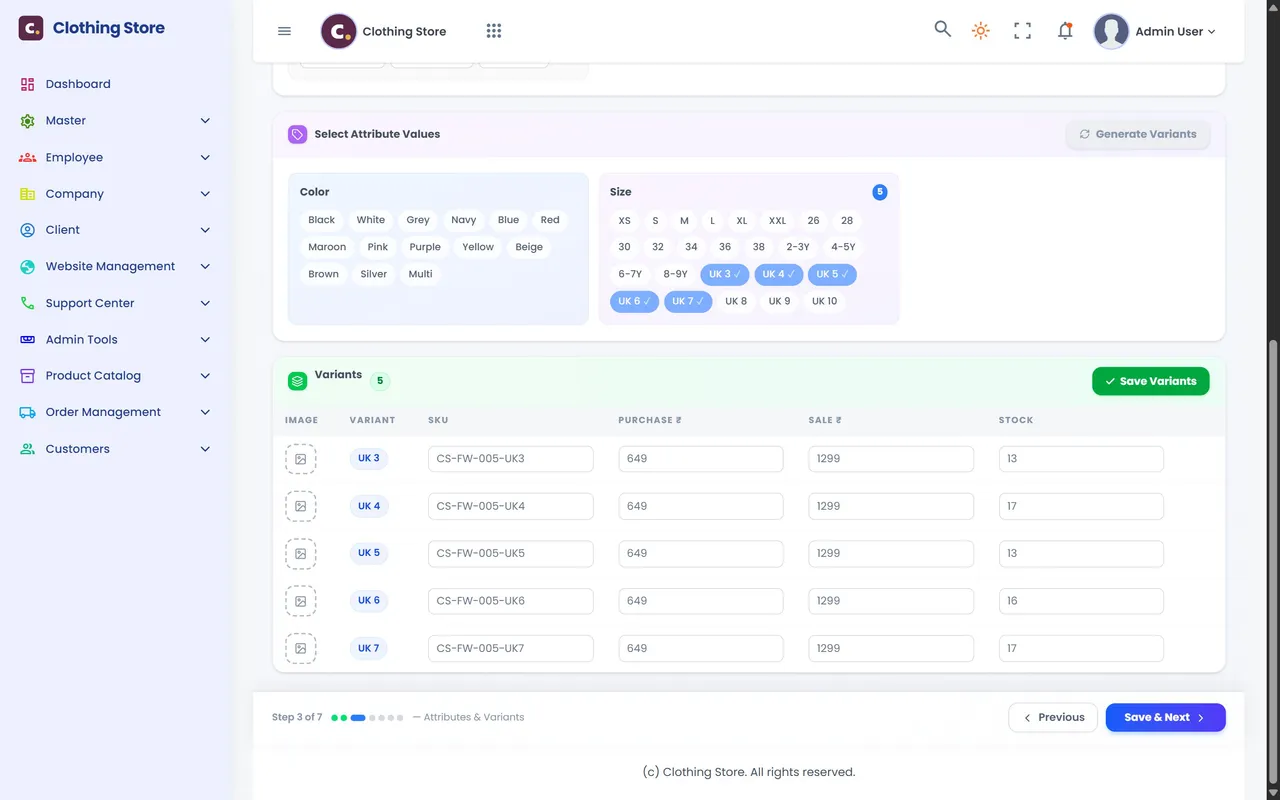
Tick the sizes or colours you sell and the admin creates the variants for you. Each one gets its own SKU, price and stock, and stock drops automatically when an order is placed.
 Enlarge
 Enlarge
Colours, sizes or any attribute you create.
No typing every combination by hand.
Purchase and sale price for every size and colour.
So "only 2 left in UK 7" is always true.
03 · Orders, from placed to delivered
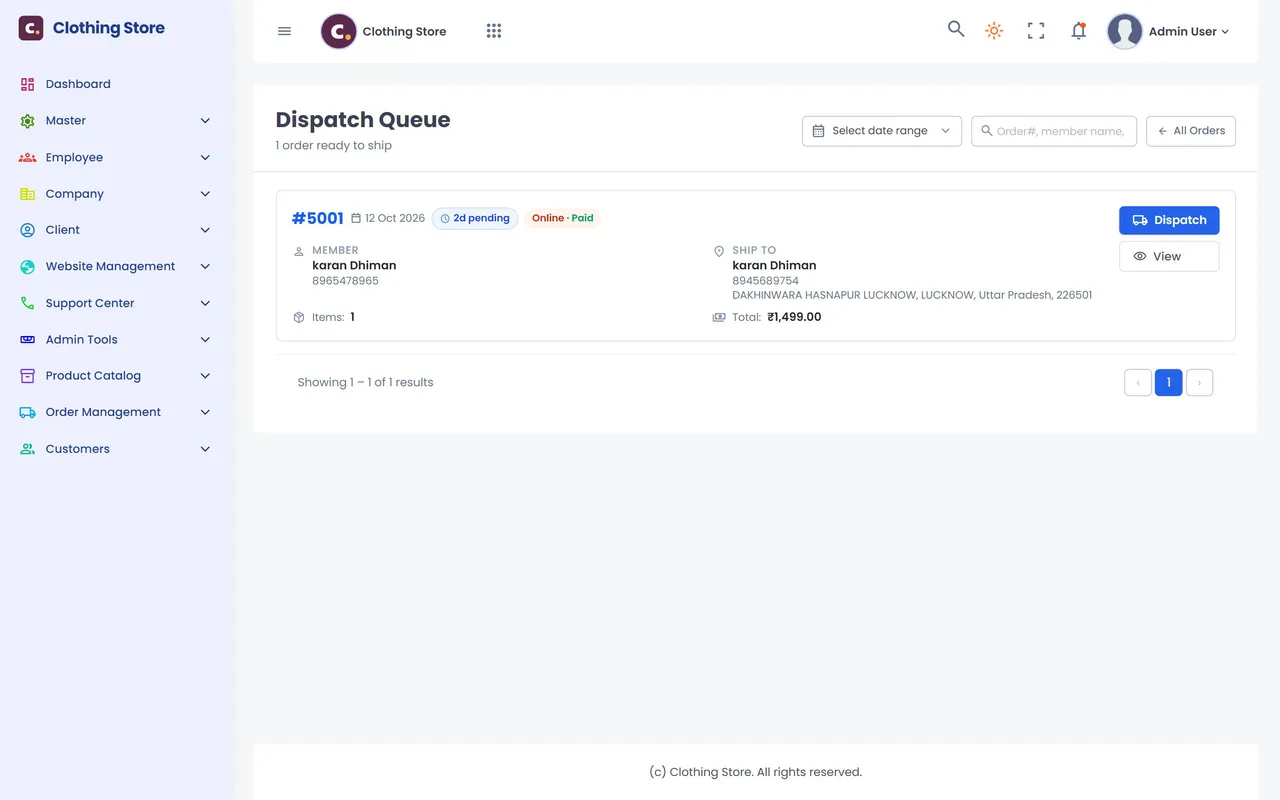
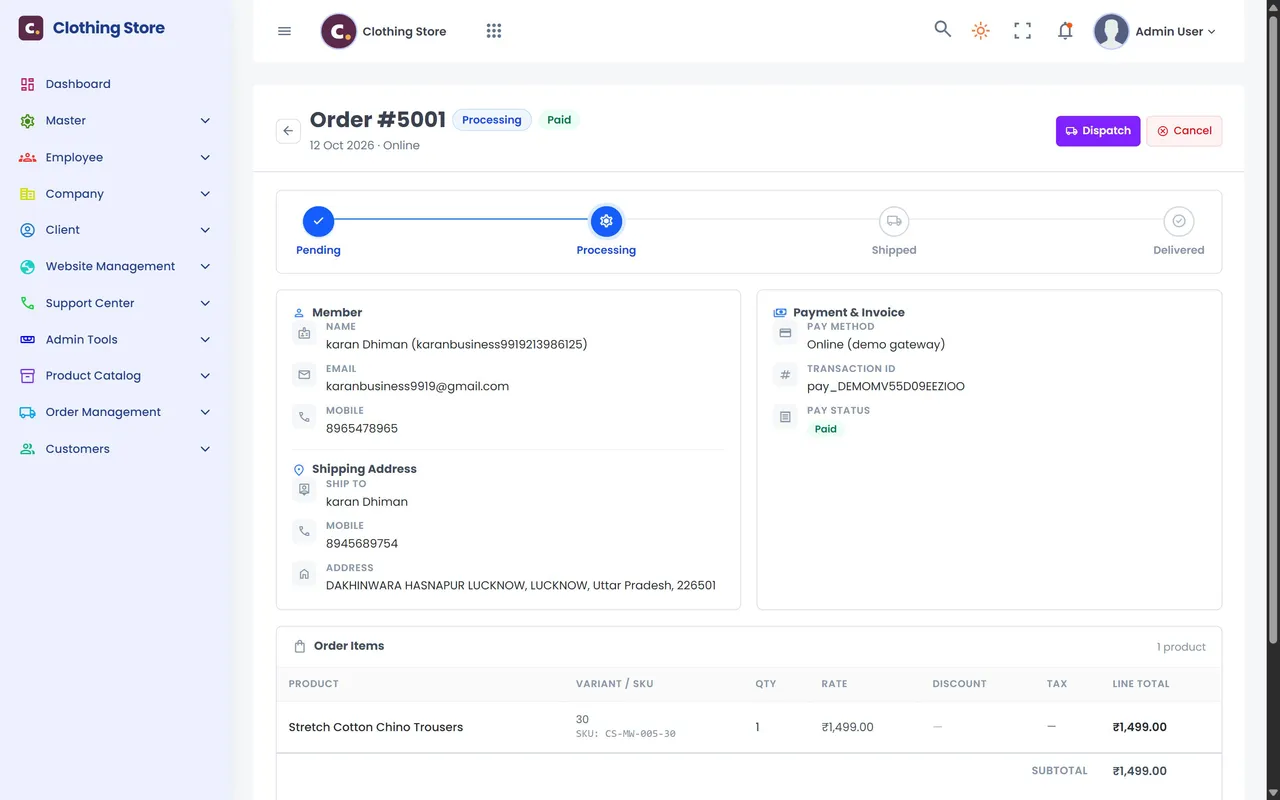
Every order moves through clear stages. Your team always knows what to pack next, the customer sees the same status in their account, and stock and bills update on their own.
 Enlarge
 Enlarge
Order stages
The order arrives with its payment.
The bill is created automatically.
Courier and tracking added.
The customer sees it in their account.
Stock goes back and the refund is marked.
04 · Payments & delivery
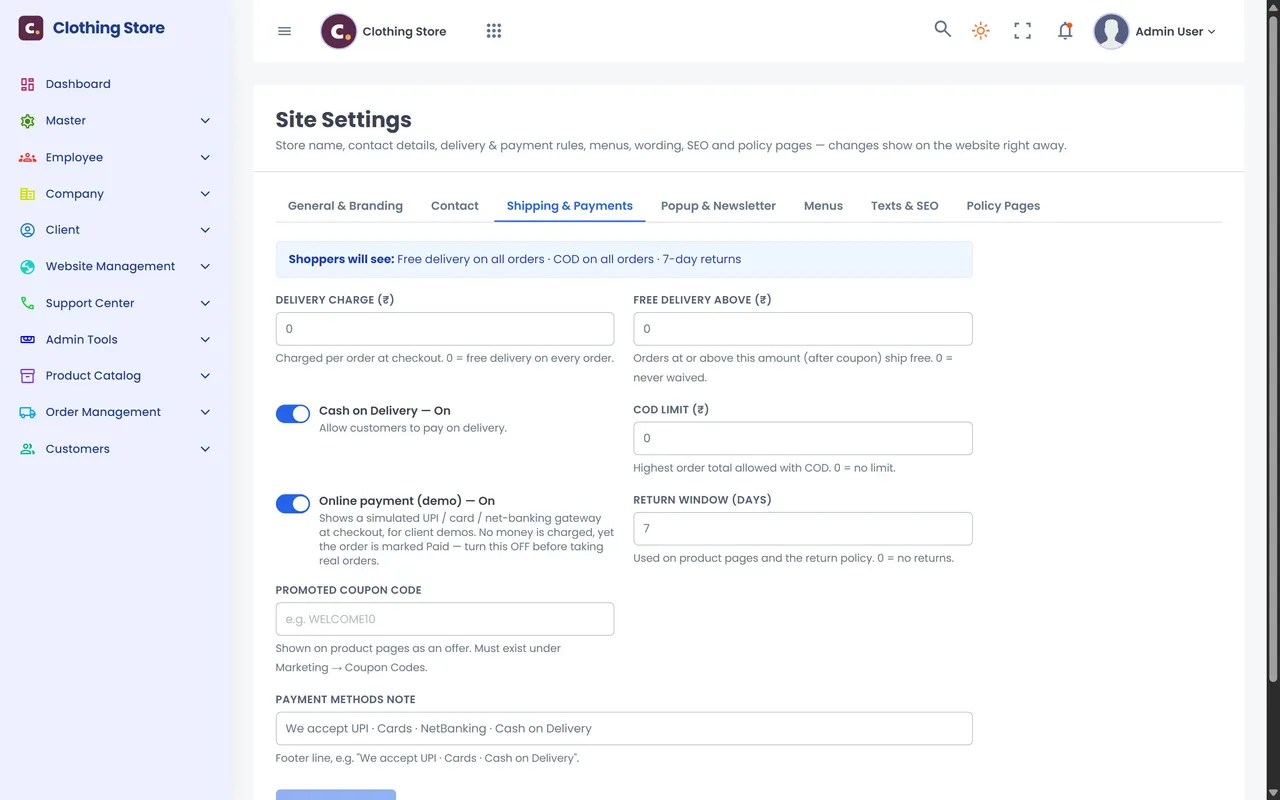
Decide how customers pay, what delivery costs and how long they can return. The cart, checkout and invoice all follow the same rules, so the total is never a surprise.
 Enlarge
Same maths everywhere
Delivery, the free-delivery threshold, coupons and the COD limit are checked again on the server when the order is placed, so prices can never be tampered with. Online orders arrive marked Paid with the transaction ID on the order and invoice, and cancelled paid orders are marked refunded.
Added at checkout — 0 means delivery is always free.
Free shipping above an order value you choose.
COD on or off with one switch, with a COD limit for the highest order allowed in cash.
UPI, QR, cards and net banking via Razorpay, PayU or your bank's gateway.
Return days shown on product pages and in the returns policy.
GST rates included or added, your bill prefix on every invoice and payment modes for your accounts.
05 · Coupons & offers
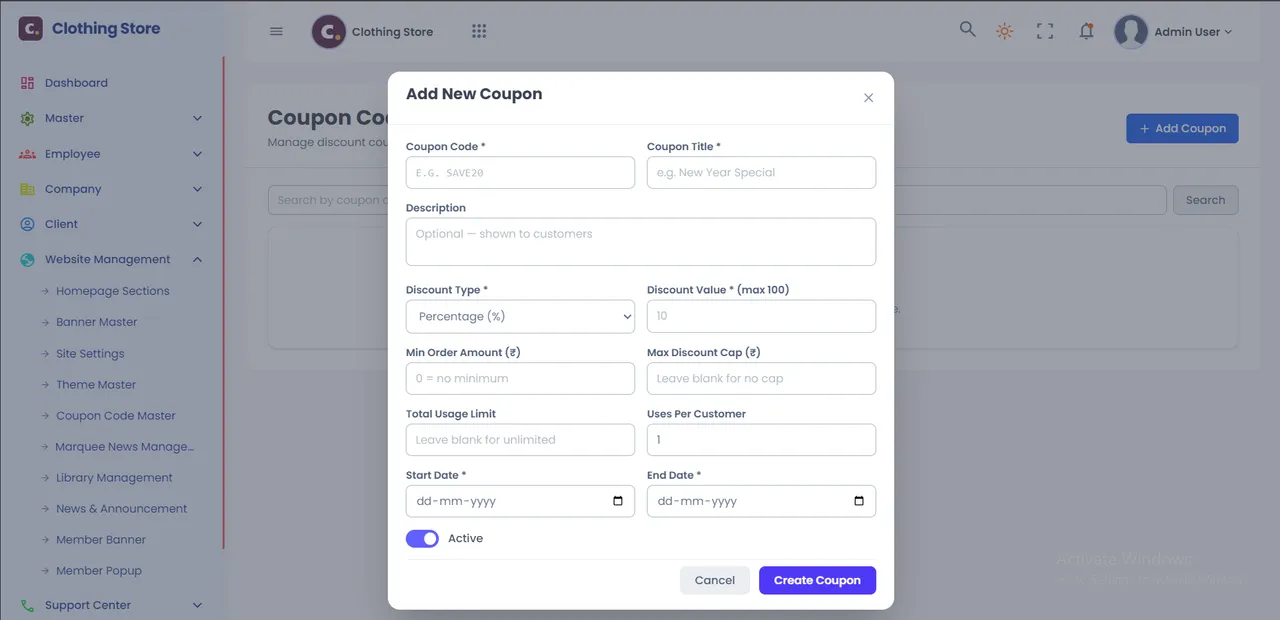
Weekend sale, first-order discount or a festive code for Instagram: open Coupon Code Master, fill one short form and the code works at checkout straight away. You decide exactly how much it can cost you.
 Enlarge
WELCOME10 — 10% off the first order, maximum ₹200, one use per customer. FLAT500 — ₹500 off orders above ₹2,999. FESTIVE20 — 20% off for five days, first 500 orders only.
Shoppers see the saving and the new total instantly in the cart; dates, limits and minimum order are checked again on the server. Promote one coupon on every product page from Site Settings.
06 · Homepage, banners & deals
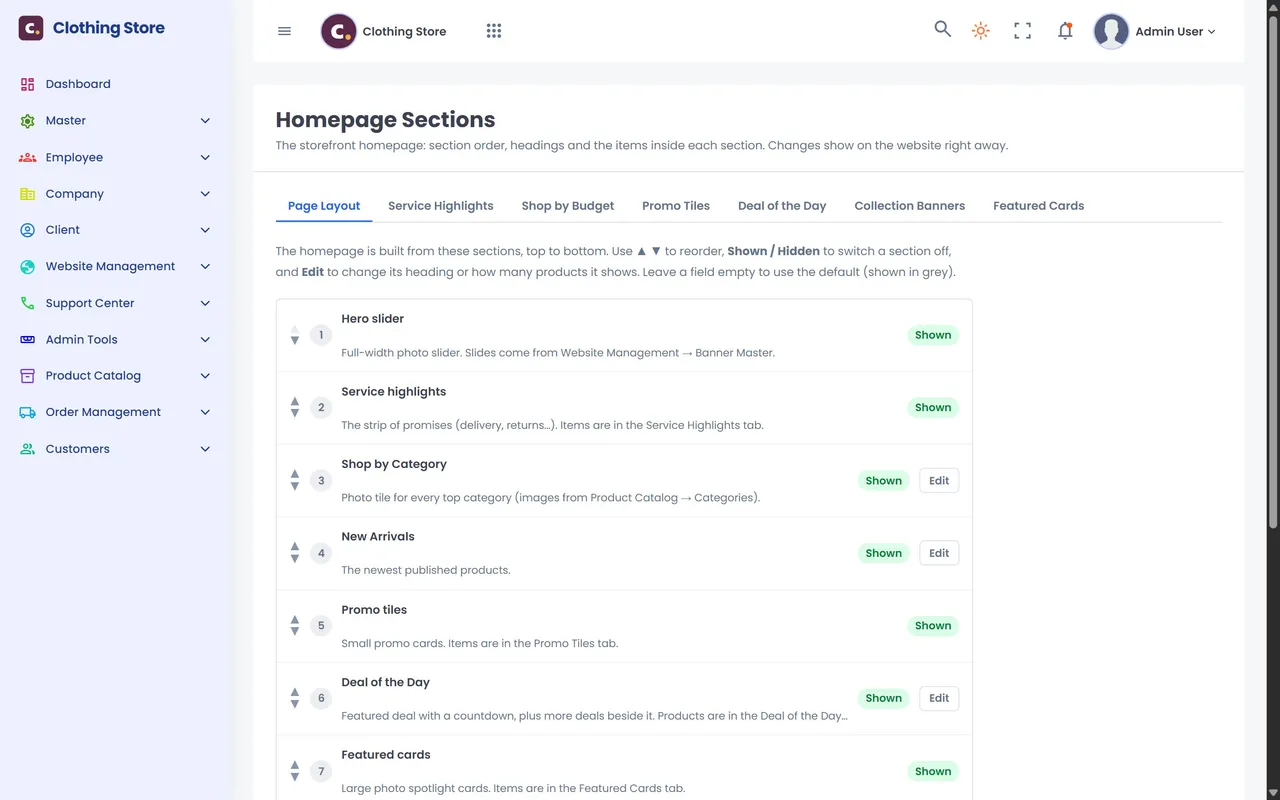
Festive sale tomorrow? Upload a banner, pick the deal of the day and move the offers section to the top. It is live on the website and the mobile store the moment you save.
 Enlarge
 Enlarge
No developer, no waiting
Every block on the homepage comes from the admin, with a safe default if left empty, so the page never breaks.
07 · Brand, menus, wording & SEO
Logo, colours, fonts, menus, every label on the site, policy pages and search-engine titles are all edited from Site Settings and Theme Master. Change "Add to bag" to "Add to cart" in seconds.
 Enlarge
 Enlarge
08 · Customers, team & support
See who buys from you and how much, approve reviews before they go public, collect newsletter sign-ups, and give every staff member exactly the access their job needs.
 Enlarge
 Enlarge
09 · What your customers see
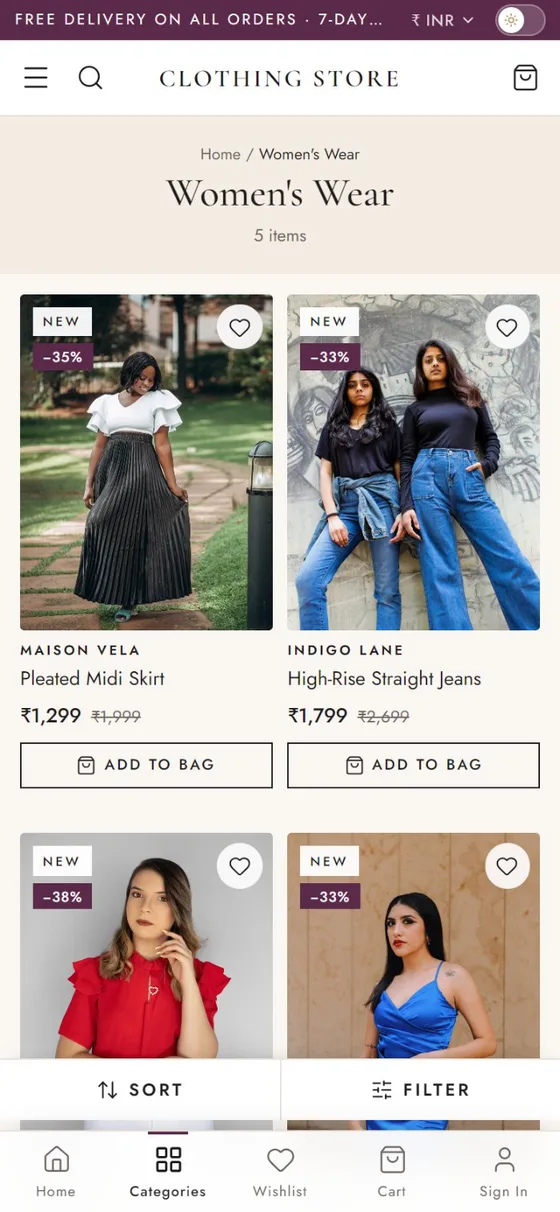
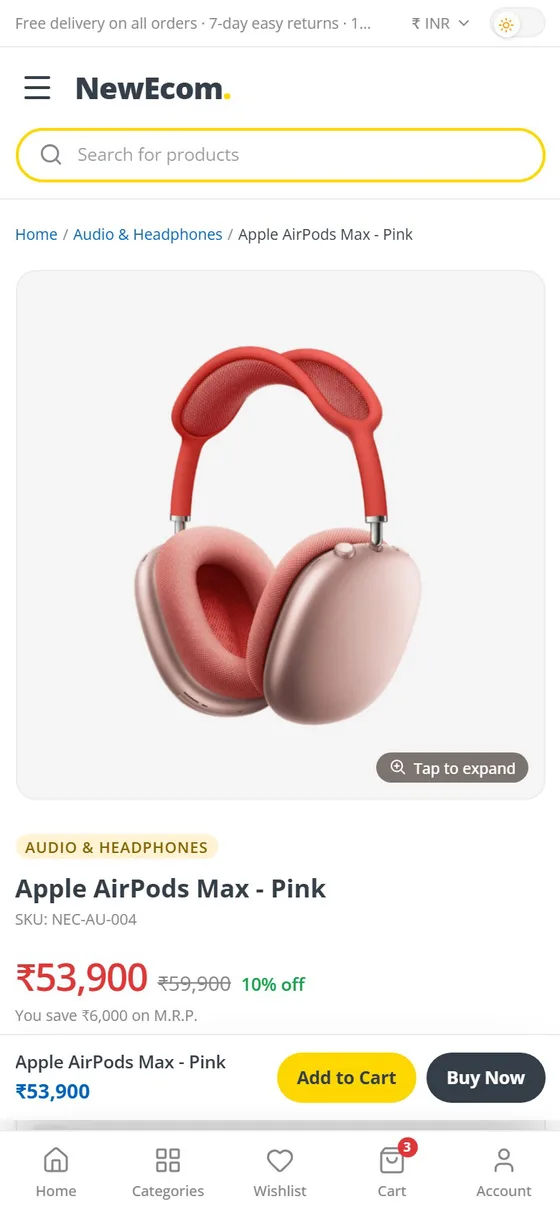
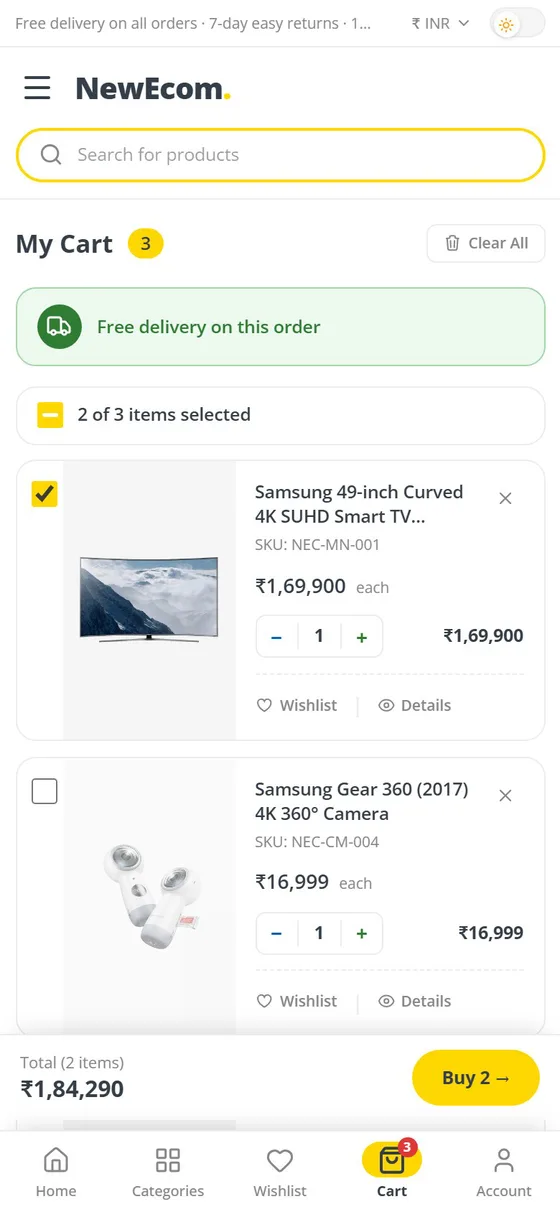
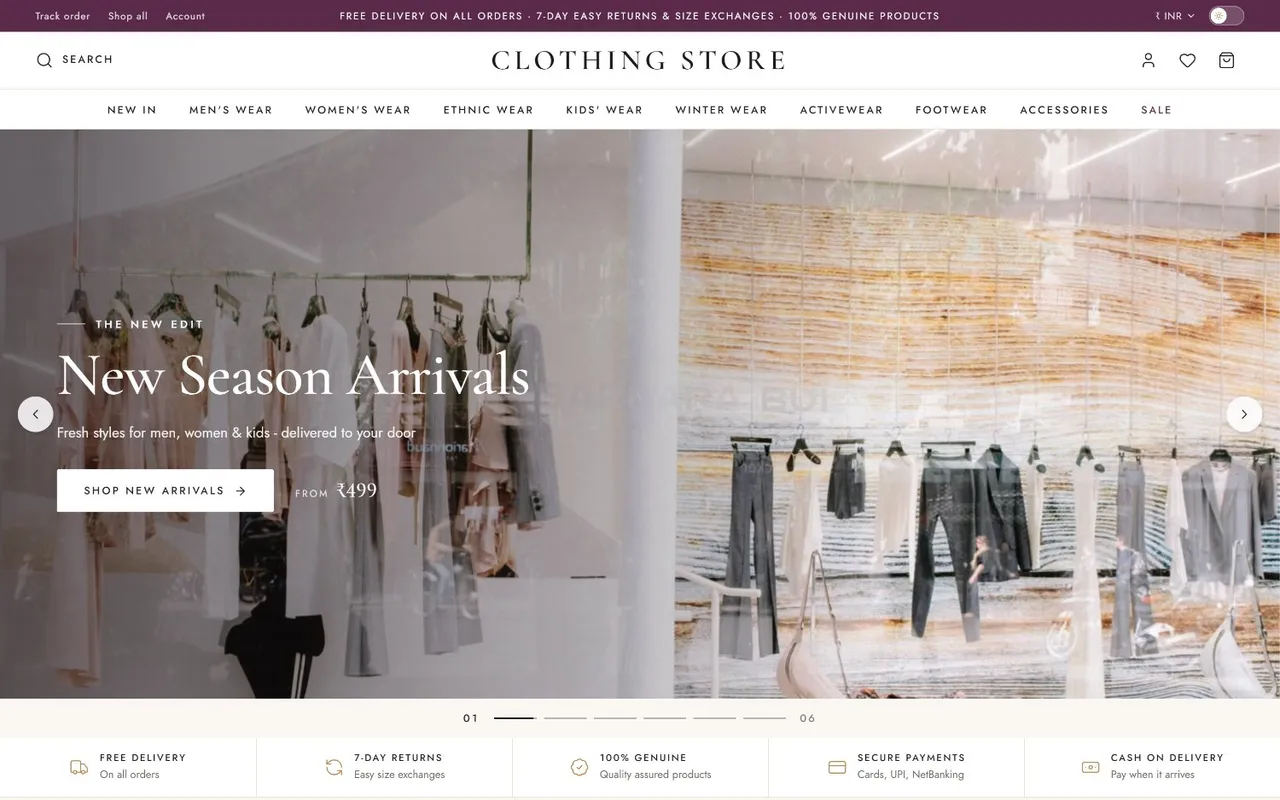
Everything you set in the admin shows up here: products, prices, banners, deals, menus and wording. Shoppers browse, filter, pick a size and pay by UPI, card or cash on delivery. Two ready example stores are live today.

 Enlarge
Designed for phones, scaled up to desktop.
Brand, price, size, colour, discount and rating.
Buy one item fast, or tick what to order.
UPI, cards, net banking or cash on delivery.
Need more?
Sysfo E-commerce is a ready platform you can launch quickly. If you need a marketplace with many sellers or a store built around unusual workflows, we do that too.
Many sellers, commissions and seller panels on one marketplace.
Bespoke storefronts, integrations and workflows built by our team.
Android and iOS shopping apps on the same catalogue and orders.
Multi-Vendor Marketplace software E-commerce website development services
More from Sysfo
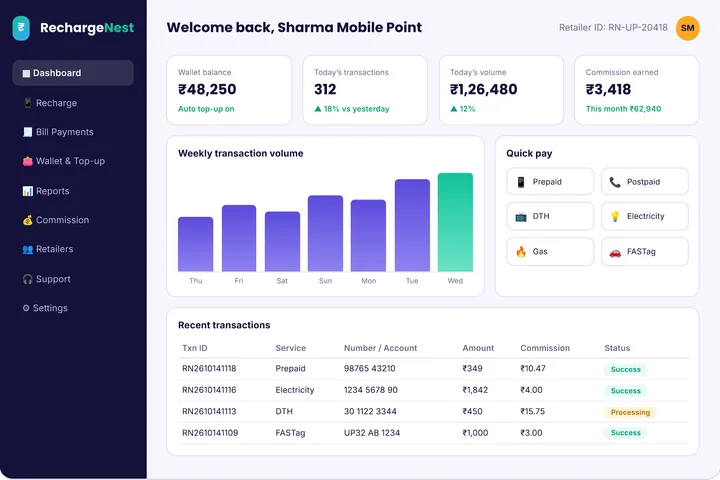
Software we build and support for the businesses that run on it.
FAQ
Sysfo E-commerce is e-commerce software with one admin console for products, variants and stock, orders to delivery, payments and COD rules, coupons, banners, menus, wording and SEO — plus a mobile-first online store that updates the moment you save. No developer is needed for day-to-day changes.
Yes. Two example stores are live: a fashion store at ecom.sysfolabs.com/clothing and an electronics store at ecom.sysfolabs.com/electronics. Ask us for admin demo login details and we'll walk you through adding a product, taking an order to delivery and changing a banner.
Yes. Attributes are yours to define — sizes for clothes, storage for phones, weight for groceries — and can drive variants, website filters or both. The same admin fits fashion, electronics, footwear, beauty or anything you sell, with size guides per category.
UPI apps and QR, cards and net banking through Razorpay, PayU or your bank's gateway, plus cash on delivery with a switch and an order-value limit. Online orders arrive marked Paid with the transaction ID on the order and invoice.
Yes. Set GST rates per product as included or added, your own bill prefix and payment modes; the bill is created automatically when an order is confirmed and can be printed from the invoice list.
Yes. Coupon Code Master creates percentage or flat-amount codes with a minimum order, a maximum discount cap, total and per-customer usage limits and start and end dates. Banners, deal of the day, promo tiles and shop-by-budget bands are all managed from the admin.
Every product has its own SEO title and description, there are site-wide title and meta templates, clean shareable page links, editable policy pages and a mobile-first, fast storefront — all managed without code.
Yes. Add employees, put them in departments and decide, screen by screen, what each role can view, add, edit, delete or export — for example, packing staff see orders only and the catalogue team sees products only.
A complete admin console, staff logins with per-screen permissions, your logo, colours, fonts and name across the store, your own domain, payment gateway and delivery rules, a mobile-first store and orders, invoices and reports from day one — with setup and training from our team.
Get started
Tell us what you sell. We set up your categories, attributes and products, apply your logo and colours, connect your payment gateway and train your team on the admin, so you can run the store yourself from day one.
Add a product, take an order to delivery and change a banner — live.
Your catalogue, photos, sizes, delivery and COD rules, coupons, banners and payment set up for you.
Hands-on admin training for you and your staff, your own domain and support after launch.