
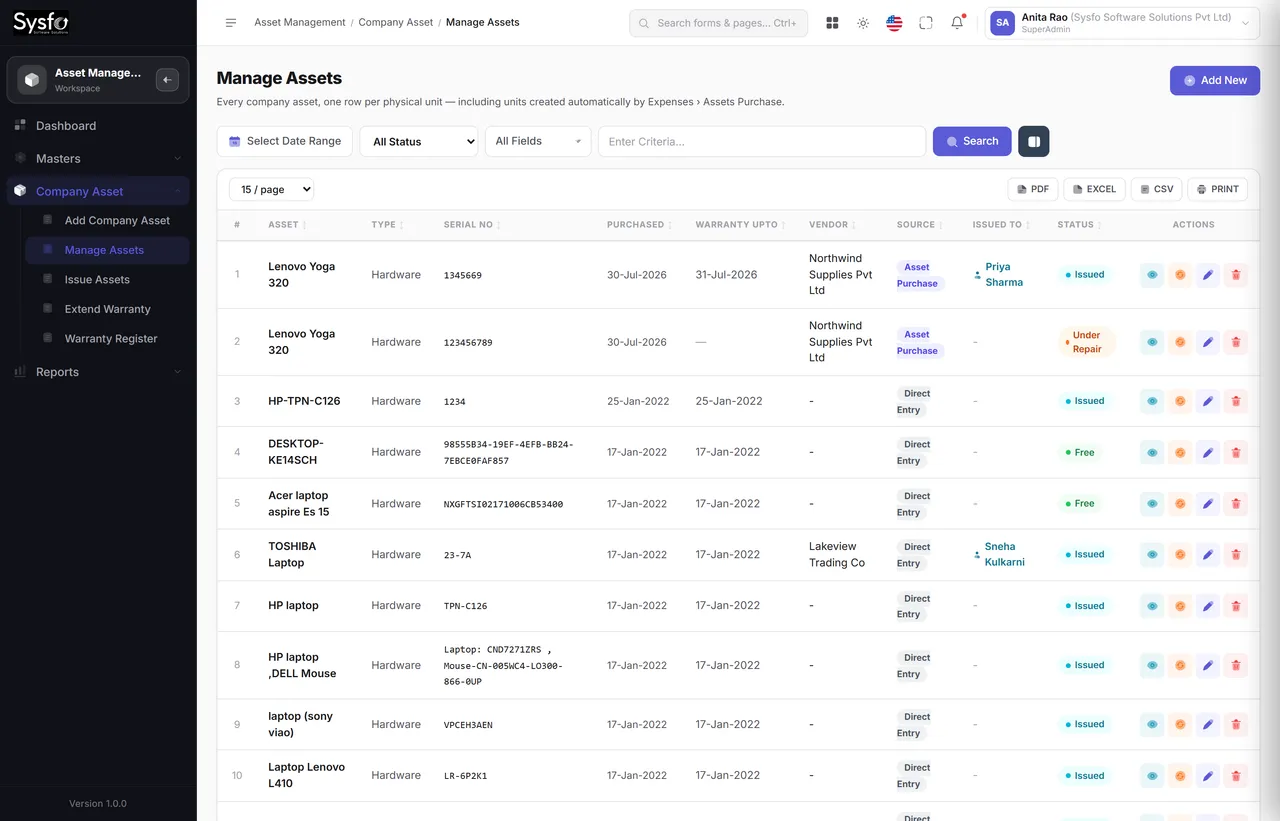
One row per unit
A bill for ten laptops becomes ten assets, each with its own number, custodian, warranty and history — not one line saying “laptops × 10”.
A company asset register that writes itself from your purchases — one record per unit, issued to people, tracked through warranty, ageing and AMC expiry.
Why Sysfo Asset Management
Asset registers fail the same way every time: someone has to type into them after the real work is done, and eventually nobody does. Here the register is a by-product — buying an asset creates it, issuing it is how it reaches an employee.
A bill for ten laptops becomes ten assets, each with its own number, custodian, warranty and history — not one line saying “laptops × 10”.
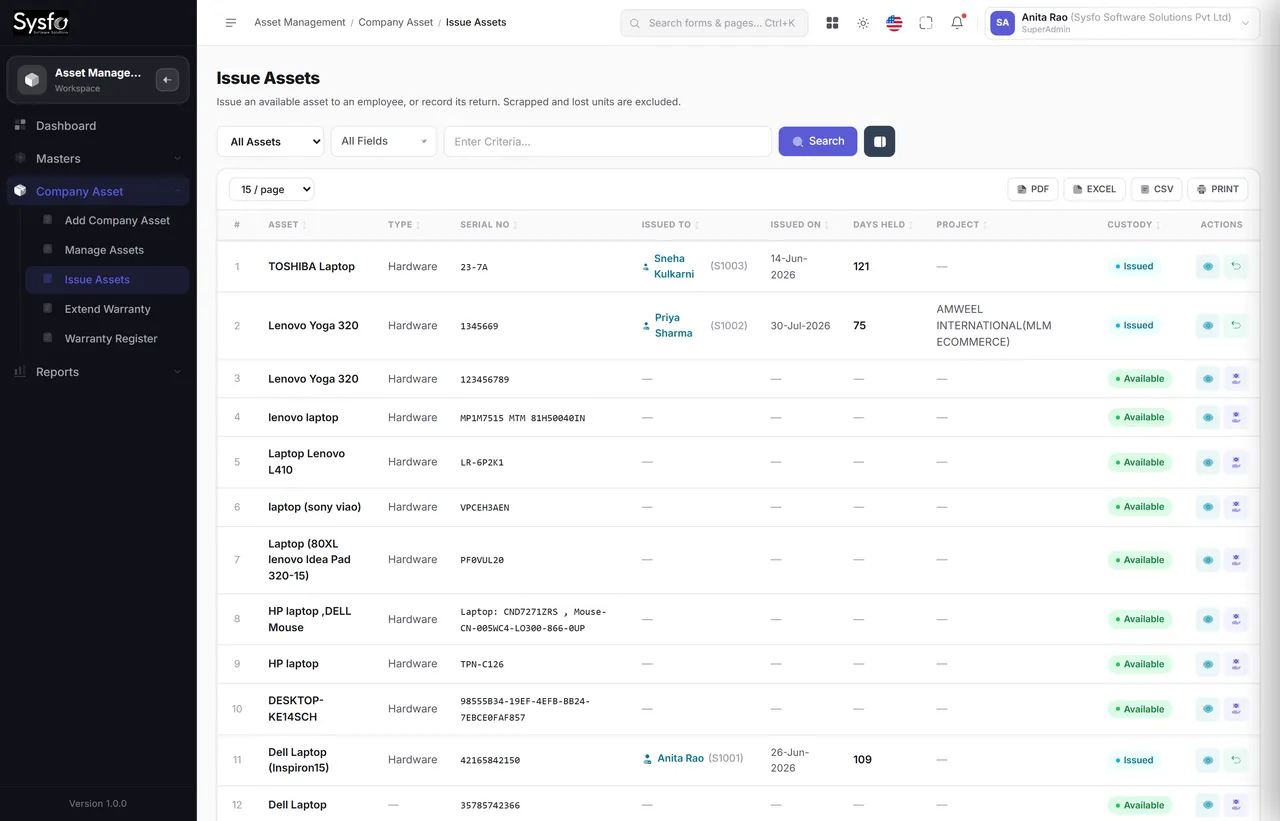
Issue an asset to an employee and it shows on both records — so at exit, what has to come back is a list rather than a conversation.
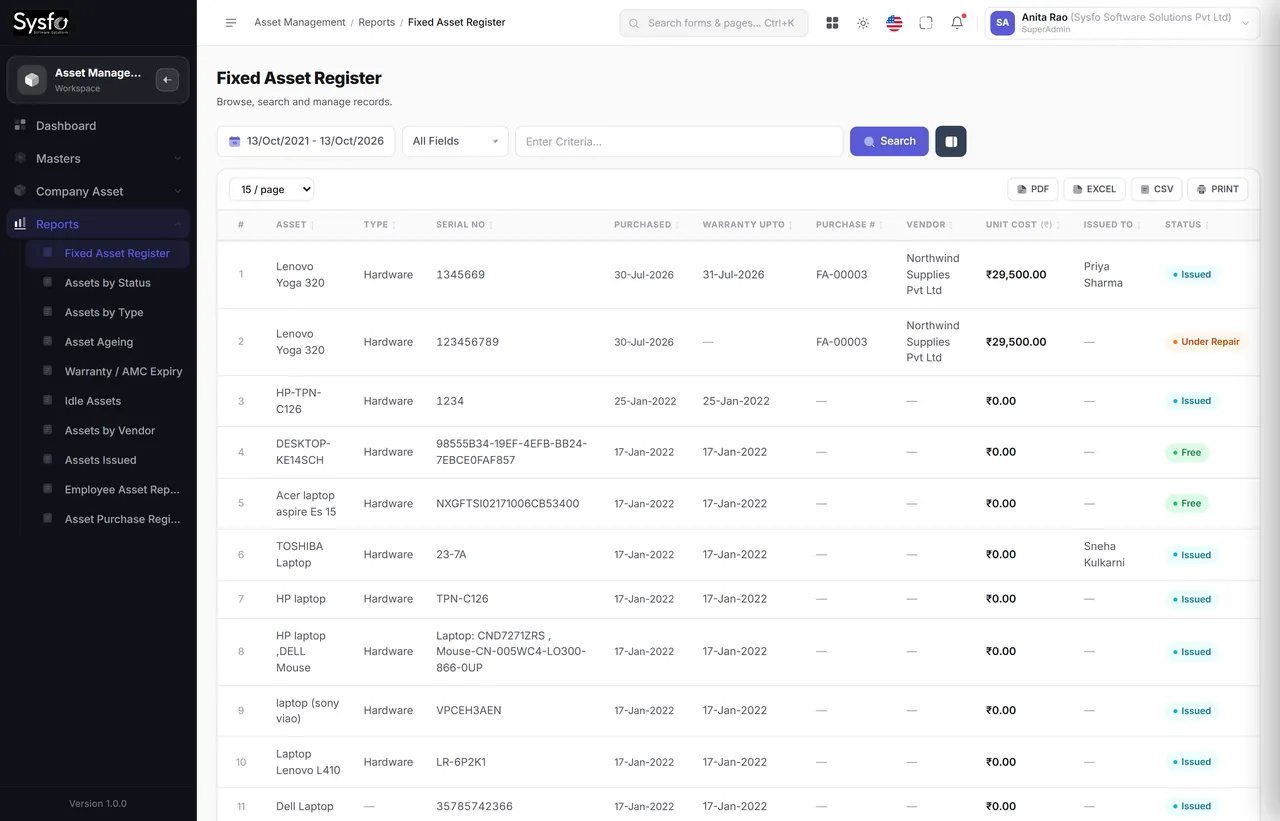
Warranty and AMC end dates are reported before they pass, so a renewal is a decision rather than a discovery.
The life of an asset
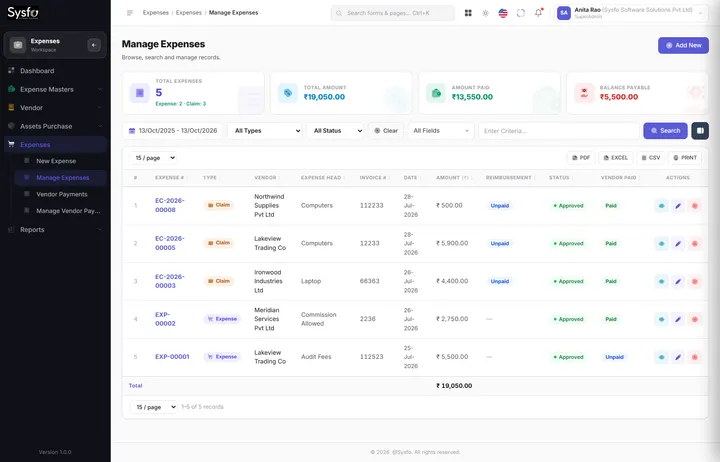
An asset purchase writes one record per unit.
To an employee or a location.
Warranty extended and registered.
Reported by age, status and idleness.
Switched off, never deleted.
A spreadsheet that was accurate on the day it was made, a folder of invoices nobody cross-references, and an annual stock-take that reconciles the two by walking around the building with a printout.
Buying a replacement for something sitting unused in a cupboard, paying AMC on equipment that was written off, and the exit conversation where nobody can say which laptop someone was given.
Register & custody
Add an asset by hand when you need to, or let a purchase do it. Issue it, extend its warranty, and keep the warranty register — that is the whole working set.
 Enlarge
At exit
Because custody is recorded as it happens, the Employee Asset Report is already the handover checklist — and the HRMS no-dues certificate is issued against something the system knows rather than something somebody recalls.
Not everything goes to a person. A UPS, a router or a printer is issued to a room or a branch, and reports the same way.
A returned asset goes back to store and can be issued again — so its history is a chain of custodians, not a single owner field that gets overwritten.
Disposed and written-off assets are switched off rather than deleted, so last year’s register still reconciles to last year’s accounts.
Asset reporting
The register earns its keep at three moments: the audit, the renewal, and the day someone asks why you are buying another one.
 Enlarge
Every screen in the module
All sixteen screens. Shares the asset record with the Expenses module’s asset purchases and with HRMS, so an asset issued to an employee shows in all three.
Part of Sysfo ERP
Asset Management Software runs on its own, or alongside the other Sysfo ERP modules on one login and one set of records.
FAQ
It is a company fixed asset register that creates one record per physical unit from your purchases, issues assets to employees or locations, and tracks warranty, AMC expiry, ageing and idle assets. It has 16 screens and 10 reports.
No. An asset purchase in the Expenses module creates the asset records automatically — one per unit, with the vendor, bill and value attached. Add Company Asset is there for anything bought outside the system.
Yes. Issue Assets assigns a unit to an employee or to a room or branch with a date. The asset appears on the employee’s record too, and returned assets go back to store and can be reissued with the full custody history kept.
Yes. The Warranty / AMC Expiry report lists cover that is about to end, Extend Warranty records renewals, and the Warranty Register keeps the history.
The Employee Asset Report lists exactly what the person holds, so it becomes the handover checklist, and the HRMS no-dues certificate is issued against that record.
They are switched off rather than deleted, so last year’s register still reconciles to last year’s accounts.
Get started
We set up your asset types, load your existing assets with their values and warranty dates, and connect new purchases so the register keeps itself current.
Buying, issuing, extending warranty and the expiry reporting.
Asset types, your existing register, custodians and cover dates.
Admin and IT, plus the handover routine for joiners and leavers.