Software
Expense Management Software: Control Vendor Bills, Employee Claims and GST Credit
Spending money is the easy part. Knowing where it went, who approved it, how much GST credit you can claim and which vendors you still owe is where most businesses struggle. Bills arrive by email, claims come in as photos on WhatsApp and payments are made before anyone checks the approval. Modern expense management software fixes this by putting every rupee of spend into one register with approvals before payment. Sysfo Expenses does that for vendor bills, employee claims and asset purchases, with GST, TDS and reverse charge tracked as you go.
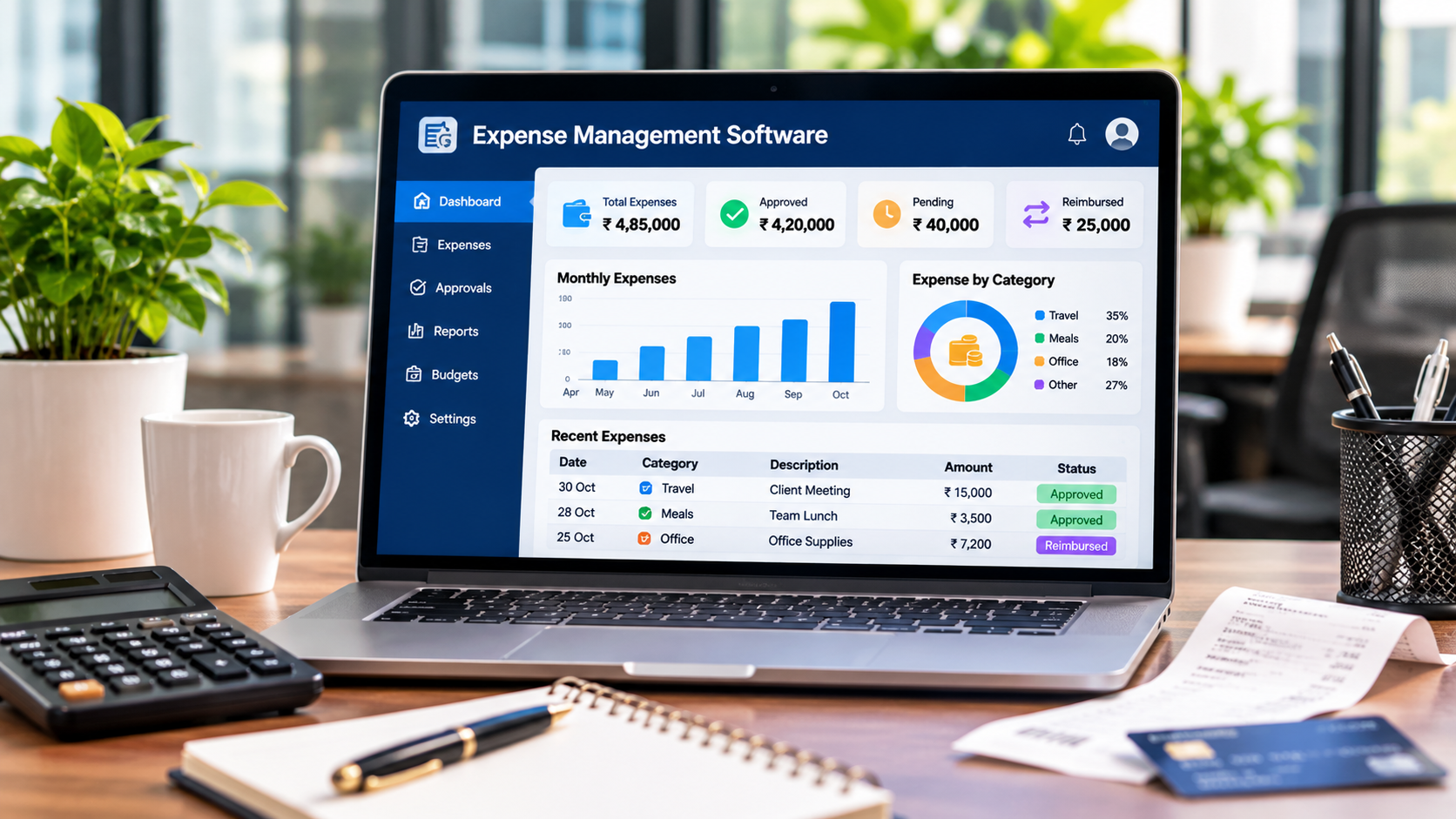
Spending money is the easy part. Knowing where it went, who approved it, how much GST credit you can claim and which vendors you still owe is where most businesses struggle. Bills arrive by email, claims come in as photos on WhatsApp and payments are made before anyone checks the approval.
Modern expense management software fixes this by putting every rupee of spend into one register with approvals before payment. Sysfo Expenses does that for vendor bills, employee claims and asset purchases, with GST, TDS and reverse charge tracked as you go.
Three kinds of spend, one register
Most tools handle either vendor bills or employee claims. Sysfo Expenses handles three spend types in the same register:
Spend type | Example | What happens |
|---|---|---|
Vendor bills | Rent, utilities, service providers | Booked, approved, paid with TDS |
Employee claims | Travel, food, client visits | Filed from phone, approved, reimbursed |
Asset purchases | Laptops, machines, furniture | Create asset records automatically |
Every expense is classified as Expenditure Group, then Expense Head, then Expense Item. You can also tag a Project for job costing.
Key features
Approval before payment. Expenses wait in a pending-approval queue. Approvers can return a claim for correction or reject it with a reason. Cancelled expenses are kept, not deleted, so the trail stays complete.
Employee claims from a phone. Staff file claims with bills attached through the My Account self-service module, usually from a phone. Each claim is tracked until it is paid. Pending claims can also be settled through payroll in Sysfo HRMS.
Vendor management. Keep a vendor master with documents and KYC, a vendor ledger and ITC or RCM flags per vendor.
Flexible payments. Pay one bill or several bills together, in full or in part, in any mode and bank-wise. TDS is deducted at the time of payment.
Payables you can trust. Payables ageing and outstanding expenses update the moment a payment is made.
GST done right. Input Tax Credit is tracked with blocked credit separated. Reverse charge liability, TDS and HSN summaries are reported automatically.
Assets without double entry. Buy ten laptops and the system creates ten tracked asset records in Asset Management, with vendor, bill and value attached.
Reports that answer real questions
Sysfo Expenses includes 30 reports across three groups:
- Where did the money go? Spend by head, vendor, project, item and month.
- What do we owe? Payables ageing, vendor ledger and TDS.
- Claims and tax. ITC, RCM, HSN, and claims by employee or cycle.
Why it matters for Indian businesses
More GST credit, fewer misses. When ITC is captured at the time of booking and blocked credit is separated, accounts teams stop leaving credit on the table.
Reverse charge stays visible. RCM flags on the vendor mean liability is calculated automatically instead of remembered at filing time.
Cleaner audits. Every rejection and cancellation is kept with its reason.
Project profitability. Tagging expenses to projects shows true project cost alongside revenue.
Who uses it
- Accounts teams booking bills, paying vendors and handling GST
- HR teams processing reimbursements
- IT and admin teams buying assets
- Managers approving spend
- Employees filing claims from their phones
Expense management software buying checklist
- Does it handle vendor bills and employee claims together?
- Is there an approval step before payment?
- Can staff file claims from a phone with bill photos?
- Does it track ITC, RCM and TDS?
- Can you pay several bills at once?
- Does it link to payroll and asset records?
Sysfo Expenses checks every box. It runs standalone or alongside Sysfo ERP modules such as HRMS, GST Billing and Asset Management on one login.
Implementation
- Live demo based on your current process.
- Setup and migration of expense structure, vendors, opening payables and approval rules.
- Training and go-live for accounts, approvers and employees.
Frequently asked questions
How do employee claims work? Employees file claims with bills attached. Approvers approve, return for correction or reject. Approved claims are reimbursed and tracked until paid.
Does it track GST input credit and reverse charge? Yes. ITC is tracked with blocked credit separated, and RCM liability is calculated from vendor flags.
Can I pay several vendor bills at once? Yes, in full or in part, with TDS deducted on payment.
Can I book expenses to projects? Yes. Tag a project to see spend by project.
What happens when I buy assets? Each unit becomes an asset record. Ten laptops become ten tracked assets.
Take control of spend
See every rupee, every approval and every GST credit in one place. Request a free demo or quote, or contact Sysfo on +91 76074 20009.