Software
ERP Software for Small Business in India: One System from Enquiry to Payment
Most growing Indian businesses do not have a software problem. They have a too-many-software problem. Sales lives in one tool, invoices in another, HR in a spreadsheet and support tickets in someone's inbox. Searching for ERP software for small business India usually starts when those tools stop talking to each other and month-end turns into a hunt for numbers.
Most growing Indian businesses do not have a software problem. They have a too-many-software problem. Sales lives in one tool, invoices in another, HR in a spreadsheet and support tickets in someone's inbox. Searching for ERP software for small business India usually starts when those tools stop talking to each other and month-end turns into a hunt for numbers.
Sysfo ERP is built for exactly that moment. It is a cloud ERP platform from Sysfo Software Solutions, a Lucknow company working since 2005, that covers the business from the first enquiry to the final payment on one login and one set of records.
What is ERP software, and why do SMEs need it?
ERP (Enterprise Resource Planning) software joins your core business processes into one database. A client created by sales is the same client billed by accounts and supported by the helpdesk. Nobody re-types data, and every report reads from the same source.
For a small or mid-sized business, that brings three practical gains:
- Less double entry. An accepted proposal becomes a sales order, then an invoice, then a receipt, without copying.
- Faster compliance. GST, HSN/SAC and TDS are captured at the point of sale, so tax reports are ready when you need them.
- Real visibility. Owners see receivables, payables, pipeline and workload on one screen instead of asking four people.
Sysfo ERP at a glance
Item | Sysfo ERP |
|---|---|
Integrated modules | 13 |
Ready screens | 356 |
Ready-made reports | 100+ |
Alert channels | Email, SMS, WhatsApp |
Deployment | Cloud, mobile-first |
Multi-company | Yes, from one installation |
Typical go-live | A few weeks |
The modules inside Sysfo ERP
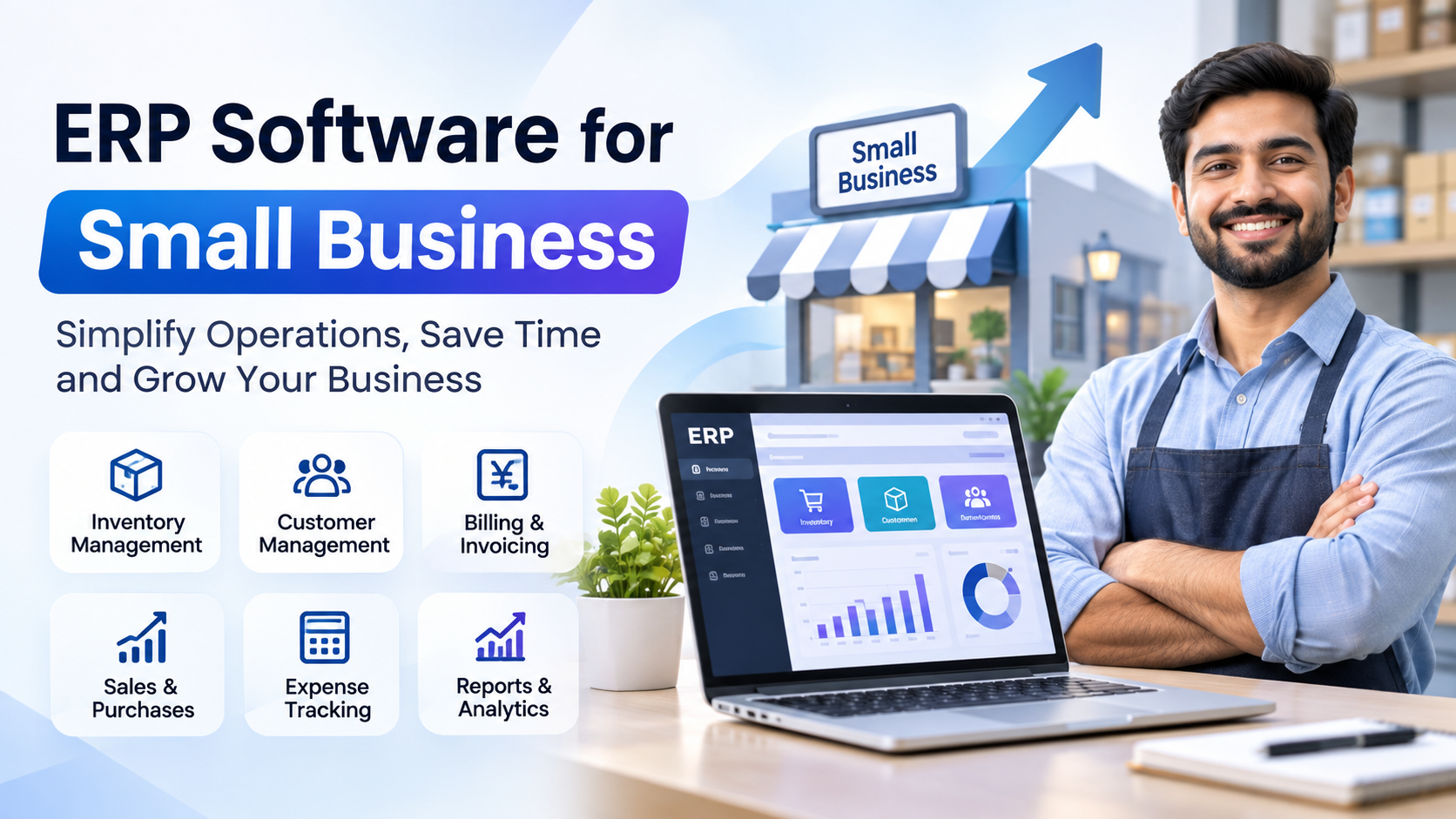
Sales and invoicing. Client records hold GSTIN, PAN and KYC documents. Products and services carry HSN/SAC codes and tax rates. You can raise partial invoices against a sales order, process returns with credit notes and manage subscriptions and renewals. See the full GST Billing & Invoicing Software module.
Payments and receivables. Record part payments, advances and online gateway payments. TDS is captured on receipt, and receivables ageing shows exactly who owes what.
Enquiries and proposals. Leads from your website form land in the system automatically, get a handler and a callback date, and move into branded proposals. Won proposals convert straight into sales orders. Learn more about the Enquiry Management System and Proposal Management Software.
Purchase and expenses. Purchase orders go through an approval workflow, then goods receipt, purchase bills and vendor payments. Employee claims, input tax credit and reverse charge are tracked in the expense module.
HRMS and payroll. Employee records, attendance, two-level leave approval, timesheets, payroll, loans and six HR letter types live in the same system as the rest of the business. Details are on the HRMS & Payroll Software page.
Projects, helpdesk and assets. Run projects with budgets and task boards, handle support tickets with SLA tracking, and keep an asset register that is created from purchases.
E-commerce. An online storefront can run on the same product catalogue, so web orders arrive as tagged sales orders.
Client panel and self-service. Clients log in to see orders, invoices and tickets and to pay online. Employees use My Account for leave, attendance and claims.
Why Sysfo ERP fits Indian small businesses
GST and TDS are built in, not bolted on. HSN/SAC per line, discounts apportioned to lines, input tax credit, reverse charge, HSN summaries and TDS reports come standard, with numbering by financial year.
Buy only the modules you need. Modules are switched on per company. Start with sales and invoicing, then add HR or purchase later without a new installation or data migration.
Run several companies from one installation. Each company or branch gets its own logo, numbering, tax setup and financial year. Users only see the companies they are granted.
Works on a phone. Screens are designed mobile-first, so a salesperson can check a client ledger or an approver can clear leave from a phone.
Security that suits audits. Records are soft-deleted rather than erased, every record carries an audit stamp, links use encrypted IDs, and staff, clients and partners have separate logins.
Open for integration. A developer API with keys managed from admin, plus published Enquiry, HRMS and HelpDesk APIs, lets you connect your website or other tools.
How to choose the best ERP for an SME
Before you sign with any vendor, check these five points:
- Indian compliance. Does it handle GST, HSN/SAC and TDS natively?
- Modularity. Can you start small and grow without re-implementation?
- Reporting depth. Are there enough ready reports, and can you export them?
- Mobile use. Can field and sales staff use it on a phone?
- Implementation support. Will the vendor set up masters, migrate data and train staff?
Sysfo ERP answers yes on all five. Setup covers company, financial year, taxes, numbering and opening balances. Staff are trained by role, and support continues after launch.
How implementation works
- Live demo on your own processes.
- Setup and migration of masters and opening data.
- Role-wise training for sales, accounts, HR and support teams.
- Go-live and support. Most businesses run on their own data within a few weeks.
If your processes are unusual, Sysfo's enterprise software development team can customise the platform.
Frequently asked questions
Is Sysfo ERP GST compliant? Yes. It covers HSN/SAC, discounts, tax reports, input tax credit, reverse charge, HSN summaries and TDS, with financial-year numbering.
Can I buy only some modules? Yes. Modules are assigned per company and can be added later.
Can I manage multiple companies? Yes, from one installation, each with its own settings.
Can clients and employees log in? Yes, through the Client Panel and My Account, with separate logins.
How long does implementation take? Typically a few weeks, depending on data and modules.
Get started with Sysfo ERP
If you are comparing ERP software for small business in India, see Sysfo ERP working on your own scenario. Book a free demo or get a quote, or contact the team on +91 76074 20009.