Software
Fixed Asset Management Software: Know What You Own, Who Has It and When It Expires
Ask most growing companies how many laptops they own, who has each one and when the warranties run out. The answer is usually a pause, then a spreadsheet that was last updated months ago. Meanwhile, idle equipment sits in a cupboard while someone orders a new one, and an employee leaves with a company phone nobody remembered to collect. Fixed asset management software solves this by keeping a live register of every physical item, linked to the bill it came from and the person who holds it. Sysfo Asset Management Software puts it plainly: know what you own, who has it, and when it dies.
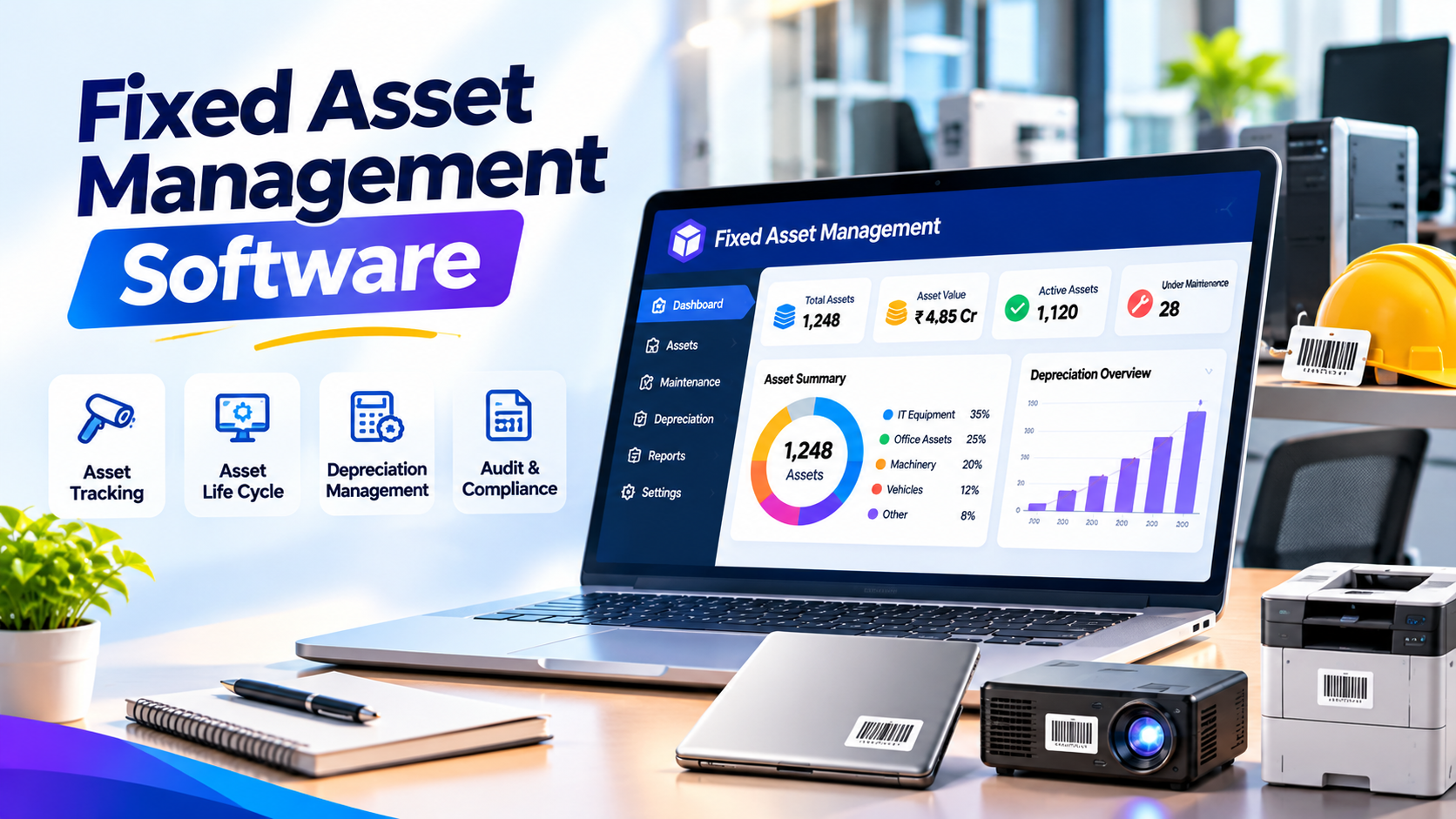
Ask most growing companies how many laptops they own, who has each one and when the warranties run out. The answer is usually a pause, then a spreadsheet that was last updated months ago. Meanwhile, idle equipment sits in a cupboard while someone orders a new one, and an employee leaves with a company phone nobody remembered to collect.
Fixed asset management software solves this by keeping a live register of every physical item, linked to the bill it came from and the person who holds it. Sysfo Asset Management Software puts it plainly: know what you own, who has it, and when it dies.
What makes Sysfo's approach different
Most asset tools expect you to type assets in by hand after you buy them. That double entry is exactly why registers fall out of date.
In Sysfo, the register is built from purchases. When an asset purchase is booked in Sysfo Expenses, one asset record is created per physical unit, with vendor, bill and value attached. Buy ten laptops and you get ten tracked assets. The page calls this "0 double entry".
For items bought before the system or outside it, the Add Company Asset screen covers manual entry.
The asset lifecycle
Every asset moves through five clear stages:
- Bought. Created from the purchase, with cost and vendor.
- Issued. Assigned to an employee or a location, with a date.
- Covered. Warranty and AMC dates tracked, with expiry reported in advance.
- Aged. Ageing reports show how old each asset is.
- Retired. Disposed or written-off assets are switched off, not deleted, so past registers still match past accounts.
Key features
Custody tracking. Issue assets to employees, rooms or branches. When an item comes back, it returns to store and can be reissued. The full custodian history stays on the record.
Warranty and AMC alerts. The Warranty Register and Warranty/AMC Expiry report show end dates before they pass, so you renew or claim in time. You can also extend warranty from the system.
Idle asset report. See equipment that is not issued to anyone before you approve a new purchase.
Exit handling. The Employee Asset Report works as a handover checklist when someone leaves. It feeds the no-dues certificate in Sysfo HRMS & Payroll.
Asset types. An Asset Type Master groups items into categories used across reports.
Reports included
Report | What it answers |
|---|---|
Fixed Asset Register | Everything we own, with values |
Assets by Type | How many laptops, printers, vehicles |
Assets by Vendor | What we bought from whom |
Asset Purchase Register | What we bought, when |
Assets Issued | What is out with people or places |
Employee Asset Report | What one person holds |
Assets by Status | Issued, in store, retired |
Idle Assets | What is sitting unused |
Asset Ageing | How old our equipment is |
Warranty/AMC Expiry | What expires soon |
The module has 16 screens and 10 core reports, plus the Warranty Register.
Who benefits
- IT teams managing laptops, desktops, phones and network gear
- Admin teams tracking furniture, AC units, vehicles and office equipment
- HR teams clearing exits with a reliable asset checklist
- Finance teams reconciling the asset register with books
- Multi-branch businesses that need to know which branch holds what
Benefits in practice
Stop buying what you already have. The idle asset report surfaces spare equipment before a new purchase order.
Never miss a warranty claim. Expiry is reported ahead of time, not discovered after a repair bill.
Cleaner employee exits. HR sees exactly what an employee holds on the last day.
Audit-ready history. Retired assets are kept, and every issue and return is dated.
Part of a connected system
Asset Management runs standalone or alongside other Sysfo ERP modules on one login and one set of records. It connects most closely with Expenses (purchases create assets), HRMS (assets on employee records) and HelpDesk (repair and support tickets).
Getting started
Onboarding covers setup of asset types, loading your existing assets with values and warranty dates, and training for admin and IT staff. Demo requests are answered within one business day.
Frequently asked questions
Do I have to type every asset manually? No. Purchases in Expenses create asset records. Add Company Asset covers items bought outside the system.
Can assets be issued to locations, not just people? Yes, to employees, rooms or branches, with dates.
Will I get warranty and AMC alerts? Yes, through the Warranty/AMC Expiry report.
How do I handle a leaving employee? The Employee Asset Report lists everything the person holds, and it feeds the no-dues certificate.
What happens to disposed assets? They are retained and switched off, so past registers still reconcile with past accounts.
Get a live asset register
Replace the old spreadsheet with a register that updates itself. Book a free demo or get a quote, or contact Sysfo on +91 76074 20009.