Mobile App
AI ERP Assistant: Ask Your ERP Questions in Plain English with ERPPilot
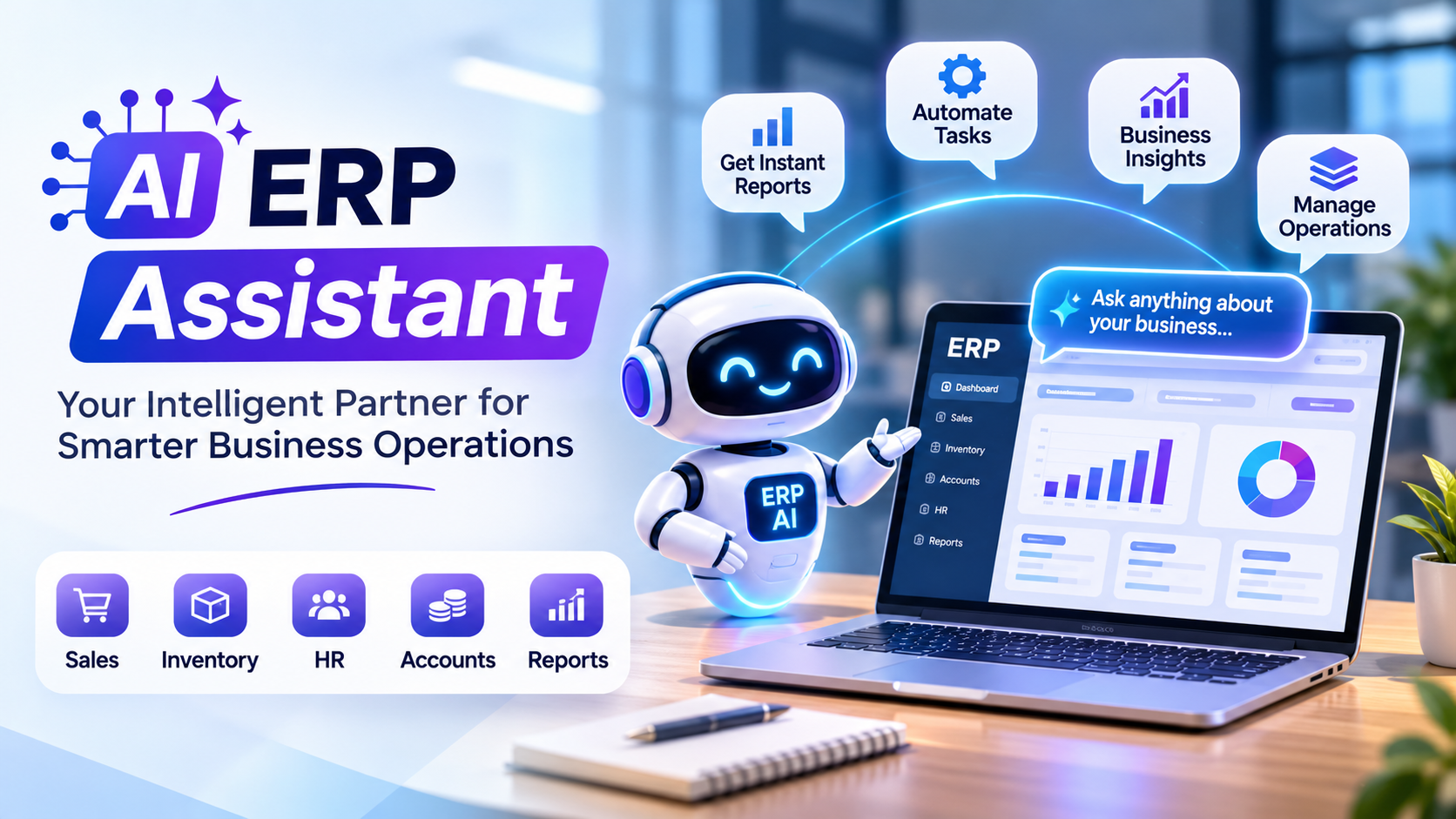
Your ERP already holds the answer to almost every business question. Which client owes the most? How did sales move this month? Which branch is behind target? The problem is getting to that answer. It usually means waiting for someone who knows the report menu, or someone who can write SQL. An AI ERP assistant removes that wait. ERPPilot, built by Sysfo Software Solutions, lets any staff member type or speak a question in plain English and get an answer from live ERP data in seconds. Its promise is simple: ask your ERP, get instant answers.
Your ERP already holds the answer to almost every business question. Which client owes the most? How did sales move this month? Which branch is behind target? The problem is getting to that answer. It usually means waiting for someone who knows the report menu, or someone who can write SQL.
An AI ERP assistant removes that wait. ERPPilot, built by Sysfo Software Solutions, lets any staff member type or speak a question in plain English and get an answer from live ERP data in seconds. Its promise is simple: ask your ERP, get instant answers.
What is an AI ERP assistant?
An AI ERP assistant is a chat layer that sits on top of your existing ERP database. You ask a question in normal language. The assistant works out which tables hold the answer, writes a database query, runs it and explains the result back to you.
ERPPilot does this for any SQL Server-based ERP. It returns three things:
- A written summary of the answer in plain language
- A full data table you can scroll or export to Excel
- An optional chart (bar, line or pie) when the data has a shape worth seeing
The page states a typical time of 3 to 10 seconds from question to answer.
Why businesses are adding AI to their ERP
Non-technical staff get self-service. A sales head, a branch manager or an owner can ask "top 10 customers by outstanding this quarter" without learning SQL or waiting for IT.
Fewer custom report requests. Every ERP team knows the queue of one-off report requests. Many of those become a single question in the chat.
Answers on the move. On the Growth and Enterprise plans, registered numbers can ask questions on WhatsApp. Large results arrive as Excel or PDF files.
Faster decisions. When the answer takes seconds instead of a day, people actually ask the question.
How ERPPilot works: 3 steps
- Connect. Link your SQL Server database from the client portal. ERPPilot fetches the schema automatically, and you whitelist only the tables the AI may read.
- Embed. Add a floating chat widget to your website or web app with one script tag. It works in plain HTML, React and Android WebView apps, with a full-screen mode for mobile.
- Ask. Staff type or speak questions. Suggestion chips help new users get started.
Your data is queried live. It is not copied into another system.
Security: read-only by design
The biggest worry with AI on business data is safety. ERPPilot handles it in layers:
- Zero writes. Every query is SELECT-only. The assistant cannot change, insert or delete data.
- Table whitelist. The AI can read only the tables you approve.
- Encryption. Credentials are encrypted at rest with AES-256.
- Isolation. Each company's data and settings are kept separate.
- Signed sessions. Chat sessions use signed JWTs.
- Approved WhatsApp numbers only. Only admin-approved numbers can query on WhatsApp.
Features at a glance
Feature | What it does |
|---|---|
Natural language and voice input | Ask by typing or speaking |
Summary + table + chart | Three views of every answer |
Excel export | Download full datasets |
Spoken replies | Hear the answer read back |
WhatsApp channel | Ask from WhatsApp (Growth, Enterprise) |
Client portal | Connect DB, whitelist tables, test chat, track usage |
Admin console | Manage companies, plans, API keys, AI model, widget style |
The assistant runs on Anthropic Claude, with Groq as a fallback. The AI model can be switched from the admin console without redeploying.
Built for ERP vendors and resellers too
If you sell or support an ERP for many clients, ERPPilot's admin console lets you manage many client companies from one place. You can set plans, issue API keys, track usage, suspend access, pick the AI model and style the widget per company. That makes it easy to add AI as a paid upgrade to your existing ERP product.
Sysfo's own demos ran against a working MLM ERP database, with client names and phone numbers masked.
Plans and pricing
Plans are sized by AI queries per month:
Plan | Queries per month | Daily limit | |
|---|---|---|---|
Starter | ~100 | Up to 20/day | No |
Growth (most popular) | 500 | Up to 100/day | Yes |
Enterprise | 2,000 | No daily limit | Yes |
Prices are shared in the client portal or on request. A free demo plan lets you test the widget on your own data before buying.
Who should use ERPPilot?
- Businesses running a SQL Server ERP who want faster answers for management
- Companies already using Sysfo ERP or MLM.ERP
- ERP vendors who want to offer an AI add-on to their clients
- Teams that want reports on WhatsApp without building a custom bot
If you need a custom AI integration beyond the standard product, Sysfo also offers API development services.
Frequently asked questions
Which ERPs does ERPPilot support? Any SQL Server-based ERP. You choose which tables the AI can access.
Can the AI change my data? No. It only reads, and only from whitelisted tables.
Where can my team use it? On a website widget, in Android or Capacitor apps, and on WhatsApp for Growth and Enterprise plans.
Does it make charts and Excel files? Yes. Bar, line and pie charts, plus Excel export and WhatsApp attachments.
Is there a free trial? There is a free demo plan to test on your own data.
Try the AI ERP assistant on your own data
See how much faster your team gets answers when they can simply ask. Book a free ERPPilot demo or talk to Sysfo on +91 76074 20009.